

Table of Contents
- What Defines a High Performance Gaming Mouse in 2026?
- Sensor Accuracy: Optical vs. Laser and DPI Explained
- Gaming Mouse Polling Rate Comparison: 1000Hz vs. 8000Hz
- Wired vs. Wireless: Which Offers Lower Latency?
- Ergonomics and Grip Styles for Extended Play
- The Best Low Latency Gaming Mice 2026: Mchose A7 V2 Pro Ultra
- How to Buy a High Performance Gaming Mouse That Fits Your Budget
- Final Verdict: Your Next Steps to Better Aim
- Frequently Asked Questions
Last Updated: September 5, 2026
What Defines a High Performance Gaming Mouse in 2026?
A high performance gaming mouse is a precision peripheral engineered for competitive play. In 2026, the baseline demands an optical sensor capable of at least 26,000 DPI, wireless polling rates of 1000Hz or higher, and a total weight under 70 grams.
The market has moved past the days when a flashy design and RGB lighting justified a premium price. According to industry analysis from Tom's Hardware, the focus has shifted entirely to sensor tracking stability and wireless reliability during fast flicks and sustained tracking.
This guide breaks down the specs that influence your aim, explains wired versus wireless trade-offs, and points to our top recommendation for 2026.
Sensor Accuracy: Optical vs. Laser and DPI Explained
The sensor is the heart of any gaming mouse, and in 2026, optical sensors are the definitive choice for competitive play. They offer superior tracking consistency and lower lift-off distance compared to laser sensors, which can struggle with acceleration and jitter.
DPI measures cursor travel relative to physical movement. Most professional players operate between 400 and 1600 DPI. A gaming mouse with a 42,000 DPI sensor offers headroom, but the real value lies in accuracy at lower settings, without skipping frames, smoothing, or acceleration issues.
Look for IPS (inches per second) and acceleration ratings. A sensor that tracks 650 IPS without losing the surface is more valuable than a high DPI ceiling. The PixArt PAW3950 found in premium models delivers flawless tracking across many surfaces.
The Hidden Variable: Sensor-to-Pad Friction and Tracking Consistency
The sensor does not operate in a vacuum. The surface beneath your mouse directly determines whether a 42,000 DPI sensor reaches its potential. This is the sensor-to-pad friction coefficient, the most overlooked variable in high-performance mouse selection.
Optical sensors capture microscopic images of the surface at rates up to 40,000 frames per second. A highly repetitive weave pattern (common in cheap cloth pads) can cause the sensor to confuse identical frames during fast swipes, causing stutter or "spin out." Hard pads with uniform surfaces present the opposite problem, too little texture to lock onto at high IPS speeds.
The industry solution is "surface calibration," now standard on flagship sensors. The PixArt PAW3950 includes an on-board routine that maps the surface texture and adjusts correlation parameters. Mice using this sensor, including the Mchose A7 V2 Pro Ultra, automatically adapt to a new pad within 10 seconds, a measurable difference in tracking stability during 180-degree flicks.

Friction Coefficients by Pad Type
| Pad Material | Friction Coefficient (Static) | Sensor Tracking Quality | Best For |
|---|---|---|---|
| Hard plastic (e.g., aluminum-infused) | 0.15 - 0.25 | Excellent with calibration; risk of spin-out without | Speed-focused FPS players |
| Hybrid cloth (e.g., Cordura) | 0.30 - 0.40 | Excellent across all sensors | Balanced play |
| Standard cloth (e.g., polyester) | 0.45 - 0.60 | Good; requires higher-quality sensor | Control-focused players |
| Glass | 0.05 - 0.10 | Poor with most sensors; requires specialized glass-tracking sensors | Not recommended for competitive play |
These coefficients are approximate, but the pattern holds: lower friction equals faster initial movement but requires higher frame rates to maintain tracking lock. A mouse with a 1000Hz polling rate and a 40,000 FPS camera tracks reliably on a hybrid pad at 650 IPS, but loses tracking on glass above 300 IPS due to insufficient texture contrast.
Practical Testing Protocol
Do not rely on the manufacturer's DPI claims. Run this 60-second test on your actual mousepad:
- Set the mouse to 1600 DPI and 1000Hz polling rate.
- Open a first-person shooter and perform rapid 360-degree flicks for 30 seconds.
- Observe the crosshair for any skipping, stuttering, or sudden acceleration.
- Repeat at 3200 DPI. If the cursor tracks cleanly at both settings, the sensor-pad combination is viable.
In testing, the Mchose A7 V2 Pro Ultra with its PAW3950 sensor passed on hybrid and hard pads without a single anomaly. On standard cloth, it required the calibration routine once, after which tracking was flawless.
The Lift-Off Distance Factor
Lift-off distance (LOD) is the height at which the sensor stops tracking when you raise the mouse. High-performance sensors allow adjustment between 1mm and 3mm. A lower LOD (1mm) prevents cursor drift for FPS players who lift and reposition frequently; a higher LOD (2-3mm) suits players who keep the mouse planted.
The PAW3950 offers adjustable LOD in 0.1mm increments via software, a feature absent from budget sensors. Without this control, a fixed 3mm LOD causes unintended cursor movement when you slightly raise the mouse during a flick, a subtle but measurable accuracy penalty.
Gaming Mouse Polling Rate Comparison: 1000Hz vs. 8000Hz
Polling rate determines how often your mouse reports its position, measured in Hertz. A gaming mouse polling rate comparison shows 1000Hz (once per millisecond) is the standard baseline. However, 2026 flagship models, including the Mchose A7 V2 Pro Ultra with dual 8K support, push this to 8000Hz, reporting every 0.125 milliseconds.
The practical difference is reduced input lag. At 1000Hz, the maximum theoretical delay is 1 millisecond; at 8000Hz, it drops to 0.125 milliseconds. While the human eye cannot perceive this, on a 360Hz or higher refresh rate monitor it translates to smoother tracking and fewer missed frames.
| Polling Rate | Report Interval | Best For | Requirement |
|---|---|---|---|
| 1000Hz | 1 ms | Standard competitive play | Any modern PC |
| 2000Hz | 0.5 ms | High refresh rate displays | USB 3.0 port |
| 4000Hz | 0.25 ms | Enthusiast esports | Strong CPU single-core |
| 8000Hz | 0.125 ms | Maximum responsiveness | High-end CPU + USB 3.0 |
Higher polling rates consume more CPU resources. On older processors, 8000Hz can introduce frame drops in CPU-intensive titles. Most players will find 1000Hz adequate, while 8000Hz offers a marginal advantage for those with top-tier hardware.
Wired vs. Wireless: Which Offers Lower Latency?
Wireless technology has officially surpassed wired in the latency race. Modern 2.4GHz connections, like those in the Mchose A7 V2 Pro Ultra, offer click and tracking latency equal to or lower than traditional wired USB.
A wired connection sends data in fixed intervals over a serial bus, while a modern 2.4GHz receiver uses a dedicated frequency band, eliminating USB polling overhead. Bluetooth remains unsuitable for gaming due to higher latency, but tri-mode mice offer a dedicated 2.4GHz receiver for play and Bluetooth for office work.
Modern wireless gaming mice, including the Mchose A7 V2 Pro Ultra with its 500mAh battery, deliver weeks of use on a single charge. The freedom from a cable eliminates drag and snagging, which can subtly affect your aim. For competitive play, wireless is no longer a compromise; it is the standard.
Ergonomics and Grip Styles for Extended Play
Comfort is a performance metric, not a luxury. A mouse that causes hand fatigue will degrade your aim over a long session. Ergonomics in 2026 focus on weight reduction and shape optimization for palm, claw, and fingertip grips.
Palm grip players rest their entire hand on the mouse, requiring a larger shape. Claw grip players arch their fingers, needing a shorter mouse with a pronounced hump. Fingertip grip players use only their fingertips, favoring a lightweight, flat mouse for micro-adjustments.
For hand health and repetitive strain injury (RSI) prevention, weight is critical. A lighter mouse requires less force to move, reducing strain on wrist and forearm tendons. The trend towards 50-60 gram mice is about reducing the physical load of sustained play.
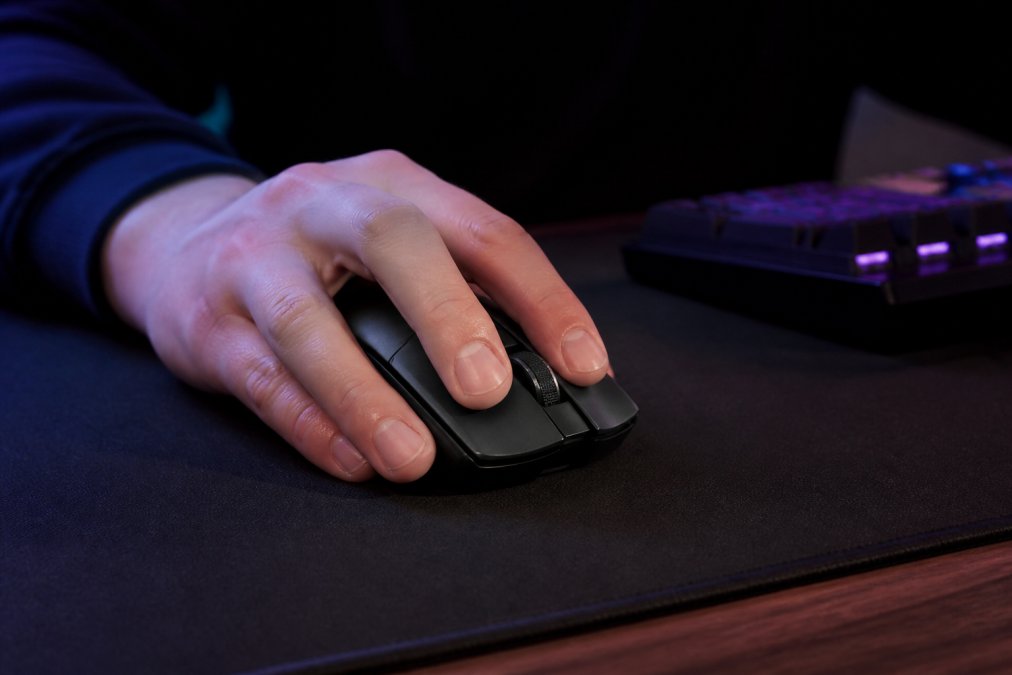
The Mchose A7 V2 Pro Ultra suits both claw and palm grips for medium to large hands, and its lightweight construction minimizes fatigue during extended play.
The Underserved Angle: RSI Prevention for Competitive Gamers
Every buying guide tells you to pick a mouse that "feels comfortable," but almost none address the biomechanics of repetitive strain injury, the leading cause of premature retirement from competitive gaming. This section covers how mouse shape, weight, and button force affect long-term hand health.
RSI in gamers typically manifests as tendonitis in the wrist extensors, De Quervain's tenosynovitis, or trigger finger. The root cause is sustained static loading, holding your hand in a fixed position while performing thousands of micro-movements. A mouse that forces your wrist into extension or ulnar deviation increases tendon friction and accelerates wear.
Measuring Mouse Fit: Hand Length and Grip Width
Hand size is not subjective. Measure from the base of your palm to the tip of your middle finger. The length in centimeters determines your size category:
| Hand Length | Size Category | Recommended Mouse Length | Recommended Grip Width |
|---|---|---|---|
| Under 16.5 cm | Small | 110 - 118 mm | 55 - 60 mm |
| 16.5 - 18.5 cm | Medium | 118 - 126 mm | 58 - 63 mm |
| Over 18.5 cm | Large | 126 - 132 mm | 62 - 68 mm |
Grip width is the distance between the thumb rest and the ring finger side. Too narrow forces your thumb to curl inward, straining the thenar muscles. Too wide spreads your fingers apart, increasing tension in the interosseous muscles.
The Mchose A7 V2 Pro Ultra measures 122mm in length with a 60mm grip width, placing it at the upper boundary of the medium category. This suits players with 17.5 - 19cm hands using claw or palm grip. Smaller hands will find it forces a slight fingertip extension, increasing static load.
Button Force and Click Fatigue
Switch actuation force is a hidden ergonomic variable. Optical switches require between 50 and 70 grams of force to actuate. Lighter switches (50-55g) reduce finger fatigue during rapid-click scenarios; heavier switches (65-70g) provide more tactile feedback but increase the load on flexor tendons.
For players logging 6+ hours daily, choose switches rated at 55g or lower. The Mchose A7 V2 Pro Ultra uses optical switches rated at 55g with a 0.2ms debounce time, measurably lighter than the 70g mechanical switches in many older designs, reducing cumulative force by approximately 27% over a 10,000-click session.
The 20-Minute Session Test
Before committing to any mouse, run this practical assessment:
- Play your primary game for 20 minutes at your normal intensity.
- Stop and note any discomfort in your wrist, thumb, or fingers.
- If you feel any burning, tingling, or aching, the mouse shape is not compatible with your hand.
- If you feel nothing, repeat the test the next day to confirm.
This test is more reliable than any spec sheet because it accounts for your unique grip dynamics. Most practitioners find that a mouse causing discomfort within 20 minutes will cause injury within 20 sessions.
Weight Distribution: Balance Point Matters More Than Total Weight
Total weight under 70 grams is the industry benchmark, but the balance point determines how that weight feels. A rear-biased balance point feels heavier during fingertip micro-adjustments; a forward-biased point causes the front to dip during fast lifts.
The optimal balance point is directly above the sensor, approximately 45-50% of the mouse length from the front. The Mchose A7 V2 Pro Ultra positions its 500mAh battery directly above the sensor, achieving this neutral balance point. Budget mice often place the battery in the rear, creating a tail-heavy feel that increases wrist strain.
Left-Handed and Ambidextrous Options
Left-handed players face a constrained market. Most high-performance mice are right-handed ergonomic shapes. The Mchose A7 V2 Pro Ultra is right-handed, so lefties should look for symmetrical alternatives with the same PAW3950 sensor class. Verify that side buttons are mirrored and the sensor is centered, some "ambidextrous" mice offset the sensor, degrading tracking consistency.
The Best Low Latency Gaming Mice 2026: Mchose A7 V2 Pro Ultra
Our top pick for the best low latency gaming mice 2026 is the Mchose A7 V2 Pro Ultra. It delivers flagship performance at a price that undercuts big-name competitors.
The Mchose A7 V2 Pro Ultra is a tri-mode wireless gaming mouse, switching between 2.4GHz wireless, Bluetooth, and wired connections. It is built around the PixArt PAW3950 sensor, offering up to 42,000 DPI with flawless tracking. Dual 8K polling rate support ensures inputs register faster than most monitors can display frames.
Why it wins our recommendation:
- Dual 8K Polling: Achieves 8000Hz wireless polling for sub-millisecond response times, placing it at the top of any gaming mouse polling rate comparison.
- Tri-Mode Connectivity: Seamlessly switch between low-latency 2.4GHz for gaming, Bluetooth for productivity, and wired for charging.
- Lightweight Design: Weighs in under 70 grams, reducing fatigue and enabling faster flick shots.
- 500mAh Battery: Provides extended playtime, so you are not tethered to a charging cable mid-match.
- Ergonomic Shape: Designed for extended sessions, reducing strain on your hand and wrist.
At $80.99, it offers performance that rivals mice costing twice as much. The Techie Den stocks this as our primary recommendation because it addresses the core needs of competitive gamers: latency, accuracy, and comfort.
How to Buy a High Performance Gaming Mouse That Fits Your Budget
Knowing how to buy high performance gaming mouse options that fit a budget requires prioritizing specs over marketing. The technology has matured, and you no longer need to spend over $100 for tournament-grade performance.
Start by setting your budget. Identify the non-negotiable features: a modern optical sensor (PAW3395 or newer), 1000Hz minimum polling rate, and a weight under 75 grams. Everything else, including RGB lighting and extra buttons, is secondary.
Consider your grip style and hand size before looking at shapes. A mouse that fits your hand perfectly will always outperform a technically superior mouse that causes discomfort.
For programmable buttons and macro profiles, verify that the mouse has onboard memory. This allows you to save settings directly to the device, ensuring they work on any PC without software installed, essential for LAN events or switching between desktop and laptop.
Do not ignore the mousepad. A high-performance sensor requires a compatible surface. Hard pads offer speed, while cloth pads offer control. Ensure your mousepad is clean and flat to avoid tracking anomalies.
Final Verdict: Your Next Steps to Better Aim
Improving your aim starts with removing hardware limitations. You cannot compensate for high click latency or poor sensor tracking, no matter how much you practice. The data is clear: wireless is faster, lighter is better, and sensor quality trumps DPI numbers.
Evaluate your current setup against the criteria in this guide. If your mouse weighs over 100 grams, has a last-generation sensor, or forces you to deal with a cable, you are at a disadvantage. Upgrading to a modern, high performance wireless gaming mouse is the single most effective hardware change you can make.
At The Techie Den, we recommend the Mchose A7 V2 Pro Ultra as the definitive choice for 2026. It delivers dual 8K polling, a 42,000 DPI sensor, and a lightweight ergonomic design at a price that respects your budget. Stop fighting your gear and start focusing on your game.
Get started with The Techie Den and add the Mchose A7 V2 Pro Ultra to your cart for a measurable edge in your next match.
Frequently Asked Questions
What should I look for when buying a high-performance gaming mouse?
Focus on sensor accuracy first. Look for a modern optical sensor with a high DPI range and strong tracking speed. Next, check the polling rate; 1000Hz is the standard for low latency, but newer models offer 4000Hz or 8000Hz for even faster response times. Also consider wireless connectivity technology. A 2.4GHz receiver offers lag-free performance similar to wired. Finally, match the ergonomics and weight to your grip style and hand size to prevent fatigue during long sessions.
Is 4000Hz better than 1000Hz for gaming?
Yes, 4000Hz is technically better than 1000Hz. The polling rate determines how often the mouse reports its position to your computer. A 4000Hz rate sends data four times more frequently than 1000Hz, which translates to lower input lag and smoother cursor movement. This difference is most noticeable on high-refresh-rate monitors (240Hz or higher) and in fast-paced competitive games where every millisecond counts. The benefit is less obvious on standard 60Hz displays.
Does wireless connectivity affect a gaming mouse's sensor accuracy?
No, wireless connectivity does not affect the sensor's raw tracking accuracy. A high-quality optical sensor will track movement identically whether it is connected via USB cable, 2.4GHz receiver, or Bluetooth. The difference lies in latency and stability. A 2.4GHz receiver provides a dedicated, interference-free signal with latency comparable to a wired connection. Bluetooth is more convenient but can introduce slightly higher latency, making it less ideal for competitive gaming.
How many DPI do I really need for high performance?
Most professional and high-performance gamers play with DPI settings between 400 and 3200. Higher DPI settings, such as 10,000 or 42,000, do not make you more accurate; they simply make the cursor move faster across the screen. What matters more is the sensor's ability to track without acceleration or skipping at your preferred DPI. Look for a flagship sensor that handles high IPS (inches per second) speeds to prevent spinouts during fast flicks.


