

Table of Contents
- Why Reliable Tech Accessories Matter More Than You Think
- The Real Cost of Cheap Gear: Risks of Cheap Charging Cables and Accessories
- How Build Quality and Durability Define Reliable Tech Accessories
- Ergonomic Tech Accessories for Remote Work: Comfort Meets Reliability
- Best Practices for Maintaining Tech Gear and Extending Hardware Longevity
- Certifications and Standards That Guarantee Quality
- Making the Right Choice: Reliability Checklist for Your Next Purchase
- Conclusion
Last Updated: August 20, 2026
Why Reliable Tech Accessories Matter More Than You Think
When your charging cable fails mid-workday or your wireless mouse drops connection during a critical presentation, you're not just dealing with an inconvenience, you're losing productivity and potentially damaging your devices. This is why choosing reliable tech accessories has become essential for anyone serious about their digital setup.
The difference between a $12 charging cable and a $30 one isn't just about brand names or aesthetics. It's about build quality, safety certifications, longevity, and whether that accessory will still function reliably six months from now. At The Techie Den, we've spent years curating products that deliver consistent performance because we understand that cheap gear creates expensive problems.
Reliable tech accessories aren't a luxury, they're an investment in your workflow. Whether you're working from home, gaming competitively, or managing multiple devices across platforms, the peripherals and charging solutions you choose directly impact how smoothly your day goes. A quality keyboard won't develop sticky keys. A certified charger won't overheat your battery. Proper audio equipment won't introduce latency into your gaming sessions.
The real cost of cutting corners on accessories goes far beyond the initial savings.
The Real Cost of Cheap Gear: Risks of Cheap Charging Cables and Accessories
Cheap charging cables represent one of the most dangerous false economies in tech. A $5 cable might seem like a steal until it stops charging your device, damages your battery, or creates a fire hazard inside your bag.
Risks of cheap charging cables include voltage inconsistency, which can damage your device's internal components over time. Without proper power delivery regulation, cheap cables often deliver unstable current that degrades battery health faster than normal. Many counterfeit or poorly manufactured cables lack proper insulation, creating short-circuit risks and potential safety hazards.
The certification gap matters enormously here. A cable certified by UL, FCC, or CE has undergone rigorous testing for electrical safety. FCC safety standards for electronic devices establish baseline requirements for surge protection and thermal management. Cheap cables skip these certifications entirely, meaning no one has verified whether they'll actually protect your device or put it at risk.
Beyond charging cables, cheap peripherals create workflow friction. A budget wireless mouse with poor connectivity forces you to troubleshoot connection drops instead of focusing on work. Cheap headphones introduce audio lag that throws off gaming performance or makes video calls feel out of sync. Budget keyboard switches wear out within months, developing key chatter that makes typing unreliable.
The hidden cost is opportunity cost. Every time you're dealing with a failed accessory, you're not working, gaming, or creating. For remote workers, that lost productivity compounds daily. For competitive gamers, unreliable peripherals directly impact performance metrics.
How Build Quality and Durability Define Reliable Tech Accessories
Build quality isn't subjective, it's measurable through materials, manufacturing processes, and component selection. Reliable tech accessories share specific characteristics that cheap alternatives consistently lack.
Material composition matters first. Quality charging cables use tinned copper conductors instead of bare copper, which resists corrosion and maintains conductivity over years of use. The outer jacket uses thermoplastic elastomer (TPE) rather than PVC, providing better flexibility and resistance to cracking. When you bend a quality cable 1,000 times, it still works. Cheap cables start failing around bend cycle 50-100.
Port durability is another critical differentiator. USB-C connectors on reliable cables feature reinforced strain relief at both ends, the areas where cables experience the most stress. This prevents internal wire separation that causes intermittent charging. Cheap connectors use minimal reinforcement, and the connection loosens after a few months of regular use.
Thermal management separates reliable chargers from dangerous ones. A quality multi-port charger like the UGREEN GaN 35W Charger USB Charger at $30.99 uses gallium nitride (GaN) technology to dissipate heat efficiently while delivering consistent power. Cheap chargers overheat under load, which degrades internal components and creates safety risks. The 320W Charger USB C Fast Desktop 8-port at $38.99 manages thermal load across eight simultaneous connections without performance degradation.


Durability metrics also include connector longevity. A quality USB-C connector is rated for 10,000+ mating cycles, meaning you can plug and unplug it roughly 10 times daily for three years before experiencing wear. Cheap connectors fail after 500-1,000 cycles. For someone charging multiple devices daily, that's the difference between a cable lasting years versus months.
Build quality compounds over time. A reliable accessory maintains its specifications through normal wear. A cheap one degrades predictably, slightly slower charging speeds, intermittent connections, physical deterioration visible to the naked eye.
Ergonomic Tech Accessories for Remote Work: Comfort Meets Reliability
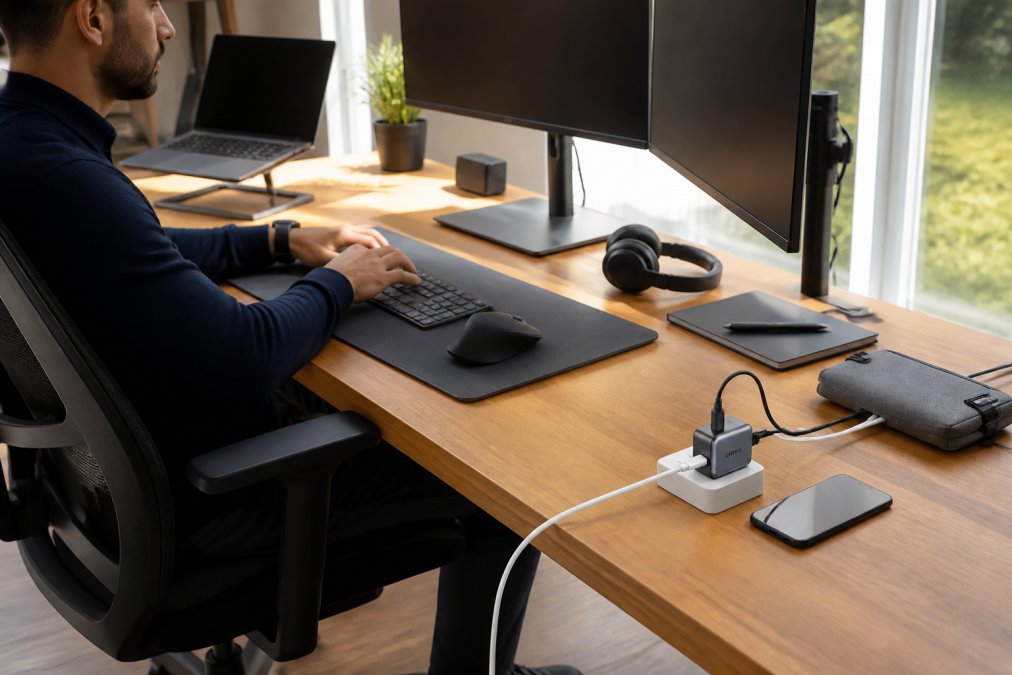
Remote work demands that your accessories support both productivity and physical health. Ergonomic tech accessories for remote work combine comfort with the reliability standards that prevent mid-workday failures.
The foundation starts with keyboard and mouse positioning. An ergonomic keyboard maintains your wrists in a neutral position, reducing strain during eight-hour workdays. Reliable mechanical keyboards use quality switches rated for 50-80 million keystrokes, meaning they'll outlast multiple job changes. Budget keyboards use cheaper switches that develop key chatter within a year, making typing feel unreliable and frustrating.
Mouse ergonomics matter equally. A quality wireless mouse with proper grip design and precision tracking reduces repetitive strain injury risk while maintaining consistent connectivity. The difference between a $15 mouse and a $45 mouse isn't just comfort, it's whether the device maintains stable Bluetooth connectivity through your entire workday. Cheap mice experience connection drops that force you to reconnect, interrupting your workflow repeatedly.
Monitor positioning requires reliable monitor stands or arms. A quality adjustable arm maintains its height and angle throughout the day without drift or sagging. Cheap arms gradually lose tension, forcing you to readjust multiple times daily. This constant adjustment breaks focus and creates micro-frustrations that compound over hours.
Cable management accessories also impact reliability. Quality cable organizers use reinforced clips that won't crack under tension. Reliable power strips feature surge protection and properly spaced outlets so plugs don't interfere with each other. The 3 In 1 Wireless Charging Station For Apple Watch Charger at $96.99 combines charging reliability with workspace aesthetics, maintaining consistent power delivery while keeping your desk organized.

Headphone reliability matters for remote workers who spend hours on video calls. Quality headphones maintain consistent audio without dropouts, feature proper noise cancellation that doesn't introduce artifacts, and use durable ear cushions that don't degrade after three months of daily use.
Best Practices for Maintaining Tech Gear and Extending Hardware Longevity
Proper maintenance dramatically extends the lifespan of your tech accessories and preserves their reliability over years of use.
Start with cable care. Never coil cables tightly or wrap them around sharp corners, this creates stress points where internal wires can separate. Instead, use cable organizers or loose loops. Store cables in cool, dry environments away from heat sources. Heat accelerates insulation degradation, which eventually causes shorts or failures. Keep cables away from direct sunlight, which breaks down plastic components over time.
Charging equipment requires thermal management. Don't block charger ventilation ports, and ensure they have adequate airflow during use. A charger that sits flush against a wall or inside a drawer overheats, reducing lifespan and creating safety risks. Place chargers on open surfaces where heat can dissipate freely.
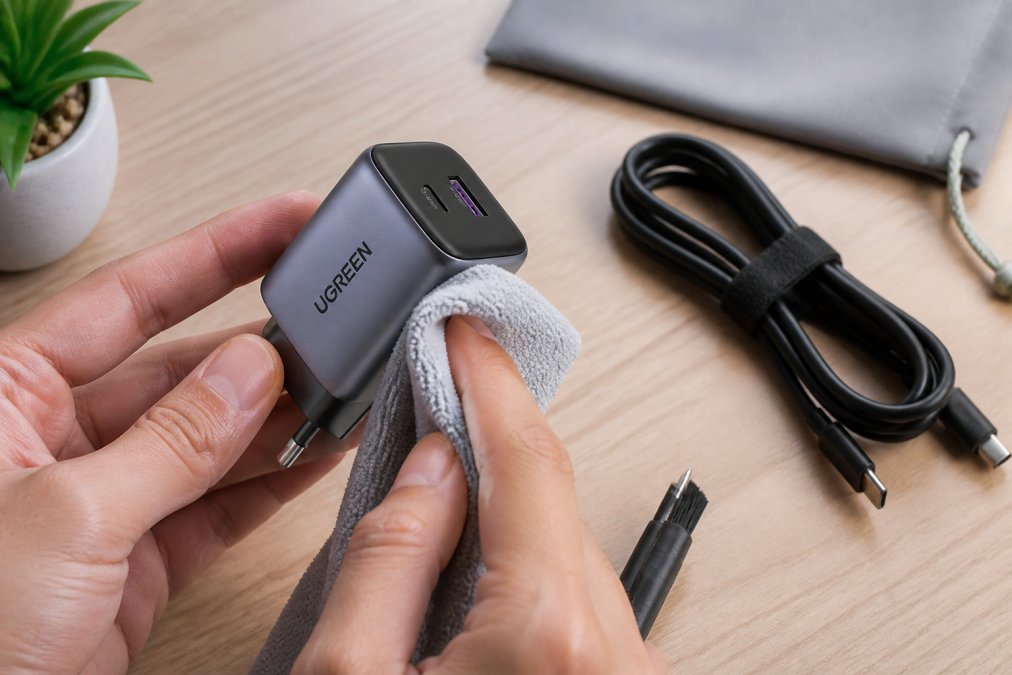
Connector maintenance prevents intermittent connection issues. Periodically inspect USB ports and charging connectors for debris. Use compressed air to gently clear dust from ports, never insert metal objects that could damage internal contacts. If a connector feels loose, stop using that cable immediately rather than forcing the connection, which can damage both the cable and your device's port.
For wireless peripherals, maintain consistent battery health. Don't let batteries drain completely before charging, this degrades lithium-ion chemistry over time. Charge wireless mice and keyboards when they reach 20% battery rather than waiting for complete discharge. Store unused devices with 50% battery charge, not fully depleted.
Environmental control matters significantly. Extreme temperatures damage all tech accessories. Don't leave chargers or cables in hot cars or cold storage areas. Keep your workspace between 60-75°F when possible. Humidity also impacts reliability, avoid damp environments where moisture can corrode internal components or create connection issues.
Regular inspection catches problems early. Monthly, visually check your cables for visible damage like cracks, exposed wires, or bent connectors. Test charging speeds, if your charger suddenly delivers power slower than normal, replace it before it fails completely. For wireless devices, check for connectivity drops that indicate degrading components.
Certifications and Standards That Guarantee Quality
Certifications represent the most objective measure of whether an accessory meets safety and performance standards. Understanding these certifications helps you identify reliable tech accessories versus unverified alternatives.
UL certification (Underwriters Laboratories) verifies electrical safety. A UL-certified charger has passed rigorous testing for overcurrent protection, thermal management, and insulation integrity. This certification matters because it means an independent third party confirmed the device won't overheat, short-circuit, or damage your equipment.
FCC certification confirms electromagnetic compatibility and safety. FCC certification requirements for consumer electronics ensure that devices don't emit harmful radiation and won't interfere with other electronics. For wireless accessories like mice and headphones, FCC certification verifies that Bluetooth connectivity meets interference standards and won't cause problems with other wireless devices in your workspace.
CE marking indicates compliance with European safety standards. While this is a European designation, many manufacturers apply CE certification as a baseline quality standard globally. CE-certified products have undergone testing for electrical safety, electromagnetic compatibility, and material safety.
RoHS certification verifies that products don't contain hazardous substances like lead or mercury. This matters for long-term environmental safety and ensures that if you need to dispose of an accessory, it won't leach toxins into soil or water systems.
PSE certification (Japan) and similar regional certifications indicate that manufacturers meet multiple geographic safety standards. A charger with UL, FCC, CE, and RoHS certifications has been tested by multiple independent bodies across different regions, which provides stronger assurance of reliability than single-certification products.
When comparing reliable tech accessories, check the product specifications for these certifications. If a charger or cable doesn't list any certifications, that's a red flag indicating it hasn't undergone independent safety testing.
Making the Right Choice: Reliability Checklist for Your Next Purchase
Use this framework when evaluating whether a tech accessory meets reliability standards before purchasing.
| Evaluation Criteria | What to Check | Why It Matters |
|---|---|---|
| Certifications | UL, FCC, CE, RoHS listed | Confirms independent safety testing |
| Build Materials | Tinned copper conductors, TPE jacket | Resists corrosion and cracking |
| Connector Design | Reinforced strain relief, solid connections | Prevents wear-related failures |
| Thermal Management | Heat dissipation design, ventilation | Prevents overheating and degradation |
| Port Durability | Rated mating cycles (10,000+ for USB-C) | Indicates lifespan under regular use |
| Warranty Coverage | 12+ months, covers defects | Manufacturer confidence in reliability |
| User Reviews | Consistent positive feedback on longevity | Real-world durability data |
| Return Policy | 30+ day return window | Protection if reliability issues emerge |
Before purchasing, verify certifications on the product listing or manufacturer website. Read recent reviews specifically mentioning durability and longevity rather than just initial performance. Check whether the product comes with a substantial warranty, manufacturers confident in reliability typically offer 12-24 month coverage.
For charging accessories specifically, verify power delivery specifications. A charger rated for 35W should deliver consistent 35W output across all ports simultaneously. Cheap chargers reduce output when multiple devices charge, which defeats the purpose of multi-port charging.
Consider your device ecosystem when selecting accessories. The Bluetooth 5.3 Headphones Ear Hook Earphones Wireless Earphones HiFi Stereo Waterproof Headset Noise Reduction Earbuds for Xiaomi at $11.99 work reliably across Android and iOS devices thanks to universal Bluetooth standards, but verify compatibility with your specific devices before purchasing.
Choosing reliable tech accessories is choosing to invest in your productivity and device longevity rather than playing the replacement cycle game. The Techie Den curates accessories that meet rigorous durability standards because we understand that your setup needs to work when it matters most. Whether you're upgrading your remote workspace with quality charging solutions or building a gaming setup with peripherals that maintain consistent performance, reliable tech accessories deliver the dependability your workflow demands. Start with The Techie Den's verified selection and experience the difference that proper build quality, certifications, and durability actually make in your daily tech experience.
Frequently Asked Questions
What risks are associated with using cheap or uncertified tech accessories?
Cheap accessories often lack proper safety certifications, increasing fire hazards, device damage, and data loss. Uncertified charging cables may deliver unstable power, degrading battery health or causing shorts. Poor build quality means frequent replacements, adding up to higher long-term costs. Unreliable peripherals introduce lag and connectivity drops, disrupting productivity. Investing in certified, durable reliable tech accessories protects both your devices and wallet.
How can you tell if a tech accessory is built to last?
Look for certifications like UL, FCC, and RoHS, these verify safety and durability standards. Check material quality: reinforced cables, metal connectors, and solid construction indicate longevity. Read reviews mentioning wear resistance and long-term performance. Reputable brands offer warranties and stand behind their products. The UGREEN GaN 35W Charger includes UL, RoHS, and FCC certifications, signaling reliable construction designed to handle daily use without degradation.
Why is compatibility important when choosing tech accessories?
Incompatible accessories cause connection failures, slow data transfer, and reduced charging efficiency. When gear doesn't match your device ecosystem, you waste time troubleshooting and money buying adapters. True compatibility ensures seamless functionality across your devices, phones, laptops, and peripherals work together without friction. Quality accessories like the 320W Charger USB C Fast Desktop 8-port support multiple device types, eliminating the need for separate solutions and ensuring reliable performance across your entire setup.
How do reliable tech accessories improve daily productivity?
Reliable gear eliminates downtime from failures, disconnections, and replacements. Durable charging solutions keep devices powered without interruptions. Quality peripherals reduce lag and input delays, speeding up work. Ergonomic accessories prevent fatigue during long work sessions. When your setup doesn't fail, you stay focused on tasks instead of fighting technical issues. Investing in reliable tech accessories removes friction from your workflow, letting you accomplish more without constant frustration or unexpected equipment failures.
This article was written using GrandRanker


