

Table of Contents
- Quick Comparison: Top Charging Cables for Multiple Devices
- 320W Desktop Charger: The Multi-Device Power Hub
- UGREEN GaN 35W Charger: Compact Fast Charging for Travel
- 3-in-1 Wireless Charging Station: Apple Ecosystem Solution
- Fast Charging Multi-Cable Standards Explained
- How to Fix Charging Port Issues and Prevent Cable Damage
- Best Practices for Cable Maintenance and Longevity
- Choosing the Right Cable: Device Compatibility and Safety
Last Updated: August 19, 2026
Quick Comparison: Top Charging Cables for Multiple Devices
Finding the right charging cables for multiple devices requires balancing compatibility across connector types, safe power delivery protocols, and durability. At The Techie Den, we offer a curated selection of multi-device charging solutions designed to deliver performance across your entire tech stack.
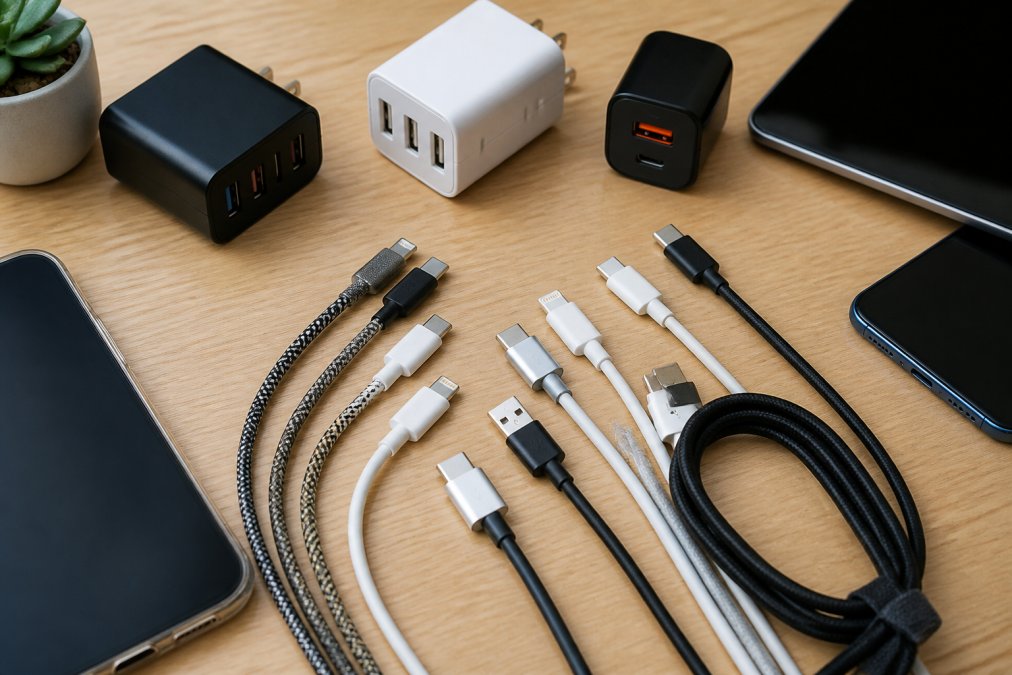
| Solution | Port Configuration | Max Output | Best For | Price |
|---|---|---|---|---|
| 320W Desktop Charger | 4 USB-C + 4 USB-A | 320W total | Home office, multiple simultaneous charges | $38.99 |
| UGREEN GaN 35W | 1 USB-C + 1 USB-A | 35W total | Travel, compact needs | $30.99 |
| 3-in-1 Wireless Station | Wireless charging pads | 20W | Apple ecosystem (iPhone, Watch, AirPods) | $96.99 |
320W Desktop Charger: The Multi-Device Power Hub
The 320W Desktop Charger is purpose-built for households and offices where multiple devices charge simultaneously. With eight ports, four USB-C and four USB-A, this desktop solution eliminates cable management chaos.

The charger's intelligent power distribution automatically allocates power: the primary USB-C1 port delivers up to 100W using USB Power Delivery, enabling fast-charging of laptops alongside smartphones. When multiple devices connect, USB-C ports receive up to 65W each when paired, while USB-A ports handle 18W maximum. This prevents the frustration where adding a second device dramatically slows charging on your primary device.
The charger supports USB PD, Qualcomm Quick Charge, and BC1.2, ensuring compatibility with Apple, Samsung, Google, and virtually every major manufacturer. GaN (gallium nitride) technology keeps the unit compact despite its 320W capacity. UL, RoHS, FCC, and CE certifications confirm safety standards across multiple regions, and thermal management prevents overheating during extended use.
The main limitation: it's a desktop solution, not portable. At $38.99, it's an investment compared to single-device chargers, but it replaces multiple scattered chargers.
UGREEN GaN 35W Charger: Compact Fast Charging for Travel
The UGREEN GaN 35W Charger is a great solution when space matters. Weighing just ounces and fitting in a pocket, it delivers 35W total output across one USB-C port (up to 25W) and one USB-A port (up to 7.5W).

The USB-C port delivers 27W fast charging for iPhones 15 and newer, reaching 60% battery in roughly 30 minutes. For Android devices, the charger automatically detects and applies the correct protocol, Huawei FCP or Samsung Adaptive Fast Charge.
You can charge your phone at 25W via USB-C while simultaneously powering a tablet via USB-A at 7.5W. GaN technology keeps thermal output low, preventing the overheating common in budget travel chargers.
The trade-off: 35W won't fast-charge laptops, and the single USB-C port means you can't charge two USB-C devices simultaneously at full speed. At $30.99, this charger offers genuine value for frequent travelers or anyone with minimal device needs.
3-in-1 Wireless Charging Station: Apple Ecosystem Solution
The 3-in-1 Wireless Charging Station consolidates iPhone, Apple Watch, and AirPods onto a single dock, eliminating cable tangle for Apple users. The station uses magnetic wireless charging at 20W, the maximum safe wireless charging capacity for modern iPhones. Magnetic alignment ensures correct positioning every time.

The included USB-C cable makes the station ready to use out of the box. UL, PSE, RoHS, FCC, and CE certifications confirm safe operation across different electrical standards.
Wireless charging is inherently slower than wired USB Power Delivery, you're trading convenience for charging speed. The station only works with Apple devices; Android users won't benefit. At $96.99, this premium solution suits Apple loyalists who value aesthetic simplicity and consolidated charging real estate.
Fast Charging Multi-Cable Standards Explained
Understanding charging standards prevents buying cables that promise compatibility but deliver disappointment.
USB Power Delivery (USB PD) uses voltage negotiation to determine maximum safe power delivery to each device. A charger communicates with your device's charging circuit and agrees on a voltage level, typically 5V, 9V, 15V, or 20V, before power flows. This prevents damage to older devices while enabling fast charging on newer ones. When multiple USB-C devices connect, the charger allocates power proportionally.
Qualcomm Quick Charge is Android-specific, using proprietary protocol for voltage negotiation. Modern chargers support both USB PD and Quick Charge simultaneously, working equally well with iPhones and Samsung or Google phones.
BC1.2 (Battery Charging 1.2) is an older standard providing basic charging without sophisticated negotiation, resulting in slower speeds. The best charging cables avoid relying solely on BC1.2.
Look for chargers explicitly listing "USB Power Delivery" or "Quick Charge" support. These standards ensure safe, fast charging regardless of device age or manufacturer.
How to Fix Charging Port Issues and Prevent Cable Damage
Charging port damage is often caused by poor cable quality or improper handling rather than device defects.
Connector housing degradation happens when cables bend repeatedly at the connector base. Low-quality cables use thin plastic housings that crack after months of flexing. Quality chargers use braided nylon cable jackets and reinforced strain relief, preventing connector housing cracks under normal use.
Port corrosion and debris accumulate inside charging ports, creating resistance that slows charging. Lint, dust, and moisture cause intermittent charging where your device only charges at specific angles. Keep port openings clean using a dry toothpick or small brush; never use liquid cleaners.
Voltage inconsistency from poor chargers damages battery circuits over time. Cheap chargers without proper power delivery negotiation supply inconsistent voltage, stressing your device's charging circuit. Chargers with USB PD certification deliver stable, negotiated power that protects battery health.
If your charging port is already damaged, repair costs often exceed $80-150. Prevention through quality cables is far more economical.
Best Practices for Cable Maintenance and Longevity
Cable lifespan depends entirely on how you store and use them. Quality cables last years with proper care, or months when abused.
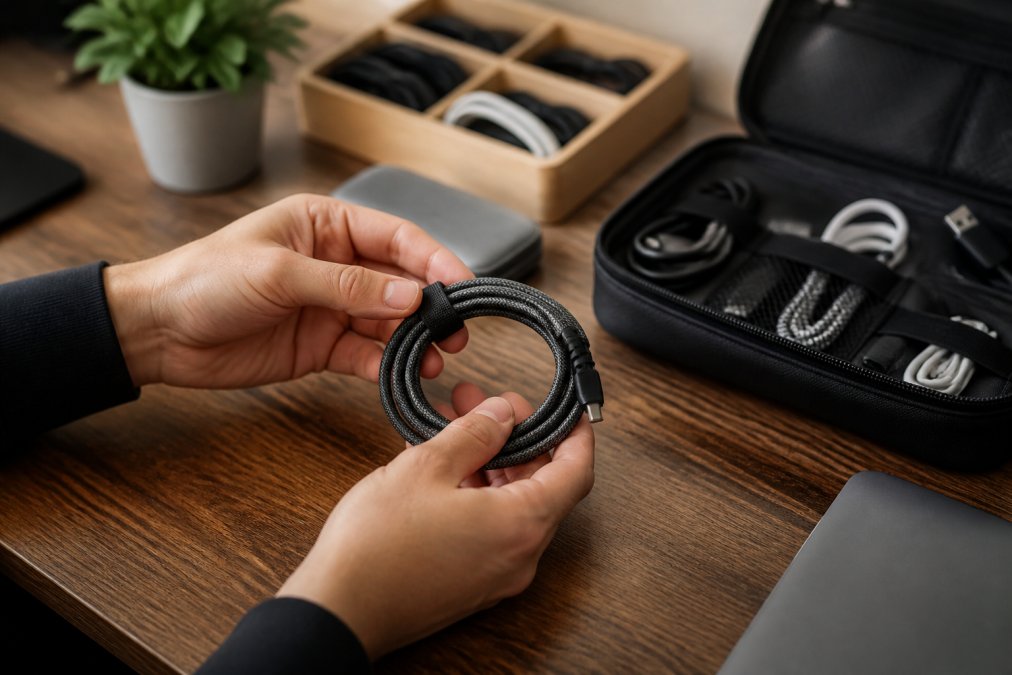
Proper coiling prevents internal wire damage. Never wrap cables tightly around chargers or devices. Use the loop-and-coil method: create a loose loop with the cable, then coil it gently. Use cable organizers or velcro straps to keep cables bundled without tight compression. Never bend the strain relief section sharply.
Temperature management extends cable life. Keep cables away from direct sunlight, heating vents, and hot surfaces. If a charger feels uncomfortably hot, unplug it and let it cool. GaN chargers stay cooler than traditional chargers, reducing stress on connected cables.
Connector protection matters for frequent travelers. Carry cables in padded cases or pouches rather than loose in bags where they get bent and crushed.
Replace cables showing visible wear immediately. Fraying, cracks in the outer jacket, or exposed wires indicate a cable should stop being used. Damaged cables can short-circuit your device or cause fires.
Avoid extreme bending during active charging. Using your device while charging creates stress on the cable and connector. Prop the device at an angle rather than bending the cable sharply.
Most cables last 2-3 years with proper care, or 6-12 months with poor handling.
Choosing the Right Cable: Device Compatibility and Safety
Selecting the right charging solution requires understanding your specific device ecosystem and usage patterns.
Assess your device ecosystem first. List every device you charge regularly and note the connector type for each: USB-C, Lightning, Micro-USB, or proprietary. If you have a mix of USB-C and Lightning devices, you need a charger with both port types.
Consider your primary use case. Home office workers benefit from the 320W Desktop Charger's multi-port capacity, while frequent travelers need the UGREEN GaN 35W's portability. Apple ecosystem users get dedicated convenience from the 3-in-1 Wireless Charging Station.
Verify certification standards. Look for UL, FCC, RoHS, and CE markings on any charger. These certifications confirm the charger meets safety standards and won't damage your devices.
Match wattage to your devices' requirements. A 35W charger is sufficient for phones and small tablets but inadequate for laptops. The 320W Desktop Charger handles simultaneous charging of multiple device types without performance degradation.
Test before committing. Verify a charger works with your specific devices before purchase. The Techie Den's products come with a return policy that lets you test real-world compatibility without risk.
Finding the right multi-device charging solution eliminates the frustration of searching for compatible cables and managing charger sprawl. The Techie Den's curated selection, from the 320W Desktop Charger's eight-port capacity to the UGREEN GaN 35W's travel-friendly design, provides proven options that work across your device ecosystem. Choose based on your primary use case: desktop charging for home offices, compact travel chargers for professionals on the move, or wireless solutions for Apple ecosystem consolidation. Get started with The Techie Den and simplify how your devices stay powered throughout your day.
Frequently Asked Questions
Can I charge multiple devices with one charger?
Yes, multi-port chargers allow you to charge multiple devices simultaneously. The 320W Desktop Charger with 8 ports can handle up to four devices at once depending on power distribution. Each USB-C and USB-A port supports different voltage negotiation protocols, so your iPhone, Android phone, tablet, and laptop can all charge together. Just ensure the total power draw doesn't exceed the charger's maximum output capacity.
What are the best fast charging multi-cable standards for different devices?
USB Power Delivery (PD) is the universal standard for fast charging across devices. USB-C with PD supports 20V/5A output for laptops and tablets. For iPhones, USB-C with PD delivers up to 27W for iPhone 15 series. Samsung devices support Qualcomm Quick Charge and Samsung Adaptive Fast Charge. The UGREEN GaN 35W Charger handles multiple protocols including PD, Quick Charge, and proprietary standards, making it compatible with most devices regardless of brand.
Are 3-in-1 charging cables safe for all my devices?
Multi-head cables carry safety risks because they concentrate current through shared connectors, potentially causing overheating or port damage if one head fails. The 3-in-1 Wireless Charging Station ($96.99) eliminates this risk by using separate magnetic connections for iPhone, Apple Watch, and AirPods. For wired multi-device setups, dedicated cables with proper strain relief and thermal management are safer than single cables with multiple heads.
How do I know which charging cable to use for my specific device?
Check your device's manual or charging port type: USB-C, Lightning (iPhone), or Micro-USB. Verify the power requirements, most phones need 5-20W, while laptops require 45-100W. Match the cable's Power Delivery rating to your device's specifications. The 320W Desktop Charger supports USB-C and USB-A, covering most devices. Always use certified cables with proper FCC, UL, and RoHS certifications to ensure safety and compatibility.
This article was written using GrandRanker


