

Table of Contents
- What Casual Weekend Players Actually Need (And What to Skip)
- Budget-Friendly Gaming Peripherals That Hold Up
- How to Choose a Gaming Headset for Weekend Sessions
- Building an Ergonomic Gaming Setup for Comfort
- Picking the Right Gaming Mouse: DPI, Latency, and Form Factor
- Cross-Platform Compatibility and Space-Saving Solutions
- Maintaining Your Gear When You Only Play on Weekends
- Frequently Asked Questions
Last Updated: September 19, 2026
What Casual Weekend Players Actually Need (And What to Skip)
Gaming gear for casual weekend players is not about chasing tournament-grade specs. It is about picking a small set of reliable peripherals that feel good for a few hours on Saturday, then sit quietly until the next session. This guide from The Techie Den covers what to buy, what to ignore, and how to keep it working when you only play twice a week.
Most "best gaming gear" lists are written for people who play daily and compete online. If that is not you, half of what they recommend is wasted money. You do not need a 360Hz monitor, a $200 mechanical keyboard, or a headset with seven surround-sound modes. You need a mouse that tracks cleanly, a keyboard that does not fight your fingers, and audio you can actually hear footsteps through.
The 5 categories below cover 90% of what a weekend setup needs. Everything else is optional.
So what should you skip? Anything sold on "pro-level" marketing alone.
Budget-Friendly Gaming Peripherals That Hold Up
Budget-friendly gaming peripherals hold up when you spend on the parts that wear out and save on the parts that do not. The sensor, the switches, and the cable are where cheap gear fails. The plastic shell color is not.
Mice and Keyboards: Where Cheap Fails
Cheap mice fail in three predictable ways: sensors that jitter at low speeds, switches that double-click after a few months, and shapes that cramp your hand. Budget mechanical keyboards fail differently: rattling stabilizers, keycaps that shine up fast, and firmware that drops inputs.
| Gear Type | What to Spend On | What to Skip | Why |
|---|---|---|---|
| Mouse | Sensor quality, shape, wireless | RGB zones, weight tuning kits | Sensor and shape decide comfort and aim |
| Keyboard | Switch feel, keycap material | Macro software you won't use | Feel matters more than features |
| Headset | Drivers, mic clarity, fit | Virtual surround modes | Stereo positioning is enough |
| Controller | Build quality, latency | Pro paddles and mods | Casual play rarely needs them |
How to Choose a Gaming Headset for Weekend Sessions
To choose a gaming headset, prioritize comfort and a clear microphone over surround-sound gimmicks. One you can wear for three hours without pressure points beats one with more audio modes.
Audio Fidelity vs. Features You Won't Use
The practical test is simple: play one match with the surround mode on, then one with it off. Keep whichever helps you locate sounds faster. If the difference is unclear, save the money.
Building an Ergonomic Gaming Setup for Comfort
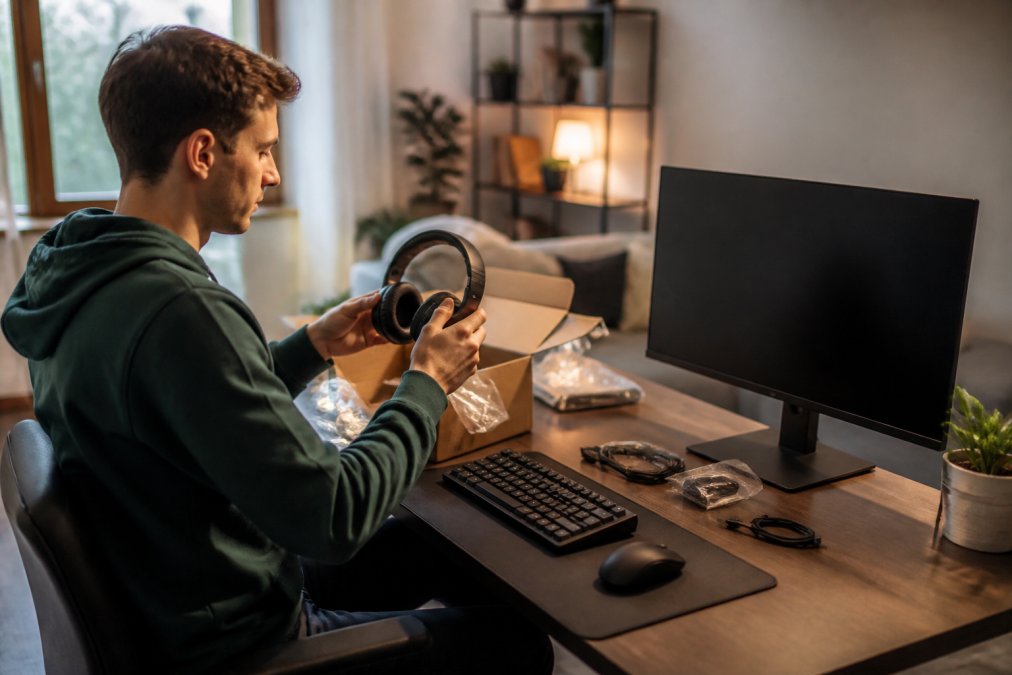
An ergonomic gaming setup for comfort comes down to four things: screen height, wrist position, seat support, and cable management. Get those right and you can play for hours without stiffness, even if the same desk is your work station on Monday.
Wrist Support, Posture, and Cable Management
Wrist support matters most for keyboard users: a low-profile wrist rest keeps your hands level with the keys instead of bent upward. If you use a mouse for hours, a slightly larger shape that fills your palm reduces grip tension. Soreness usually shows up in the forearm first, if you feel it there, your mouse is probably too small or your chair too low.
Making One Desk Work for Both Gaming and Everything Else
If your desk doubles as a work station, a homework table, or a living-room surface, your ergonomic setup has to be convertible, not permanent.
A few patterns that work:
Retro Handheld Video Game Console →
- Keep the gaming layer removable. A compact keyboard and a wireless mouse can live in a drawer or on a shelf and come out in under a minute. A full-size keyboard with a wrist rest and a wired mouse cannot.
- Use a monitor arm instead of a stand. It lets you push the screen back for work and pull it forward for play without re-stacking books or boxes.
- Pick one cable path and stick to it. A single USB hub or a short extension at the desk edge means you plug in one thing, not five.
- Match your chair to the longest session, not the shortest. If you sit for work and then sit for games, the chair is doing double duty, prioritize adjustable lumbar support over racing-style bolsters.
Picking the Right Gaming Mouse: DPI, Latency, and Form Factor
Picking the right gaming mouse means matching three specs to how you actually play: DPI settings, latency, and form factor. Most weekend players need a comfortable shape and a stable wireless link, not the highest numbers on the box.
Cross-Platform Compatibility and Space-Saving Solutions
Cross-platform compatibility and space-saving design are the two things generic gear lists ignore, and they matter most to weekend players. If your desk doubles as a work station, or your console lives in the living room, every piece of gear has to earn its footprint and work with more than one system.
The Three-System Reality
Most weekend players do not own one platform. A common pattern is a PC or laptop for strategy and indie games, a console for couch co-op, and a handheld for travel. The gear that survives that rotation shares three traits:
- It connects without a dongle swap. Tri-mode peripherals that support wired, 2.4GHz, and Bluetooth let you move between a desktop, a laptop, and a console without unplugging anything.
- It stores flat. A compact keyboard, a folding stand, and a hard-shell case for a handheld take up shelf space instead of desk space.
- It does not need a driver to work. Plug-and-play gear is the difference between a 10-minute session and a 40-minute troubleshooting session.
Adapters That Solve the Compatibility Headache
Adapters handle the cases where a controller you already like does not speak the same language as the console you want to use it on. The Gaming Converter for Mayflash Magicboots X One lets compatible fight sticks and GP2040-CE Hitbox controllers (firmware 0.76 or above) work on Xbox One and Series X/S. The Haute42 Cosmox Booter X connects a Hautepad controller wirelessly to Xbox One with a low-latency link.
Space-Saving Gear That Earns Its Footprint
For space, a compact keyboard frees up mouse room, and a wireless mouse removes the cable entirely. If you want a full console that lives on a shelf, the Intel N100 Game PC Box packs Windows 11 Pro and Batocera 40 into a mini form factor with a 2TB drive, 52,000+ games, and 80+ emulators, and it connects to a TV, monitor, or projector.

| Product | Price | Best For | Key Spec |
|---|---|---|---|
| Mchose A7 V2 Pro Ultra Mouse | $80.99 | All-round wireless control | Tri-mode, up to 42,000 DPI |
| Mayflash Magicboots X One Converter | $71.99 | Fight stick on Xbox | Xbox One/Series X/S support |
| Haute42 Cosmox Booter X | $72.99 | Wireless Hautepad on Xbox | Low-latency link |
| Intel N100 Game PC Box | $412.99 | Console and PC in one | Win 11 Pro + Batocera 40, 2TB |
| Retro Handheld Console | $59.99 | On-the-go retro play | 10,000 games, 3.5-inch IPS |
Maintaining Your Gear When You Only Play on Weekends
Follow this routine:
- Wipe mouse and keyboard surfaces with a dry microfiber cloth every few weeks
- Charge wireless peripherals to roughly half before storing, not full
- Blow dust out of headset cushions and controller vents monthly
- Update firmware on mice and adapters every few months
- Check cables for kinks where they bend near the desk edge
- Recharge the handheld or controller the night before you plan to play
For handhelds, the same logic applies: charge them before a trip, not the morning you leave.
Frequently Asked Questions
What gaming gear does a casual weekend player actually need?
Start with three things: a reliable mouse, a comfortable headset, and a keyboard that feels good for long sessions. Casual players rarely need 8K polling rates or tournament-grade sensors. The Mchose A7 V2 Pro Ultra at $80.99 covers tri-mode wireless and up to 42,000 DPI, which is more than enough for weekend play. Add a headset with noise-canceling and you're set.
Do casual gamers need high-end mechanical keyboards?
No. A mid-range mechanical keyboard with decent build quality and tactile response will serve you better than a $200 board with features you'll never touch. Look for adjustable backlighting, a comfortable form factor, and plug-and-play USB connectivity. The goal is reduced input lag and a feel you enjoy, not competing with esports pros who practice daily.
How can I improve my weekend gaming setup without overspending?
Focus on ergonomics and cable management first. A wrist support pad, an adjustable chair height, and a clean desk layout cost very little but make long sessions far more comfortable. If you play retro titles, the Retro Handheld Video Game Console at $59.99 gives you 10,000 games in a pocket-sized form factor. Small upgrades beat one big purchase.
Are ergonomic accessories worth it for weekend gaming?
Yes, especially if your sessions run three or more hours. Wrist support and proper monitor height reduce strain even with infrequent play. An ergonomic gaming setup for comfort doesn't require expensive gear. A lightweight mouse like the Mchose A7 V2 Pro Ultra reduces fatigue, and a headset with good build quality keeps you comfortable without constant adjustment.


