

Table of Contents
- Best Gaming Console for Kids in 2026: Quick Comparison
- The Best First Gaming Console for Kids Under 8
- Best Gaming Console for a 10-Year-Old
- Handheld Game Consoles for Kids: Portability That Survives the Back Seat
- Gaming Console Parental Controls and Online Safety
- Total Cost of Ownership: What You Pay After the Console
- Which One Should You Pick?
- Conclusion
- Frequently Asked Questions
Last Updated: October 6, 2026
Best Gaming Console for Kids in 2026: Quick Comparison
Finding the best gaming console for kids in 2026 comes down to three things: age fit, safety controls, and what you actually pay after the box is open. The picks below are ranked by who they suit, not by raw power.
| Console | Price | Best For | Games Included | Screen |
|---|---|---|---|---|
| Retro Handheld Video Game Console | $59.99 | First console, under 8 | 10,000 | 3.5-inch |
| Mini Plus Portable Retro Handheld | $76.99 | Ages 8-10, tinkerers | Add your own | 3.5-inch |
| RGB Lighting Smartpro Retro Player | $80.99 | Ages 6+, long trips | 12,000+ | 4.96-inch |
| 12TB Gaming HDD | $297.99 | Whole-family retro library | 86,000+ | Needs a TV |
| Video Game Console 2T HDD | $507.99 | Shared living-room setup | 52,000+ | 4K output |
| Intel N100 Game PC Box | $412.99 | Teens, dual-use | 52,000+ | 4K output |
How We Picked and Tested
We judge a gaming console for kids on five criteria: age suitability, parental controls, durability, battery life, and total cost of ownership. A console that needs a subscription to stay fun loses points against one that works out of the box. Every pick here is a one-time purchase with no recurring fee.

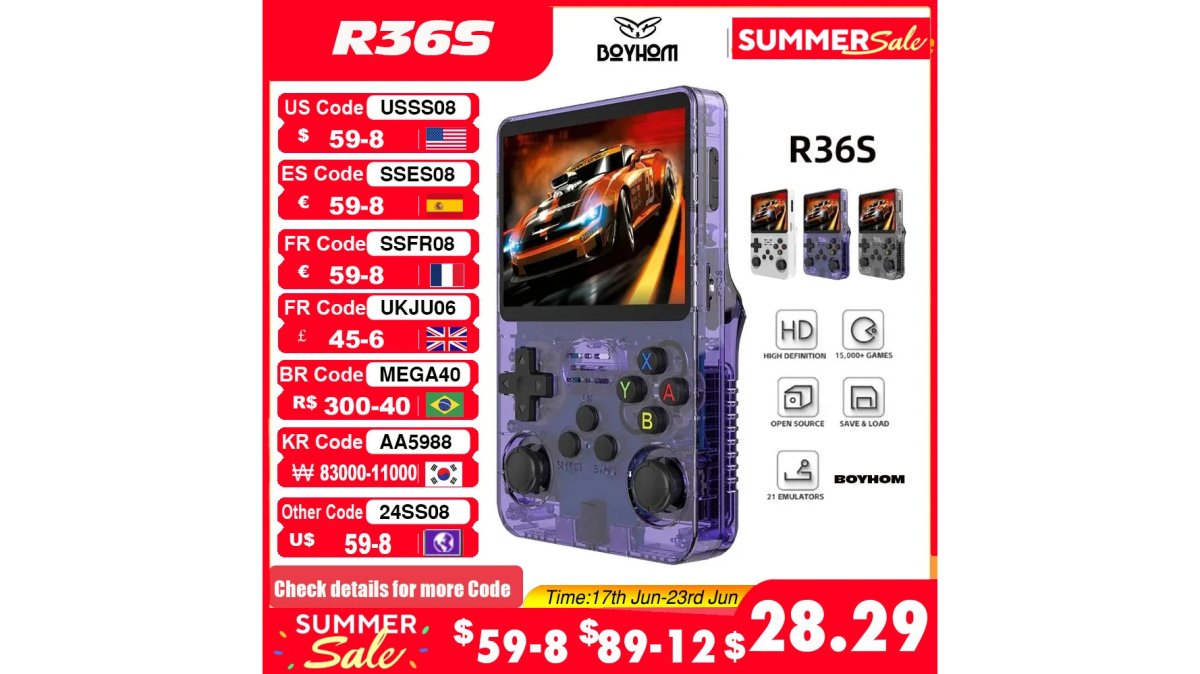
The Best First Gaming Console for Kids Under 8
The best first gaming console for kids under 8 is the Retro Handheld Video Game Console at $59.99. It ships with 10,000 built-in retro titles, so there is nothing to buy after checkout and no store account to set up.
The 3.5-inch IPS screen at 640x480 keeps visuals simple without being muddy, and the Linux-based open-source design means the interface stays predictable. For small hands, that matters more than frame rate.
Why age fit matters more than specs
Most roundups treat "kids" as one audience. They are not. A 4-year-old and a 9-year-old need different things from a console, and buying for the older child usually means the younger one gets a device that is too complex, too fragile, or too open-ended.
Here is how the age bands actually break down:
- Ages 3-5 (preschool): Look for a single-purpose device with a fixed game list, no store, no chat, and no account creation. The $59.99 Retro Handheld fits because the library is locked in and the interface does not branch into menus a preschooler can get lost in. Controller size matters here, a 3.5-inch handheld is easier for small hands to grip than a full-size gamepad.
- Ages 6-8 (early elementary): Kids can start navigating simple menus and picking games themselves. The RGB Lighting Smartpro Retro Video Game Player at $80.99 is rated 6+ and adds a larger 4.96-inch screen, dual joysticks, and a 5000mAh battery rated for about 6 hours, useful when a child wants to play on a car ride or before dinner without hunting for a charger.
- Ages 9-12 (tweens): This is where ownership and tinkering become the point. The Mini Plus Portable Retro Handheld at $76.99 lets a tween load their own game files onto a microSD card, refresh the ROM list, and manage brightness, volume, and sleep timers. That control is developmentally appropriate for a kid who wants to curate a library rather than just press start.
What to avoid at each stage
A common pattern is parents buying a shared living-room console for a 5-year-old and then discovering the child cannot navigate the account setup, the store, or the online menus without help. For the under-8 group, the practical rule is: the fewer accounts and stores between the child and the game, the better.

One honest limitation of the under-8 pick: the game library skews toward older 2D titles. If your child only wants the newest 3D releases, this is not the pick, and no handheld in this price range will be.
Best Gaming Console for a 10-Year-Old
For a 10-year-old, the Mini Plus Portable Retro Handheld Game Console at $76.99 hits the sweet spot.
This age group wants control. The Mini Plus lets them load their own game files onto a microSD card, refresh the ROM list from the menu, and set screen brightness, volume, and sleep timers themselves. That ownership is the point.
The tradeoff is that it ships with zero games pre-installed. It is a build-your-own-library device, which suits a kid ready to manage their own setup and frustrates one who just wants to press start.
Handheld Game Consoles for Kids: Portability That Survives the Back Seat
Handheld game consoles for kids win on portability, and the RGB Lighting Smartpro Retro Video Game Player at $80.99 is the most travel-ready of the group.

The recommended age is 6+, and the build reflects it: 229g, dual joysticks, a single-channel vibration motor, and RGB mood lighting around the sticks. Storage expands up to 1TB via TF card, so the library grows with the child.
Gaming Console Parental Controls and Online Safety
Parental controls on a gaming console for kids should cover three things: what they play, who they play with, and how long they play.
Retro Handheld Video Game Console →
What to set up before the first session
Do this before handing the device over, not after:
- Turn off in-app purchases or remove the payment method. On handhelds that connect to a store, the simplest fix is to not save a card on the device at all. If a purchase requires re-entering payment details each time, a child cannot buy by accident.
- Set a device-level PIN or passcode if the handheld or console supports one. This keeps a child out of settings menus where they could change the network, delete saves, or disable limits.
- Pick the age rating filter first, then the games. Age ratings remain the fastest filter. On family consoles, the rating system is usually built into the account settings, so you set the ceiling once and the store hides anything above it. On retro handhelds with a fixed library, the equivalent step is reviewing the built-in game list yourself and noting which titles you want to skip.
- Decide on chat and friend lists before the first online session. If the device supports online play, the default should be friends-only or off. Check the friend list weekly, a common pattern is kids accepting requests from people they met in a game, not people they know offline.
- Set a visible sleep timer. Screen time is easier to manage when the device enforces it rather than a parent. The Mini Plus includes a sleep timer a child can see counting down, which removes the "five more minutes" negotiation.
Network and privacy basics
Keep the console on a shared home network rather than a guest network you do not monitor, and keep the device in a common room for younger kids. For handhelds that stay offline by default, the privacy exposure is close to zero, no account, no chat, no telemetry tied to a child's identity.
For online-capable devices, review the privacy settings once at setup and then again after any system update, since updates sometimes reset preferences.
A quick safety checklist by device type
- Offline handheld (Retro Handheld, $59.99): No account, no chat, no store. Set brightness and volume, then hand it over.
- Wi-Fi handheld (Smartpro, $80.99): Set a PIN, disable purchases, restrict online play to friends-only, and set a sleep timer.
- Shared living-room console (2T HDD, $507.99; N100 Game PC Box, $412.99): Set the age rating ceiling in the account, keep the device in a common room, and review the friend list weekly.
Total Cost of Ownership: What You Pay After the Console
Total cost of ownership is where handhelds beat traditional consoles. Every pick in this guide is a one-time purchase with no online subscription, so the sticker price is the whole price.
For families who want a shared living-room setup, the Video Game Console 2T HDD at $507.99 includes two controllers, 52,000+ games, and 80+ emulators, with 4K output for a TV. The Intel N100 Game PC Box at $412.99 does the same job and doubles as a Windows 11 desktop. The 12TB Gaming HDD at $297.99 is the budget route if you already own a capable computer.
Which One Should You Pick?
Pick by age and setup, not by spec sheet. Under 8, take the $59.99 Retro Handheld. Around 10, take the $76.99 Mini Plus. For travel and the widest built-in library, take the $80.99 Smartpro. For a shared TV, step up to the 2T HDD or the N100 Game PC Box.
That is the whole decision. Everything else is preference.
Conclusion
The hard part is not choosing a console, it is avoiding one that needs a subscription or a pile of accessories to stay fun. The Techie Den stocks handheld and home retro consoles that work out of the box, from the $59.99 Retro Handheld to the $507.99 Video Game Console 2T HDD, along with the cables and cards that keep them running. Add to cart and get your kid playing this weekend.
Frequently Asked Questions
Which gaming console is the best for kids?
For most families, a handheld retro console is the easiest starting point. The Retro Handheld Video Game Console at $59.99 comes with 10,000 built-in games and a 3.5-inch IPS screen, so there is nothing extra to buy. The RGB Lighting Smartpro Retro Video Game Player at $80.99 lists a recommended age of 6+ and runs 12,000+ games with a 4.96-inch screen, which suits slightly older kids who want a bigger display.
What is a good first gaming console for a young child?
Look for a device with no online store, no account setup, and a small screen your child can hold. The Retro Handheld Video Game Console fits that brief: 10,000 preloaded retro games, a 3.5-inch IPS screen at 640x480, 64GB of storage, and a Linux system that boots straight into a game list. There is no subscription and no credit card attached, so a first console stays a toy rather than an ongoing bill.
What should parents look for in a gaming console for kids?
Four things matter most. Age rating and screen size, so a 6-year-old is not squinting at a 3.5-inch display. Whether games are included or sold separately, since preloaded libraries like the 12,000+ titles on the RGB Lighting Smartpro remove per-game spending. Parental controls and any online features, because a console with Wi-Fi and Bluetooth needs supervision. And total cost, including controllers, memory cards, and replacements if the device gets dropped.
Are handheld game consoles a good choice for children?
Yes, for most families they are the better option. A handheld weighs between 162g and 229g depending on the model, fits in a backpack, and does not tie up the living room TV. Battery life varies: the RGB Lighting Smartpro lists 6 hours on a 5000 mAh battery, while the Mini Plus runs a 3000 mAh cell. Handhelds also travel well on car rides and flights, which is where a lot of kid gaming actually happens.
Which gaming consoles have the best parental controls?
Handhelds running Linux with preloaded games have no store, no chat, and no account, so there is nothing to configure. If you choose a Wi-Fi model such as the RGB Lighting Smartpro or a game PC box, you manage access through your home router and by keeping the device in a shared room. Check ESRB ratings on any game you add manually.
Choosing a first console is really a question about your child, not the hardware. The Techie Den carries handheld and home retro consoles built for exactly this decision, with clear specs and no subscription traps. Browse the collection, compare the game counts and battery life side by side, and add to cart with confidence.


