

Table of Contents
- What Makes a Good Gaming Setup for Casual Players
- Entry-Level Gaming PC: Pre-Built vs. Custom Build
- Essential Gaming Peripherals for Beginners
- Choosing the Right Gaming Monitor
- Ergonomic Gaming Chair Benefits and Setup
- How to Organize a Gaming Desk for Performance and Comfort
- Budget Breakdown and Performance Expectations
- Common Mistakes Casual Gamers Make
Last Updated: August 12, 2026
What Makes a Good Gaming Setup for Casual Players
A solid best gaming setup for casual players balances performance, comfort, and affordability. You don't need professional-grade equipment to enjoy smooth gameplay and responsive controls. The sweet spot combines an entry-level graphics card capable of 1080p or 1440p gaming, a responsive keyboard and mouse, a monitor with adequate refresh rate, and an ergonomic chair.
Most casual gamers either overspend on components they'll never fully use or cut corners on comfort items they'll use every session. An expensive GPU matters less than a chair that supports your back properly. A premium keyboard won't improve gameplay as much as a monitor with low input lag. The best gaming setup prioritizes elements that directly impact your experience: display quality, input responsiveness, and physical comfort.
At The Techie Den, we understand that casual gaming means different things to different people. Whether you're playing competitive esports titles or exploring story-driven games, your setup should match your actual playstyle. This guide breaks down what you actually need, what's optional, and where to find quality gear that won't drain your wallet.
Entry-Level Gaming PC: Pre-Built vs. Custom Build
Choosing between a pre-built gaming PC and assembling your own depends on your comfort level with hardware and available time. Pre-built systems offer convenience and warranty support; custom builds give you control and often better value.
Pre-Built Options for Beginners
Pre-built gaming PCs eliminate assembly hassle and come with manufacturer support. The HP Victus 15L Gaming PC represents the entry-level sweet spot, offering solid 1440p gaming performance without premium pricing. It typically ships with Nvidia GeForce RTX 2060 graphics, Ryzen 5 or Intel i5 processors, and configurable RAM and SSD options.
Pre-built systems shine when you value simplicity and peace of mind. Setup takes minutes instead of hours. The trade-off is less customization and slightly higher per-component costs. Most systems include accessible drive bays and RAM slots, allowing future upgrades that extend the useful life of your investment.
Custom Build Fundamentals
Building your own PC gives you precise control over your budget and teaches you how components work together. A casual gaming build needs a mid-range GPU (RTX 4060 or equivalent), a modern CPU (Ryzen 5 5600G or Intel i5-13400), 16GB RAM, and a 512GB SSD minimum.
Custom builds typically cost 10-15% less than comparable pre-built systems. The main advantage is future-proofing: you can upgrade your GPU in two years while keeping the rest of the system. Pre-built systems often have proprietary parts that complicate upgrades.
Essential Gaming Peripherals for Beginners
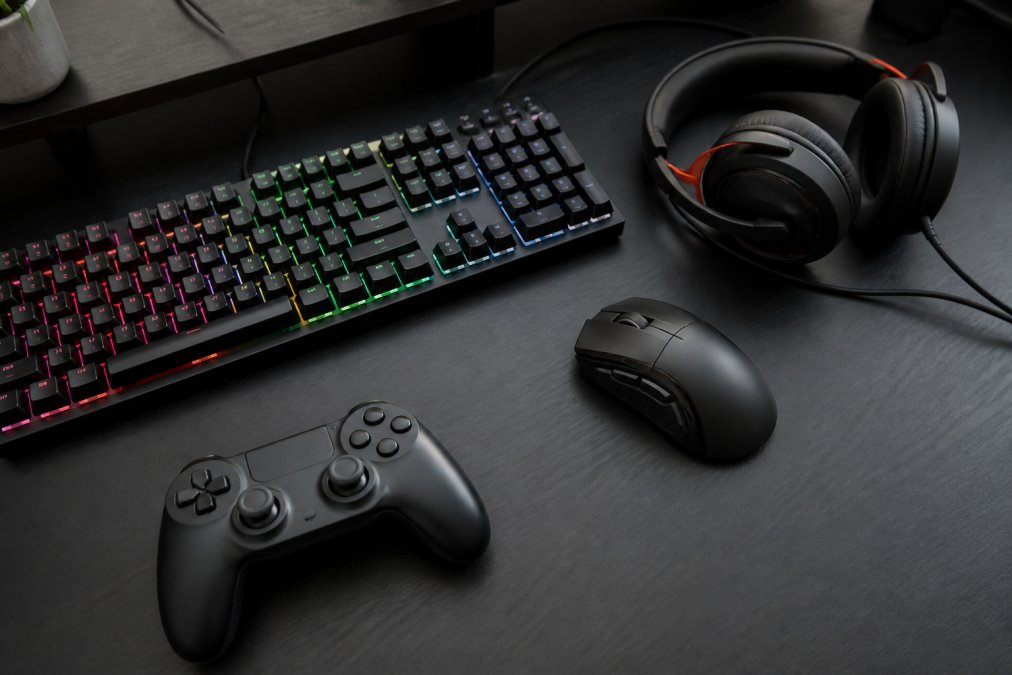
Your essential gaming peripherals for beginners determine how your hands interact with your games. A cheap keyboard feels mushy and unresponsive. A poor mouse creates hand strain. A bad headset ruins audio immersion and communication. These peripherals deserve meaningful budget allocation.
Keyboard and Mouse
Mechanical keyboards deliver tactile feedback and responsiveness that membrane keyboards can't match. The Corsair K70 Pro Mini Wireless offers a compact 60% form factor, hot-swappable switches, and dual wireless connectivity.
A gaming mouse needs a responsive sensor, comfortable grip, and low latency. Look for mice with 3000+ DPI capability, 1000Hz polling rate, and ergonomic side buttons. Lighter mice (under 80 grams) reduce arm strain during extended sessions. Wireless mice have become reliable enough that latency is no longer a meaningful disadvantage.
Headset and Audio
Audio quality matters more in casual gaming than many players realize. A good headset lets you hear enemy footsteps in competitive games and immerse yourself in story-driven narratives. The Razer BlackShark V3 balances excellent sound quality with reasonable pricing and comfort for extended sessions.
Comfort is critical since you'll wear headsets for hours. Look for padded ear cups, adjustable headbands, and lightweight construction. Over-ear designs distribute pressure better than on-ear models. Closed-back designs isolate external noise, which helps immersion.
Wireless headsets eliminate cable clutter but require charging. Wired options never need charging but can tangle. The Razer BlackShark V3 offers both wired and wireless connectivity, giving you flexibility.
Controller Options
Not every casual game requires a controller, but some genres (platformers, racing, action-adventure) feel better with one. The GameSir G7 Pro Tri-Mode Controller offers exceptional value with 2.4GHz wireless, Bluetooth, and wired USB-C connectivity. The 8BitDo Ultimate Wireless Controller is an excellent budget alternative at around $49.
Controller choice depends on your game library. If you primarily play keyboard-and-mouse games, a controller isn't essential.
Choosing the Right Gaming Monitor
Your monitor is where all the action happens. A poor display can't show what your PC is capable of rendering, and high input lag creates sluggish controls.
Resolution and Refresh Rate Basics
1080p resolution (1920×1080) remains ideal for casual gaming on budgets under $500. It's sharp enough for comfortable viewing from typical desk distances, and entry-level GPUs handle it easily at 60+ frames per second.
1440p resolution (2560×1440) provides noticeably sharper text and graphics. The trade-off is higher GPU demands. For casual players willing to spend slightly more, 1440p is the sweet spot between visual quality and performance requirements.
Refresh rate describes how many times per second the monitor updates the image. A 60Hz monitor refreshes 60 times per second; a 144Hz monitor refreshes 144 times per second. Higher refresh rates feel smoother, especially in fast-paced games. However, your GPU must generate enough frames to take advantage of high refresh rates.
The AOC Q27G3XMN delivers 1440p resolution at 180Hz refresh rate with variable refresh rate (VRR) support. This combination handles casual gaming at 1440p with smooth, responsive visuals.
Panel Type and Input Lag
IPS panels offer superior color accuracy and wide viewing angles. VA panels provide higher contrast ratios. TN panels deliver the fastest response times but worst color accuracy.
Input lag is the delay between your mouse movement or button press and the on-screen response. Anything under 5 milliseconds feels responsive for casual gaming. Most budget gaming monitors have adequate response times. Prioritize refresh rate and resolution over response time unless you're playing competitive esports titles.
Ergonomic Gaming Chair Benefits and Setup
Hours in a bad chair create back pain, neck strain, and shoulder tension. An ergonomic gaming chair benefits extend beyond comfort during sessions; they prevent long-term musculoskeletal problems. The Secretlab Titan Evo 2022 represents the premium option, featuring a curved seat base that promotes proper spinal alignment and multiple size options.
A quality gaming chair provides lumbar support that matches your lower back's natural curve. Without proper support, you'll unconsciously lean forward or slouch, compressing discs and straining muscles. The chair's armrests should support your elbows at a 90-degree angle when your hands rest on the keyboard and mouse.
Budget gaming chairs ($150-300) often sacrifice durability and adjustability for lower prices. Investing in a quality chair pays dividends over years of use.
How to Organize a Gaming Desk for Performance and Comfort
Desk organization directly impacts both performance and long-term health. A cluttered desk forces awkward arm positions and distracts from gameplay. The GTPlayer Gaming Desk offers height-adjustable options, cable management solutions, and sufficient surface area.
Cable Management and Airflow
Cable clutter creates functional problems. Cables can catch on chair wheels or accidentally unplug during intense gaming. Proper cable management uses clips, sleeves, and routing behind the desk to keep cables organized.
Airflow matters more than many casual gamers realize. Your PC needs space behind and beside it for air circulation. Placing your tower directly against a wall restricts airflow, causing thermal throttling that reduces performance. Leave at least 6 inches of clearance on all sides of your PC case.
Storage and Aesthetic Touches
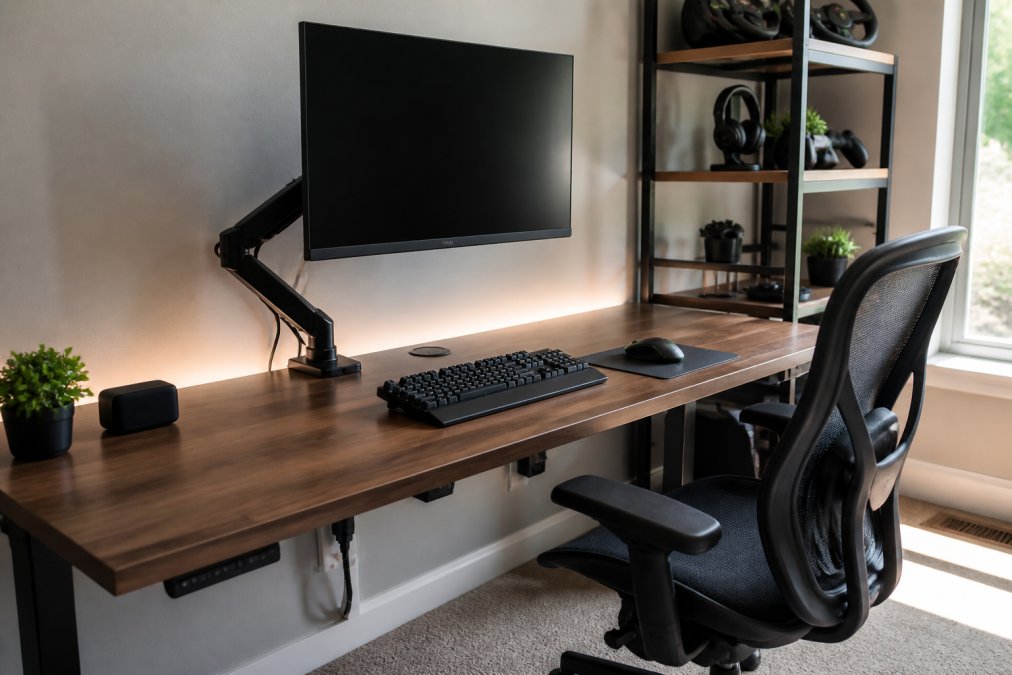
Storage solutions keep your desk functional without clutter. Small shelves above the desk display controllers and headsets. Under-desk storage bins hold extra cables and gaming accessories. This approach keeps everything accessible while maintaining a clean appearance.
Aesthetic touches don't impact performance but improve your mental state during gaming. RGB lighting, wall-mounted shelves, and cable sleeves create an environment you enjoy spending time in.
Budget Breakdown and Performance Expectations
Understanding what different budgets deliver helps you make informed decisions without overspending.
1080p Gaming on a Tight Budget
A complete 1080p casual gaming setup runs between $800-1200 including monitor, keyboard, mouse, and headset. The PC itself costs $600-800, leaving $200-400 for peripherals.
At this price point, expect 60fps on high settings in most casual titles released in the past 2-3 years. Esports titles like League of Legends or Valorant run at 100+ fps comfortably. The monitor should be 1080p 60-75Hz. Peripherals can be budget-friendly without sacrificing responsiveness.
1440p Gaming Setup
A 1440p setup costs $1400-1800 total. The PC requires $900-1200, leaving $500-600 for peripherals and monitor.
Expect 60-100fps at 1440p high settings on most casual titles. The AOC Q27G3XMN monitor at 200Hz provides smooth visuals. At this budget level, invest in a quality ergonomic chair ($300-400) rather than cutting corners on seating.
Common Mistakes Casual Gamers Make
Understanding what goes wrong helps you avoid the same pitfalls.
Neglecting the chair is the most common mistake. Casual gamers spend $1500 on a PC and $100 on a chair, then wonder why their back hurts after three hours. Your chair deserves meaningful budget allocation.
Ignoring monitor refresh rate creates the illusion that your PC is slower than it actually is. A capable PC paired with a 60Hz monitor feels sluggish. Upgrading to a 144Hz monitor often feels like a PC upgrade in terms of responsiveness.
Overbuying GPU performance wastes money on frames you can't see. If your monitor is 60Hz, a GPU capable of 200fps provides no benefit. Match your GPU to your monitor's refresh rate and target resolution.
Skimping on the SSD creates frustrating load times. A 256GB SSD fills up quickly with a few large games. A 512GB or 1TB SSD costs only slightly more and eliminates constant game installation juggling.
Underestimating cable management creates a messy desk that impacts both aesthetics and functionality. Proper cable management takes an hour upfront and saves countless hours of frustration.
Buying peripherals without testing leads to expensive mistakes. If possible, try peripherals before committing, or buy from retailers with generous return policies.
Building a best gaming setup for casual players doesn't require industry expertise or a premium budget. Start with a reliable entry-level PC, pair it with responsive peripherals, choose a monitor that matches your GPU's capabilities, and invest in a chair that supports your body properly. The Techie Den offers a curated selection of gaming mice, keyboards, headsets, and accessories to find peripherals that match your setup and playstyle. Quality gaming equipment should enhance your experience, not drain your wallet or create long-term discomfort.
Frequently Asked Questions
What is the best gaming setup for beginners?
Start with an entry-level gaming PC (pre-built or custom), a 1440p monitor with 144+ Hz refresh rate, a mechanical keyboard, gaming mouse, and a comfortable headset. Add an ergonomic chair and organized desk to complete the setup. Budget-friendly options from brands like HP Victus and AOC deliver solid performance for casual gaming without premium pricing. Focus on components that match your actual game library rather than buying top-tier hardware you won't fully utilize.
Do casual gamers need high-end peripherals?
No. Casual gamers benefit more from comfort and reliability than cutting-edge specs. A mid-range mechanical keyboard, a gaming mouse with decent DPI settings, and a comfortable headset are sufficient for most casual titles like esports games at 1080p or 1440p. Invest in an ergonomic chair and proper desk setup instead, these directly impact your health during long sessions and provide better value than premium peripherals designed for competitive play.
How much should a casual gamer spend on a complete setup?
A functional casual gaming setup ranges from $800 to $2,000 depending on your priorities. A budget build might include a pre-built PC ($500-$800), 1440p monitor ($300-$400), peripherals ($150-$200), and chair ($200-$300). Higher-end setups add better monitors, faster storage, and premium chairs. The Techie Den offers components across all price ranges, visit the website for current pricing on specific products that fit your budget.
What games run well on entry-level gaming setups?
Entry-level gaming setups handle esports titles smoothly: Valorant, CS:GO, League of Legends, Fortnite, and Apex Legends all run at 1440p with high frame rates on budget hardware. Casual single-player games like Stardew Valley, Hades, and indie titles run effortlessly. For AAA titles, expect solid performance at 1440p with medium settings in games like Cyberpunk 2077 or Starfield. Frame rates of 60+ fps are typical for casual play; competitive gamers target 144+ fps for responsiveness.
Should I buy a pre-built gaming PC or build my own?
Pre-built PCs are ideal for casual gamers, they arrive tested and ready to use, with warranty support. Models like the HP Victus 15L offer excellent value. Custom builds give you control over components and future-proofing but require research and assembly time. For beginners, pre-built systems eliminate compatibility headaches and driver issues. If you want customization or plan to upgrade components regularly, building is worthwhile; otherwise, pre-built saves time and stress.
What monitor refresh rate matters for casual gaming?
For casual gaming, 144Hz refresh rate is the sweet spot, it feels noticeably smoother than 60Hz without premium pricing. A 27-inch 1440p monitor at 144Hz balances visual clarity and frame rate performance. Esports titles benefit from higher refresh rates (240Hz+), but casual play at 1440p with 144Hz delivers excellent responsiveness. The AOC Q27G3XMN offers this balance affordably. Higher refresh rates require more powerful graphics cards to maintain frame rates, so match your monitor to your PC's capability.
How does ergonomics affect long gaming sessions?
Poor ergonomics cause neck strain, back pain, and wrist fatigue during extended play. An ergonomic gaming chair with proper lumbar support maintains healthy posture and distributes weight evenly. Pair it with a desk at elbow height and a monitor at eye level. Secretlab Titan Evo chairs are designed specifically to support long sessions with adjustable backrest and curved seat base. Quality ergonomics prevent injury, improve focus, and make gaming more enjoyable, invest here before premium peripherals.
This article was written using GrandRanker


