

Table of Contents
- Understanding Gaming Audio Fundamentals
- Gaming Headset vs Studio Headphones: Which Fits Your Setup
- How to Choose a Gaming Microphone for Your Setup
- Connectivity Options: Wired vs Wireless for Gaming
- Best Gaming Audio Settings for Competitive Play
- Acoustic Treatment and Room Setup
- Speaker Configurations and Surround Sound Options
- Comfort, Ergonomics, and Long-Session Performance
Last Updated: August 11, 2026
Understanding Gaming Audio Fundamentals
Choosing the right gaming audio equipment starts with understanding core sound principles. Frequency response defines the range of sound frequencies a device can reproduce, measured in hertz. Gaming headsets emphasizing the 100 Hz to 8,000 Hz range deliver clearer footsteps and dialogue. Dynamic range measures the difference between quietest and loudest sounds without distortion; a headset with 100 dB of dynamic range gives you more detail in both whisper-quiet moments and explosive sequences.
Impedance refers to electrical resistance measured in ohms. Lower impedance (16-32 ohms) works with smartphones and laptops. Higher impedance (250+ ohms) requires a dedicated amplifier. Most gaming headsets fall in the 32-64 ohm range, compatible with standard gaming devices without additional equipment.
Frequency Response and Dynamic Range
A flat frequency response treats all frequencies equally, ideal for critical listening. A V-shaped curve boosts bass and treble while reducing mids, common in gaming headsets because it emphasizes environmental cues and explosions while maintaining dialogue clarity.
The signal-to-noise ratio measures background noise the device introduces. A high SNR (above 100 dB) keeps audio clean and clear. Gaming equipment with poor SNR adds constant hiss underneath game audio, masking important directional cues.
Impedance and Amplification Requirements
Your impedance choice determines whether you need external amplification. A 32-ohm gaming headset draws minimal power from your source device. Higher impedance headphones (250+ ohms) sound noticeably better with a dedicated amplifier but are impractical for console gaming without additional equipment.
Many gamers overlook phantom power requirements for condenser microphones. If you're building a mixed setup with a quality microphone, you'll need either a USB interface or an audio interface with phantom power built in. This 48-volt power source enables condenser mics to function properly.
Gaming Headset vs Studio Headphones: Which Fits Your Setup
Gaming headsets prioritize competitive advantage with emphasized directional audio and communication clarity. Studio headphones prioritize accuracy across the entire frequency spectrum, which works against you in competitive gaming.
A gaming headset typically features a V-shaped frequency response that boosts bass and treble, making explosions more impactful and footsteps more distinct. Studio headphones maintain flat response that reveals every detail equally but makes it harder to isolate sounds that matter in competitive play.
Gaming headsets include built-in microphones, which studio headphones typically don't. For online gaming, a headset solves your communication needs in one purchase. Studio headphones force you to buy a separate microphone, adding complexity and cost.
Soundstage and Spatial Audio for Competitive Advantage
Soundstage describes how wide and spacious the audio feels. A headset with good soundstage makes sounds appear to come from different locations around you. In competitive games, this spatial information translates directly to gameplay advantage, you can pinpoint whether an enemy is to your left, right, or behind you based on audio cues alone.
Soundstage quality depends on driver size, headset design, and frequency response tuning. Larger drivers (40mm+) generally create better soundstage than smaller ones. Open-back designs naturally produce wider soundstage than closed-back designs.
Spatial audio and surround sound technologies (like Dolby Atmos) add another dimension by simulating sounds from above, below, and around you. In games that support spatial audio, this becomes a genuine competitive advantage. Verify your titles support these technologies before prioritizing this feature.
Closed-Back vs Open-Back Designs
Closed-back headphones seal the back of the ear cup, trapping sound inside. This design boosts bass response, increases isolation from external noise, and prevents sound leakage. For competitive play, closed-back is the standard choice.
Open-back headphones allow sound to escape the rear of the ear cup, creating a more natural soundstage and reducing ear fatigue during long sessions. Open-back headphones also allow external sounds to reach your ears, which is poor for competitive gaming but useful for casual play.
| Design Type | Best For | Soundstage | Bass Response | Isolation |
|---|---|---|---|---|
| Closed-Back | Competitive gaming | Good | Strong | Excellent |
| Open-Back | Casual gaming, long sessions | Excellent | Moderate | Poor |
How to Choose a Gaming Microphone for Your Setup
A quality microphone transforms your voice communication from muddy and distant to clear and present. Your teammates hear you more clearly, improving coordination. The microphone choice depends on your setup complexity and budget. A simple USB microphone plugs directly into your PC or console and works immediately. An XLR microphone requires an audio interface, adding complexity but enabling professional-quality audio.
Dynamic vs Condenser Microphones
Dynamic microphones use a moving coil to capture sound. They're rugged, forgiving of poor technique, and naturally reject background noise. Dynamic mics work well in untreated rooms because they ignore ambient noise and focus on sound sources close to the microphone.
Condenser microphones use a capacitor to capture sound with extreme sensitivity. They pick up more detail than dynamic mics but are more sensitive to background noise, room reflections, and handling noise. Condenser mics require phantom power (48 volts), which means you need a dedicated audio interface.
For gaming, a dynamic microphone usually makes more sense. Your voice matters; background noise doesn't. A dynamic mic prioritizes exactly what you need and ignores everything else.
Polar Patterns and Directional Pickup
Polar patterns describe which directions a microphone picks up sound from. A cardioid pattern picks up sound primarily from the front and sides, rejecting sound from the rear. This is the most common pattern for gaming because it captures your voice while rejecting background noise.
An omnidirectional pattern picks up sound equally from all directions, capturing everything, your voice, keyboard, room, and fan. You want rejection of unwanted sounds, not capture of everything.
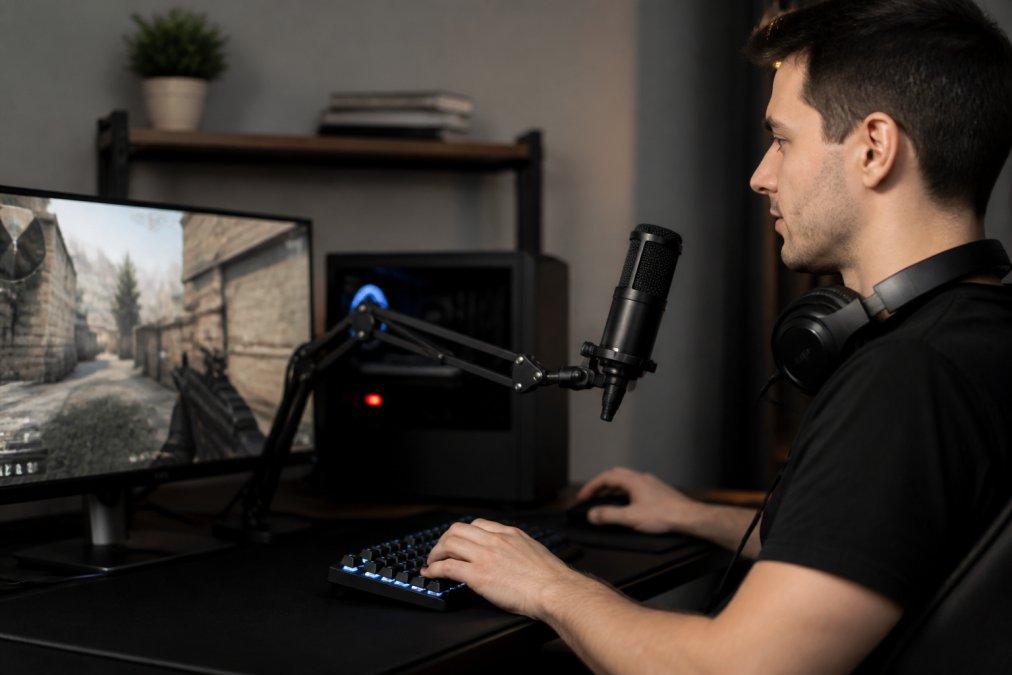
For gaming, cardioid is the standard choice. Position the microphone 4-6 inches from your mouth, slightly off to the side. This distance and angle gives you the best balance of voice clarity and background noise rejection.
Connectivity Options: Wired vs Wireless for Gaming
Wired connections guarantee zero latency and never drop signal. Wireless connections offer freedom of movement but introduce potential latency and battery management concerns.
For competitive gaming where milliseconds matter, wired is the safer choice. A wired headset or microphone never experiences latency spikes that plague wireless connections.
Modern 2.4 GHz wireless headsets deliver latency under 1 millisecond, imperceptible to human perception. The real risk is connection dropouts, if your headset loses signal for even a second, you're suddenly deaf during a critical moment. For casual gaming, this risk is acceptable. For competitive play, wired remains the standard.
USB Interfaces and XLR Connections
A USB interface connects your microphone directly to your PC or console via USB, handling all audio processing and power delivery in one device. An XLR connection uses a three-pin connector that's the industry standard for professional audio and requires a dedicated audio interface.
For gaming alone, USB is usually sufficient. A quality USB microphone or interface handles your voice communication without requiring additional equipment. If you're also streaming or recording, XLR becomes worth the investment.
The DAC quality inside your interface matters more than most gamers realize. A cheap USB interface includes a cheap DAC that introduces noise and distortion. A quality interface includes a better DAC that delivers cleaner audio.
Latency and Bitrate Considerations
Latency is the delay between when you speak and when your voice reaches teammates. Wired USB connections introduce 1-5 milliseconds, imperceptible to human hearing. Wireless connections introduce 5-20 milliseconds, still generally imperceptible.
Bitrate describes how much audio data gets transmitted per second. Discord defaults to 64 kbps, adequate for voice communication. For gaming communication, bitrate matters less than clarity. What matters more is microphone quality and background noise rejection.
Best Gaming Audio Settings for Competitive Play
Your audio equipment is only half the equation. Software settings determine whether you're actually hearing what matters. Start by disabling any "surround sound" processing that your operating system might apply by default. Your gaming headset's stereo imaging is more accurate than any virtual surround processing.
Sampling Rate and Audio Quality Optimization
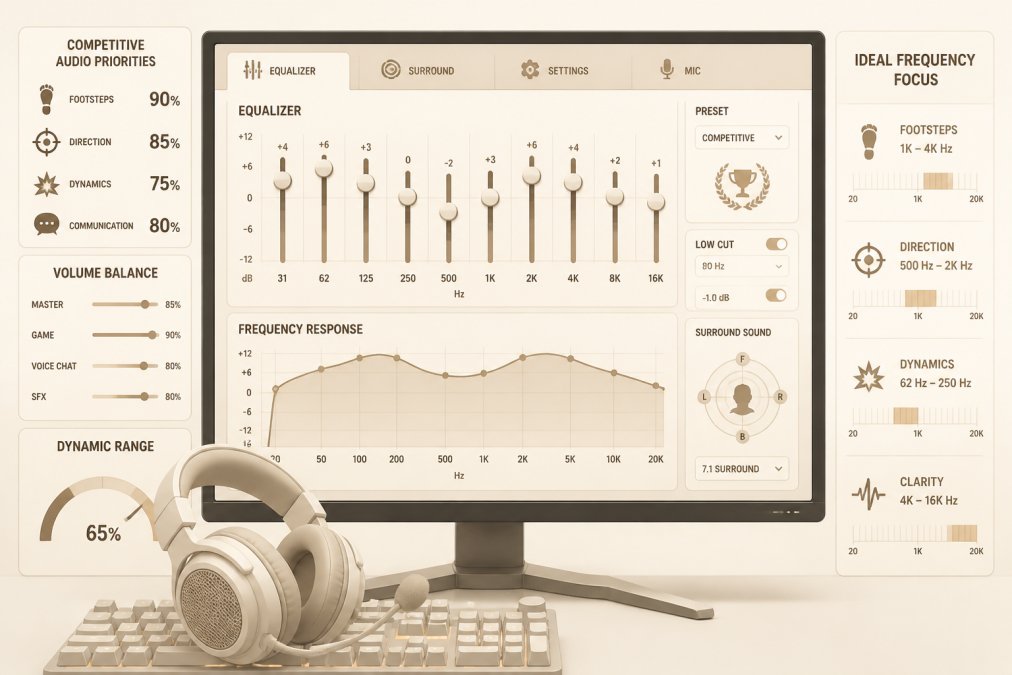
Sampling rate measures how many times per second audio gets digitally recorded. Standard CD quality is 44.1 kHz. Gaming audio typically uses 48 kHz. For gaming, 48 kHz is the standard; higher rates provide no benefit for voice communication or game audio.
Set your Windows audio output to 48 kHz or match whatever your game uses. Mismatched sampling rates force your system to convert audio on the fly, introducing subtle artifacts and latency.
Bit depth describes how precisely each audio sample gets recorded. 16-bit is standard for gaming and provides more than enough detail. This setting matters less than sampling rate for gaming applications.
EQ Tuning and Signal-to-Noise Ratio
Equalization (EQ) lets you boost or cut specific frequencies. A subtle EQ adjustment can make footsteps more distinct or dialogue clearer. Start with a slight boost to the 2-4 kHz range, which emphasizes footsteps and environmental cues. Avoid aggressive EQ adjustments; a 3-5 dB boost improves clarity without sounding unnatural.
Your microphone's signal-to-noise ratio determines how much background noise gets captured. A microphone with 100+ dB SNR captures your voice cleanly with minimal noise floor. If you already have a microphone with poor SNR, noise gates help. A noise gate mutes your microphone when you're not speaking, eliminating background noise during silent moments.
Acoustic Treatment and Room Setup
Your room's acoustics matter more than most gamers realize. Hard surfaces reflect sound, creating echoes and reverb that muddy your audio. Soft surfaces absorb sound, creating a cleaner acoustic environment.
Start with basics: carpet, curtains, and upholstered furniture all absorb sound. If your gaming room has hardwood floors and bare walls, sound bounces everywhere and your microphone captures all that reflection. Adding a rug and hanging curtains immediately improves audio quality without expensive acoustic panels.
Microphone placement matters significantly. Position your microphone 4-6 inches from your mouth, slightly off to the side. Avoid placing it directly in front of your mouth where plosives create harsh peaks. Angle it slightly so your breath doesn't hit the microphone directly.
Acoustic panels work but aren't necessary for gaming. They're expensive and overkill unless you're streaming or recording. Soft furnishings handle most of the problem. Focus your money on better equipment rather than acoustic treatment.
Speaker Configurations and Surround Sound Options
If you're using speakers instead of headphones, configuration becomes critical. Speakers create a different audio experience than headphones because sound reflects off your room before reaching your ears.
A 2.0 setup uses two speakers (left and right) positioned at ear level, roughly 60 degrees apart. This creates stereo imaging where sounds appear to come from different locations between the speakers. For gaming, 2.0 is sufficient and actually preferable to surround sound because stereo is more predictable.
2.0 vs 2.1 Setups and Subwoofer Integration
A 2.1 setup adds a subwoofer that handles low frequencies below 100 Hz. The subwoofer lets your main speakers focus on mid and high frequencies where directional audio cues live.
For competitive gaming, 2.0 is the standard. You don't need a subwoofer for voice communication or footstep detection. If you do add a subwoofer, calibrate the crossover frequency (typically 80-100 Hz) so the subwoofer handles only the lowest frequencies.
Speaker placement matters more than speaker quality. Position your speakers at ear level, angled toward your listening position. Avoid placing speakers in corners where bass gets exaggerated. Keep them away from walls that might cause reflections.
Comfort, Ergonomics, and Long-Session Performance
You'll be wearing your headset for hours during gaming marathons. Comfort becomes a performance factor; uncomfortable headsets cause you to remove them frequently, breaking immersion.
Headband padding and ear cup padding directly affect comfort. Medium padding with breathable materials works better for extended sessions than thick padding that traps heat.
Clamping force describes how tightly the headset grips your head. Too loose and it shifts during movement. Too tight and it causes pressure headaches. Most quality gaming headsets balance this correctly.
Weight affects long-session comfort. Headsets under 250 grams feel lighter and cause less neck strain. Heavier headsets (300+ grams) create fatigue during 4+ hour sessions.
Heat buildup becomes a factor during summer or in warm rooms. Closed-back headsets trap heat more than open-back designs. Headsets with mesh ear cups breathe better than leather or pleather.
Visit a retailer and try on multiple headsets. Wear each one for 5-10 minutes and notice pressure points. The headset that feels best after 10 minutes will feel best after 10 hours.
Choosing gaming audio equipment means matching specifications to your actual gaming environment and competitive goals. The Techie Den offers carefully selected audio gear that eliminates guesswork. Our gaming headsets emphasize directional accuracy and communication clarity, while our microphone options range from simple USB solutions to professional XLR setups. Whether you're upgrading a single component or building a complete audio system, focus on frequency response characteristics that suit competitive play, verify impedance compatibility with your devices, and prioritize comfort for extended sessions. Test equipment in person when possible, start with quality headphones and a decent microphone, then optimize your room and software settings. The best gaming audio setup is the one you'll actually use for hours without discomfort, delivering the audio clarity that separates winning from losing.
Frequently Asked Questions
What's the difference between 48kHz and 96kHz sampling rates for gaming audio?
Sampling rate determines how many times per second audio is digitally captured. For gaming, 48kHz is the industry standard and sufficient for competitive play; 96kHz captures more detail but requires more processing power and storage with minimal audible benefit in real-time gaming. Most games and streaming platforms optimize for 48kHz, making it the practical choice unless you're recording professional-grade content.
Is 5.1 or 7.1 surround sound better for gaming?
7.1 surround sound provides more directional accuracy with side and rear channels, giving you better spatial awareness in competitive games where enemy positioning matters. However, 5.1 is sufficient for most gaming scenarios and requires less setup complexity. Your choice depends on your room size and budget; larger rooms benefit more from 7.1, while smaller spaces work fine with 5.1.
Do I need a dedicated sound card for gaming audio?
Modern motherboards include capable integrated audio that handles gaming well for most players. A dedicated sound card becomes valuable if you're using high-impedance headphones, running professional streaming setups, or need superior noise isolation and signal-to-noise ratio. For casual to competitive gaming without professional streaming, integrated audio is usually adequate.
How do gaming headsets differ from studio headphones when choosing gaming audio equipment?
Gaming headsets prioritize soundstage and directional audio cues for competitive advantage, often with built-in microphones and emphasis on mid-range frequencies where game audio lives. Studio headphones deliver flatter frequency response for audio production accuracy. For gaming, headsets provide better spatial imaging and convenience; studio headphones excel at detail but lack gaming-specific tuning and integrated communication features.
What audio quality settings work best for competitive gaming?
Prioritize frequency response accuracy in the 100Hz-8kHz range where footsteps and directional cues live, maintain 48kHz sampling rate for standard competitive gaming, enable spatial audio or surround processing if your game supports it, and boost signal-to-noise ratio to hear subtle audio cues. Avoid over-compression and aggressive EQ that masks important directional information.
Should I use headphones or speakers for gaming?
Headphones provide superior soundstage, directional accuracy, and isolation for competitive gaming, making them the standard choice. Speakers work for casual gaming and story-driven games but sacrifice positional audio precision. Many competitive gamers use headphones with external speakers for immersion during non-competitive play, giving you flexibility across different gaming types.
This article was written using GrandRanker


