

Table of Contents
- What Makes Durable Tech for Remote Work Different
- Hardware Durability: Processors, Drives, and Build Quality
- Best Ergonomic Setup for Remote Work
- Durable Laptop Accessories for Travel
- Remote Work Tech Maintenance Checklist
- Charging Solutions and Connectivity That Last
- Security and System Reliability for Long-Term Use
- Conclusion
Last Updated: August 27, 2026
What Makes Durable Tech for Remote Work Different
Choosing durable tech for remote work means understanding what survives constant use, travel, and unpredictable conditions outside a traditional office. The difference between gear that lasts three months and gear that lasts three years comes down to build quality, component selection, and how well devices handle real-world stress.
When working remotely, your tech becomes your infrastructure. A laptop failure means lost productivity and missed deadlines. A charger that fails in week two means scrambling for replacements. These aren't minor inconveniences; they're business risks. Investing in quality gear from the start can prevent repeated replacements and ultimately save money.
The real durability metric isn't how well something survives a single impact, but how well it performs after 18 months of daily use. That means solid-state drives that don't degrade, thermal management systems that don't throttle, batteries that hold charge cycles, and mechanical components that don't develop play or wobble.
Hardware Durability: Processors, Drives, and Build Quality
Your laptop's durability hinges on three critical components: the processor, the storage drive, and the physical chassis.
Solid-state drives represent the biggest durability leap from older technology. Unlike spinning hard drives with mechanical read-write heads, SSDs have no moving parts. They don't wear out from movement, vibration, or thermal cycling. A quality SSD rated for 600+ terabytes written (TBW) will outlast most laptops, which matters because remote workers often travel and expose devices to temperature fluctuations that mechanical drives struggle with (peer-reviewed research).
Processor efficiency directly impacts durability through thermal management. A processor that runs hot creates thermal stress on the entire system; capacitors age faster, solder joints weaken, and fans fail sooner. Modern processors with lower thermal design power (TDP) ratings generate less heat, enabling cooler operation and longer component lifespan.
Build quality separates devices that feel solid from those that develop creaks and mechanical failures. Aluminum chassis absorb impact better than plastic and don't develop microfractures over time. Reinforced hinges prevent the common failure mode where screen connections loosen after repeated opening and closing. Port durability matters enormously, USB-C ports with reinforced connectors survive repeated plugging and unplugging far better than ports with minimal mechanical support.
Best Ergonomic Setup for Remote Work
Your workspace ergonomics directly impact both productivity and device longevity. Poor positioning creates strain on your body and leads to compensatory movements that damage equipment.
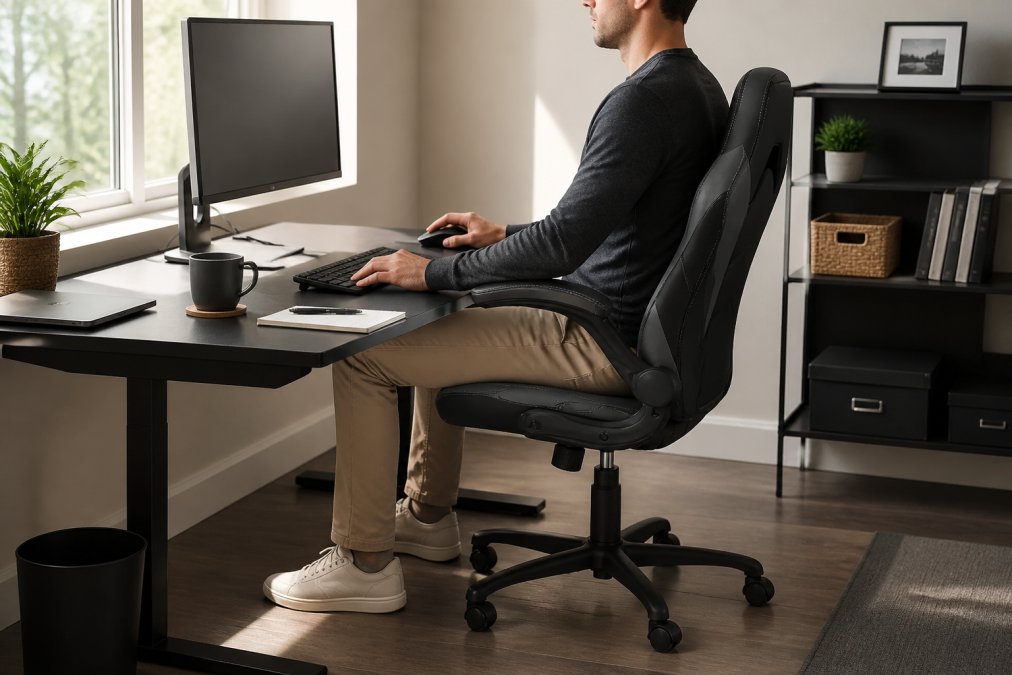
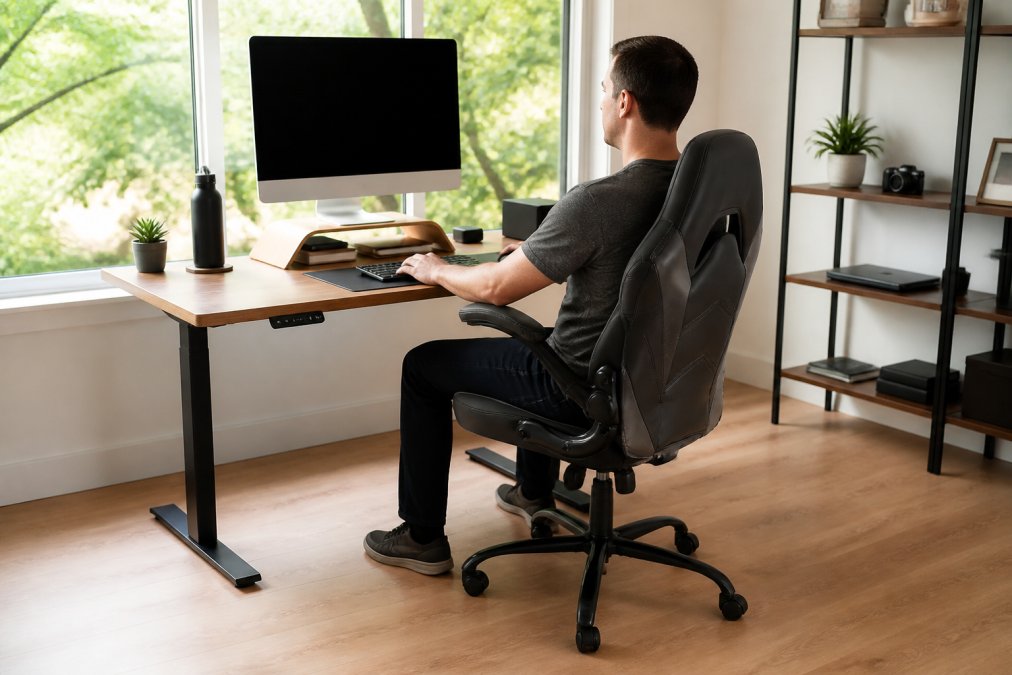
The ideal setup positions your monitor at eye level, approximately 20-26 inches from your eyes (osha.gov). Your keyboard and mouse should sit at elbow height when your arms rest naturally at your sides. An ergonomic chair with adjustable lumbar support and armrests forms the foundation of a durable workspace. The Ergonomic Chair Adjustable Swivel with Flip-up Armrest from The Techie Den provides the support structure needed for eight-hour workdays at $76.99.

Your desk surface matters significantly. A stable desk prevents vibration that degrades mechanical components and prevents accidental device movement. The Wooden Table with CPU Storage Shelf & Side Bag at $79.99 provides a solid surface with integrated cable management and storage.

Monitor positioning prevents the common failure mode where laptops overheat due to poor ventilation. When your laptop sits flat on a desk, bottom vents get blocked, trapping heat. An external monitor allows you to position your laptop at an angle, maintaining proper airflow and keeping thermal components within safe operating ranges.
Durable Laptop Accessories for Travel
Durable laptop accessories for travel protect your equipment during the movement and environmental exposure that causes most damage outside an office environment. A quality laptop bag with proper padding and compartmentalization prevents impact damage and protects against moisture exposure. Internal dividers prevent your laptop from shifting during transport, which causes internal component stress.
Cable management accessories prevent the most common failure mode: damaged charging cables. Cables that get bent sharply, coiled tightly, or pinched repeatedly develop internal wire fractures. Cable organizers and protective sleeves maintain proper cable routing and prevent repetitive stress.
Durable accessories should include redundancy in critical components. A backup charger prevents stranding without power. The UGREEN GaN 35W Charger at $30.99 provides compact, efficient charging with multiple safety certifications (UL, RoHS, FCC, CE). GaN technology generates less heat than older charger designs, meaning longer operational life and lower failure rates.

External storage solutions provide backup protection against device failure. Quality external drives with shock-resistant enclosures survive the drops and impacts that inevitably happen during travel. Port adapters and hubs should have reinforced connectors that don't wiggle or develop loose connections.
Remote Work Tech Maintenance Checklist
A systematic maintenance checklist prevents the gradual degradation that turns reliable equipment into unreliable equipment. Most hardware failures result from accumulated thermal stress, dust accumulation, and component wear that could have been prevented with basic maintenance.
Monthly maintenance tasks keep equipment operating at peak efficiency. Compressed air removes dust from keyboard crevices, ports, and internal cooling vents. Dust accumulation blocks airflow, causing thermal stress that ages components prematurely. A microfiber cloth cleans screen surfaces without scratching.
Cable inspection prevents the failure mode where damaged cables create intermittent connections or complete failures. Replace cables showing wear before they fail completely. Battery health monitoring extends battery life and prevents sudden failure. Most laptops include battery health reporting in system settings.
Thermal paste replacement every 18-24 months maintains proper heat transfer between the processor and cooling system. Over time, thermal paste dries out and loses effectiveness, causing processors to run hotter and age faster.
Software maintenance prevents the performance degradation that stresses hardware. Regular operating system updates patch security vulnerabilities and often include performance improvements. Disk cleanup removes temporary files and fragmentation that slows storage access.
| Maintenance Task | Frequency | Impact on Durability |
|---|---|---|
| Dust removal from vents | Monthly | Prevents thermal throttling and component aging |
| Cable inspection | Monthly | Catches damage before complete failure |
| Battery health check | Quarterly | Extends battery lifespan by 6-12 months |
| Thermal paste replacement | Every 18-24 months | Maintains optimal processor temperatures |
| Operating system updates | As released | Improves performance and reduces hardware stress |
| Disk cleanup and defragmentation | Monthly | Reduces storage wear and access latency |
Charging Solutions and Connectivity That Last
Charging infrastructure represents the most frequently used connection point in your remote work setup, making it the highest-risk component for failure. Multi-port charging solutions consolidate your charging needs into a single, reliable device. The 320W Charger USB-C Fast Desktop 8-port at $38.99 provides the power capacity to charge multiple devices simultaneously while maintaining efficiency.
USB Power Delivery (USB PD) technology ensures consistent, reliable charging across different devices. Chargers supporting USB PD automatically adjust output voltage and current based on the connected device's requirements, preventing overvoltage or undercurrent situations that damage batteries or create slow charging.
Redundant charging solutions prevent the single point of failure that leaves you without power. A desktop multi-port charger handles primary charging needs, while a portable charger provides backup charging for travel or emergencies. Cable quality directly impacts charging reliability. Look for cables with reinforced connectors and strain relief that survive repeated connection cycles without developing internal wire fractures.
Security and System Reliability for Long-Term Use
System reliability in remote work setups depends on security infrastructure that prevents malware, unauthorized access, and data corruption that causes catastrophic failures. Multi-factor authentication (MFA) prevents unauthorized access that could compromise your entire remote work infrastructure.
Virtual private network (VPN) technology encrypts your network traffic and masks your location, protecting your data transmission from interception. Data encryption protects your stored data against theft or unauthorized access. Full-disk encryption on your laptop ensures that if the device is lost or stolen, the data remains inaccessible.
Regular backup systems prevent the data loss that forces you to replace equipment or reconstruct lost work. Automated cloud backups create redundancy without requiring manual intervention. Local backups on external drives provide faster recovery for critical data loss scenarios.
Operating system updates and security patches prevent the vulnerabilities that malware exploits. Timely patching maintains the security posture that keeps your system reliable and prevents the performance degradation that comes from malware infection. Software compatibility management prevents the conflicts that cause system instability.
When you're working remotely, your technology infrastructure is your business foundation. Choosing durable tech for remote work means investing in equipment that survives daily use, travel, and environmental stress without degrading into unreliability. Durability isn't about buying the most expensive option; it's about understanding component quality, proper maintenance, and redundancy in critical systems.
Start with The Techie Den's ergonomic workspace solutions and multi-port charging infrastructure. The Ergonomic Chair Adjustable Swivel with Flip-up Armrest and 320W Charger USB-C Fast Desktop 8-port create a foundation of reliability that protects both your health and your equipment investment. Build from there with quality accessories and a disciplined maintenance routine.
Frequently Asked Questions
Q: What features make durable tech for remote work stand out from regular consumer gear?
A: Durable tech prioritizes solid-state drives (SSDs) over mechanical hard drives, uses metal chassis instead of plastic, and features thermal management systems that prevent overheating during extended use. Enterprise-grade components, better cooling design, and higher-quality solder joints on circuit boards extend lifespan significantly. Battery cycle life matters too, devices rated for 500+ charge cycles outlast those rated for 300. Look for MIL-SPEC or industrial certifications, which indicate equipment tested for durability beyond typical office conditions.
Q: How do I choose a laptop that will last for years of remote work?
A: Prioritize processor efficiency and thermal management; efficient processors generate less heat, reducing stress on internal components. Check the warranty length and whether the manufacturer supports repairs. Verify that the SSD is user-replaceable or upgradeable. Look for laptops with reinforced hinges, spill-resistant keyboards, and rubberized edges that absorb impact. Battery cycle ratings above 500 cycles indicate longevity. Avoid models with soldered RAM or non-upgradeable storage, which limits lifespan and repairability.
Q: Are expensive durable tech accessories worth the investment for a home office?
A: Yes, when durability reduces replacement costs over time. A $76.99 ergonomic chair with adjustable height and reinforced armrests can offer long-term value. Premium charging solutions like the UGREEN GaN 35W Charger ($30.99) use safer power delivery protocols and last longer than cheap alternatives. Calculate total cost of ownership: a durable accessory that costs 50% more but lasts twice as long saves money. For remote workers, reliability directly impacts productivity, downtime costs more than the upfront investment.
Q: What's the most important factor in maintaining remote work tech for long-term use?
A: Thermal management and regular cleaning. Dust buildup clogs cooling vents, forcing processors to work harder and degrade faster. Clean keyboard and vents monthly with compressed air. Keep devices in climate-controlled spaces, extreme heat or cold stresses batteries and solder joints. Manage cable clutter to prevent strain on ports. Update firmware and security patches immediately; outdated software creates system reliability issues. Follow a remote work tech maintenance checklist quarterly: inspect for physical damage, verify all ports function, test battery health, and back up critical files. These habits prevent catastrophic failures.
This article was written using GrandRanker


