

Table of Contents
- Why Gamers Are Switching from PC to Console Gaming in 2026
- Pros and Cons of Console Gaming: What You Gain and Give Up
- Cost of Console Gaming vs PC Gaming: The Real Numbers
- How to Adjust to Controller Gaming Without Losing Your Edge
- Performance, Graphics, and What Actually Changes on Screen
- Digital Library Migration and Platform Ecosystem Lock-In
- Ergonomics and Physical Setup: Setting Up Your Console Space
- Conclusion
- Frequently Asked Questions
Last Updated: September 25, 2026
Why Gamers Are Switching from PC to Console Gaming in 2026
Switching from PC to console gaming has become a genuine trend, not a fringe experiment. This guide from The Techie Den breaks down what actually changes when you trade a tower and monitor for a couch and controller. The short answer: you trade flexibility for stability, and for a lot of people that trade is worth it. According to the Entertainment Software Association's annual industry report, console ownership keeps climbing even as gaming PCs get more expensive to build.
Pros and Cons of Console Gaming: What You Gain and Give Up
Console gaming is a closed, standardized platform where the hardware is fixed and every game is built to run on it. That single fact drives almost every advantage and every limitation you will read about below. The pros and cons of console gaming come down to one trade: convenience and cost certainty in exchange for control.
What You Gain: Plug and Play, Stability, and Lower Upfront Cost
A console is plug and play in the truest sense. You unbox it, connect an HDMI cable, sign in, and you are playing within minutes. No driver updates, no system requirements to check, no wondering whether your GPU can handle the latest release. Performance stability is guaranteed because developers optimize for one hardware specification instead of thousands of combinations. A $500 console plays the same game the same way for everyone who owns it, which is something no budget gaming PC can promise.
What You Give Up: Modding, Customization, and Free Multiplayer
Modding largely disappears. You cannot swap a graphics card, overclock a CPU, or install community patches on a closed platform. Multiplayer is no longer free either, since online play now sits behind a subscription on every major console. The user interface is also locked down, so if you love tinkering with settings, this will feel restrictive. What most guides miss is that these losses matter far less to casual players than the forums suggest.
| Factor | Console | PC |
|---|---|---|
| Upfront cost | Lower, fixed | Higher, variable |
| Setup time | Minutes | Hours |
| Modding | Not supported | Extensive |
| Online play | Paid subscription | Free |
| Upgrades | None | Full control |
| Best for | Casual, couch play | Tinkerers, competitive |
Cost of Console Gaming vs PC Gaming: The Real Numbers
The cost of console gaming vs PC gaming favors consoles on day one, but the honest comparison is a multi-year total cost of ownership, not a sticker-price duel. A console bundle includes everything you need to start playing. A comparable gaming PC requires a graphics card, CPU, motherboard, RAM, storage, power supply, case, monitor, keyboard, and mouse, and each of those has its own price tag.
The Recurring Costs Nobody Puts in the Headline
Hardware is only the first line item. The real divergence shows up in what you pay every month after the box is on your shelf.
- Online multiplayer subscriptions. Every major console gates online play behind a paid tier. The entry-level tier typically runs in the range of a few dollars per month when billed annually, and the premium tiers that include a rotating game catalog cost meaningfully more. Over a four-year console generation, that subscription alone can approach or exceed the price of the console itself.
- Cloud saves and online storage. Both major console ecosystems bundle cloud saves into the paid tier, so dropping the subscription means losing automatic backup. On PC, cloud saves are typically free through the storefront that sold you the game.
- Controller replacement. Console controllers use proprietary batteries and wireless protocols. Stick drift and battery degradation are common after a few years, and a replacement controller is a real recurring cost that PC players avoid by swapping a $20 mouse or a $40 keyboard.
- Peripheral lock-in. Console headsets, racing wheels, and fight sticks are often platform-licensed, which limits cross-compatibility and keeps resale value low.
The Hidden Costs of PC Gaming Most People Ignore
The sticker price of a PC is only the beginning. Driver updates, troubleshooting, replacement peripherals, and the slow creep of "just one more upgrade" add up. A failing graphics card can cost more than an entire console. Console owners skip that entire category of expense, which is why the total cost of ownership often lands lower than the build list suggests.
- Operating system licensing. A retail Windows license is a real cost that budget build lists frequently omit.
- Security software. Many users run a paid anti-virus or security suite on top of the OS.
- Monitor and desk furniture. A gaming monitor, a desk, and a chair are part of the setup, not accessories.
- Power draw. A high-end GPU under load pulls far more wattage than a console, which shows up on the electric bill over a multi-year ownership window.
Subscription Value: Where the Math Actually Lands
This is the angle most switching guides skip entirely. The console subscription tiers bundle a rotating library of games, which means a patient player can go months without buying a full-price title. On PC, the equivalent value comes from deep storefront sales and bundle sites rather than a single subscription. The practical takeaway: if you play a wide variety of games and finish them quickly, a console subscription can replace several full-price purchases per year.
How to Adjust to Controller Gaming Without Losing Your Edge
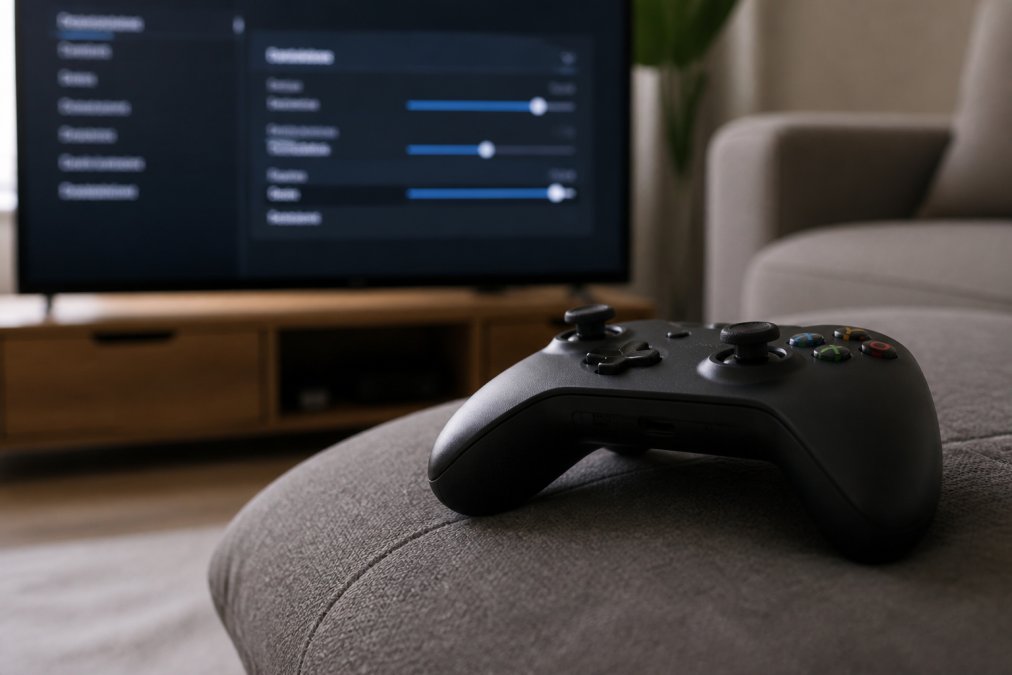
Adjusting to a controller takes roughly two to four weeks of regular play, and the fastest way to get there is to stop fighting the learning curve. The reason the transition feels brutal is mechanical: a mouse maps hand movement directly to cursor position, while a thumbstick maps stick deflection to a rotation rate. That single difference is why your first week feels like aiming through molasses, and why the fix is tuning, not willpower.
The Settings That Actually Matter
Most players never open the advanced controller menu, and that is the biggest self-inflicted handicap. The four settings worth touching on day one:
Retro Handheld Video Game Console →
- Stick dead zone. The dead zone is the small ring around center where input is ignored to prevent drift. A large default dead zone makes fine aim feel mushy. Shrinking it (as low as the stick allows without drift) gives you finer control near center.
- Aim response curve. Linear curves map stick deflection to rotation speed evenly; exponential curves ramp up slowly near center and faster at the edge. Linear is generally better for tracking, exponential for flick-heavy play. Try both for a week each.
- Aim assist strength and type. Aim assist exists for a reason, and using it is not cheating. Rotation assist (which slows your reticle when it crosses a target) is the setting most players should leave on. Aim slowdown and aim snap behave differently across titles, so check the in-game description rather than assuming.
- Sensitivity, then leave it alone. Pick a sensitivity, play ten hours, and only then adjust. Constantly tweaking sensitivity is the single most common reason players never build muscle memory.
A Practical Transition Plan
Start with single-player titles before you jump into competitive multiplayer, since the pressure of ranked matches makes every missed shot feel worse. A structured ramp helps:
- Week one, single-player, low difficulty. Focus on movement and camera control, not accuracy. Third-person action games are more forgiving than first-person shooters here.
- Week two, single-player, normal difficulty. Add aiming under mild pressure. Practice strafing while tracking a moving target.
- Week three, casual multiplayer. Play unranked modes. Expect to lose. The goal is comfort, not wins.
- Week four, ranked, if you want it. By now the controller should feel like an extension of your hands rather than a foreign object.
Remapping and Hardware Choices
Performance, Graphics, and What Actually Changes on Screen
Modern consoles now target 4K resolution at 60 frames per second, and many titles offer a performance mode that pushes frame rate higher by trading some visual fidelity. That is a real shift from a decade ago, when consoles were clearly behind PC hardware. A high-end PC still wins on raw frame rate and resolution scaling, but the gap only shows up on a high refresh rate gaming monitor, and most living room TVs cap out well below what a top-tier GPU can produce.
Digital Library Migration and Platform Ecosystem Lock-In
Digital library migration is the single biggest hidden cost of switching platforms, and almost nobody talks about it. Games you bought on one storefront do not transfer to a console, and vice versa. Your purchase history is tied to the platform ecosystem you bought into, which means starting from scratch is often unavoidable. Backwards compatibility softens the blow within a single console family, but it does nothing across platforms.
Ergonomics and Physical Setup: Setting Up Your Console Space
Ergonomics matter more than most buyers expect, because console gaming moves you from a desk chair to a couch. A good setup starts with a TV mounted at eye level, roughly 1.5 to 2.5 metres from where you sit, so you are not craning your neck. Keep the controller within easy reach and your wrists supported. Cable management prevents trips and keeps the entertainment center tidy.
Conclusion
The switch is not for everyone, and that is the point. If you value tinkering, modding, and free multiplayer, stay on PC. If you want to sit down, press a button, and play, the console path removes an entire layer of friction from your hobby. The Techie Den stocks the consoles and accessories that make that transition smooth, from handheld retro players to the charging and connectivity gear that keeps a living room setup running.
Frequently Asked Questions
Is it worth getting a console if I already have a PC?
It depends on what you value most. If you want plug and play convenience, exclusive titles, and a lower upfront cost, a console makes sense. If you rely on modding, free multiplayer, and upgradability, your PC already covers that. Many gamers keep both: PC for strategy and indie titles, console for big-budget releases and couch co-op. The switch is worth it when convenience and stability matter more than customization.
What are the biggest lifestyle changes when switching from PC to console?
The biggest shifts are ergonomics and routine. You move from a desk and mouse to a couch and controller, which changes how your hands, wrists, and posture feel during long sessions. You also lose access to mods, custom settings, and free multiplayer subscriptions. On the plus side, setup time drops to minutes, and system requirements stop being a concern. Expect a two to three week adjustment period for controller aim and menu navigation.
Will I miss my keyboard and mouse if I switch to a console?
For shooters and real-time strategy games, most PC players notice a real drop in precision for the first few weeks. Controllers use analog sticks with aim assist, which changes how you track targets. Many consoles now support mouse and keyboard on select titles, so you can keep your preferred input for compatible games. Practicing in single-player campaigns before jumping into multiplayer helps close the gap faster.
How does the cost of console gaming vs PC gaming compare over five years?
A console typically costs less upfront, but multiplayer subscriptions add up over time. A gaming PC costs more initially, yet multiplayer is free and games go on deeper discounts. Over five years, the totals often land closer than people expect once you factor in subscription fees, monitor or TV costs, and peripheral replacements. Budget gaming favors consoles for the first two years; long-term value often favors PC if you play online heavily.


