
Last Updated: November 6, 2026
Quick Summary
The largest library in our lineup belongs to the 12TB Gaming HDD with 86000+ Retro Video Games at $297.99, shipping with 86,000+ titles and 250+ game collections. For an all-in-one retro game console, the Intel N100 Game PC Box at $412.99 holds 52,000+ games and 80+ emulators. Game count is a marketing figure; playable count is what matters.
- The 12TB Gaming HDD requires installing plug-ins on your computer before first use.
- The Intel N100 box lists 10,000+ 3D games inside its 52,000+ total.
- Run the same five titles on any device and score frame rate, audio sync, input lag, and saves.
- The Retro Handheld costs $59.99 and carries 10,000 games on 64GB of storage.
- Listings offer a free return and refund service within 15 days without reason.
Table of Contents
- How to Compare Retro Game Console Libraries Without Getting Fooled
- The Best Retro Game Console Options for Library Size in 2026
- Retro Console With Built-In Games: What 10,000 to 86,000 Titles Actually Means
- Retro Console Compatibility: Supported Systems and Emulation Performance
- Licensed Retro Game Consoles vs. Open Emulation Boxes
- Setup, Display Quality, and Total Cost of Ownership
- Match Your Library Size to Your Setup at The Techie Den
- Frequently Asked Questions
How to Compare Retro Game Console Libraries Without Getting Fooled
A retro game console with a large game library comparison only works if you check how the counts were built.
At The Techie Den, we sell these boxes, so we have a clear bias you should know about. Below, we'll show you the four checks that separate a real library from a padded one, and where each option in our lineup lands.
The core tension: a bigger number is not a better library. Game count is a marketing figure; playable count is a hardware and curation figure. Once you accept that, comparing two retro consoles becomes a much shorter job.
The Best Retro Game Console Options for Library Size in 2026
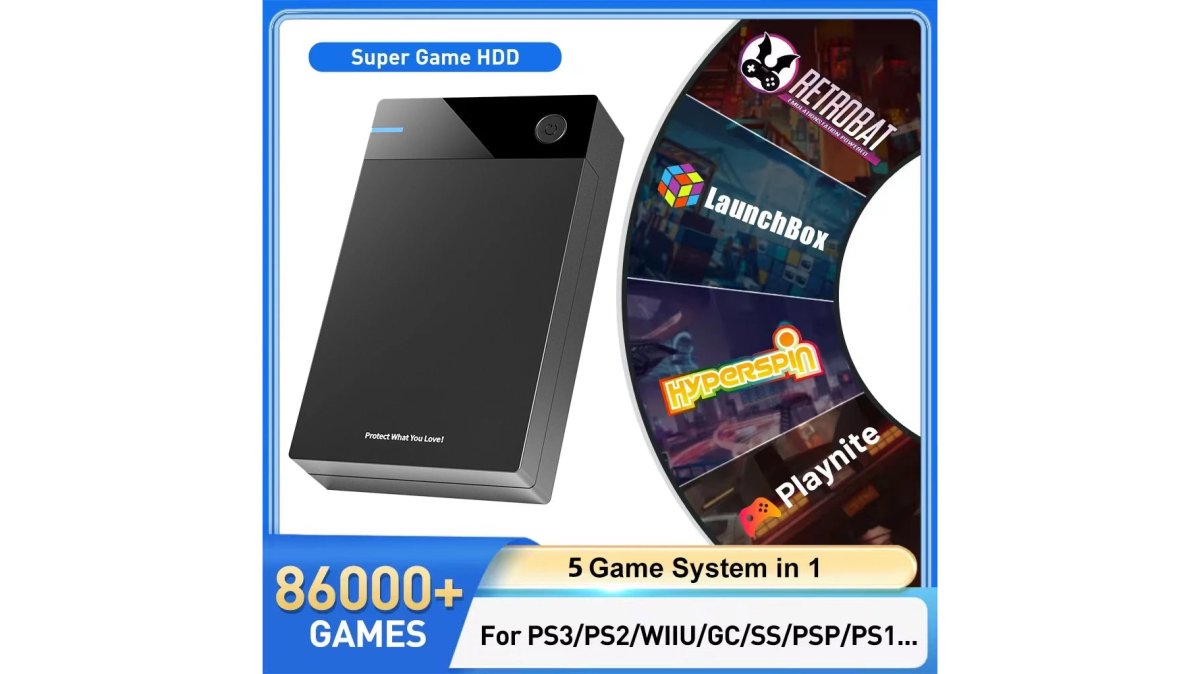
The largest library in our lineup belongs to the 12TB Gaming HDD with 86000+ Retro Video Games at $297.99. It ships with 86,000+ retro titles and 250+ game collections across four front ends: Hyperspin, Launchbox, Retrobat, and Playnite.
For buyers who want the whole machine in one box, the Intel N100 Game PC Box at $412.99 pairs Windows 11 Pro with Batocera 40 and a 2TB drive holding 52,000+ games and 80+ emulators.

Portable players are a different category entirely. The Retro Handheld Video Game Console at $59.99 carries 10,000 games on 64GB of storage with a 3.5-inch 640x480 IPS screen.
Quick Comparison: Library Size, Price, and Hardware
| Option | Games Included | Storage | Price | Best For |
|---|---|---|---|---|
| 12TB Gaming HDD | 86,000+ | 12TB | $297.99 | Maximum library on a PC |
| Intel N100 Game PC Box | 52,000+ | 2TB | $412.99 | All-in-one TV setup |
| Video Game Console 2T HDD | 52,000+ | 2TB | $507.99 | Dual-boot gaming plus desktop |
| Retro Handheld | 10,000 | 64GB | $59.99 | Pocket play |
| Mini Plus Handheld | None preloaded | 32GB card | $76.99 | Building your own set |
Price
Retro Console With Built-In Games: What 10,000 to 86,000 Titles Actually Means
A built-in game count tells you how many files sit on the drive, not how many you will finish. That gap is where most buyers get burned.
Here is what the range actually looks like in practice:
- 10,000 titles is a handheld-class library. Expect 8-bit and 16-bit systems, with heavy overlap between US, European, and Japanese releases of the same game.
- 52,000 titles adds 3D-era systems. The Intel N100 box lists 10,000+ 3D games inside its 52,000+ total, which tells you roughly four in five titles are 2D.
- 86,000 titles is the top of the range and only makes sense on a large drive with a front end built to sort it.
That last point matters more than the number. A disorganized library of 86,000 games is unusable. A well-organized library of 10,000 is a joy. MobyGames database is a useful cross-check when you want to confirm whether a specific title in a listing is a distinct game or a re-release.
If you want to see what the top of that range looks like as a product, the 12TB Gaming HDD with 86000+ Retro Video Games is the clearest example in our catalog.
Retro Console Compatibility: Supported Systems and Emulation Performance
Retro console compatibility means the list of original systems a box can emulate and how reliably it runs them. That list, not the game count, decides whether the games you actually want will boot. Most roundups stop at the platform list. The more useful comparison runs the same titles on each device and reports what happens, because two boxes that both claim PS2 support can behave very differently on the same disc image.
What each option claims to support
The 12TB drive lists support for TeknoParrot, PS Vita, Xbox 360, PSP, PS2, PS3, MAME, Wii, Wii U, and Dreamcast, plus 250+ collections. The two 52,000+ consoles each ship 80+ emulators spanning PS3, PS2, PS1, Saturn, N64, and Wii. The handhelds are narrower by design: expect 8-bit and 16-bit systems plus a slice of early 3D, not GameCube or PS2.
A repeatable test you can run before you buy
Standardized testing is the gap most listings ignore. Rather than trust a spec sheet, run the same five titles on any device you are considering and score each one on four things: frame rate stability, audio sync, input lag, and whether the game saves correctly. A practical sample set spans the eras:
- Super Mario World (SNES): a 2D baseline. It should hold full speed on every device in this comparison, including the handhelds. If it stutters, the front end or the storage is the problem, not the hardware.
- Sonic the Hedgehog 2 (Genesis): checks scrolling smoothness and whether audio stays in sync during the fast bonus stages.
- Super Mario 64 (N64): the first real 3D stress test. Integrated graphics usually manage it, but input lag is where cheap builds show up.
- Gran Turismo 4 (PS2): a mid-weight 3D title that exposes frame drops on Intel UHD graphics.
- God of War II or a comparable PS3 title: the heaviest common test.
Score each title as full speed, playable with drops, or unplayable, and note any audio crackle or save failure. That four-column scorecard tells you more than any headline emulator count.
How the hardware classes actually land
The N100 and N5105 boxes rely on Intel UHD integrated graphics. The 12TB drive inherits whatever GPU your PC has, so its ceiling is your desktop's ceiling.
Watch out: a device that lists an emulator is not promising that every game for that system runs well. Check the specific titles you care about, not just the platform logo.
If system coverage is your deciding factor, the Intel N100 Game PC Box with 80+ emulators spells out its supported platforms directly, and you can apply the five-title test above to confirm the ones that matter to you.

Licensed Retro Game Consoles vs. Open Emulation Boxes
Two very different products get sold under the same phrase. A licensed retro game console is a official mini-console built under manufacturer license with a fixed, curated set of games. An open emulation box is a small computer running emulator software against a large, user-managed ROM set.
The trade-offs are clean:
| Factor | Licensed Console | Open Emulation Box |
|---|---|---|
| Library size | Small, fixed | Tens of thousands |
| Game quality | Curated, tested | Variable |
| Legal clarity | Clear | Depends on your ROMs |
| Expandability | None | Add your own files |
| Setup effort | Plug and play | Some configuration |
Watch out: the legal status of game files is the part most buyers skip. U.S. Copyright Office guidance on software copying is the place to start if you want the actual rules rather than forum folklore.
Our honest read: licensed consoles win on simplicity and legal clarity, open boxes win on library size. Pick based on which of those you value more, not on the game count alone.
Setup, Display Quality, and Total Cost of Ownership
Setup difficulty scales with library size, and so does the real bill. Most comparisons quote the sticker price and stop. The number that matters is what you spend to get a working setup and keep it working for a few years.
Setup effort by device class
The handhelds are plug and play: insert the card, charge, and press the power key for one second. The 12TB drive requires installing some plug-ins on your computer before first use. The all-in-one consoles sit in between: they arrive with the operating system and front end configured, so the first session is mostly controller pairing and a display check.
Display quality
The N100 box supports UHD output for 4K televisions. The handhelds have a 3.5-inch 640x480 IPS screen.
Total cost of ownership
Add up four buckets, not one:
- The device itself. The 12TB drive is $297.99, the N100 box is $412.99, the 2T console is $507.99, the Retro Handheld is $59.99, and the Mini Plus is $76.99.
- The host hardware. A $297.99 drive still needs a capable Windows PC, and the PS3-class emulation note means that PC may need a discrete graphics card. If you do not already own one, that cost can exceed the drive itself. The $412.99 N100 box includes the computer, the drive, and controllers, which is why the all-in-one is often the cheaper path once you count what you already own.
- Storage and accessories. The Mini Plus ships with a 64GB card and no preloaded library, so you supply the ROMs and may need a larger card. Extra controllers, a memory card reader, and a spare HDMI cable are small line items that add up across a household.
- Support and replacement parts. The listings offer a free return and refund service within 15 days without reason. Ask whether replacement batteries, cables, and controllers are sold separately before you commit.
Long-term reliability and support
For handhelds, battery life over time is the main wear item, and a user-replaceable battery is worth more than a slightly larger screen. Keep the original packaging and note the return window, because the first two weeks are when most defects surface.
Watch out: a low purchase price can hide a missing power supply, a short warranty, or a battery you cannot replace. Price the whole setup, not the box.
If you are rebuilding a desk around this, our guide on upgrading your gaming setup with a high-capacity HDD covers the storage side, and our walkthrough on using old controllers on modern consoles saves you from buying new pads.
Match Your Library Size to Your Setup at The Techie Den
The right library size is the one your hardware can actually run and your patience can organize. A 10,000-game handheld beats an 86,000-game drive that never leaves the menu screen.
If you are weighing a concrete option, the Video Game Console 2T HDD with 52,000+ games is a sensible middle ground, with a free return and refund service within 15 days without reason.

The challenge is not finding a big number. It is finding the box whose number you can trust and whose hardware can carry it.
Frequently Asked Questions
Which retro game console has the largest game library?
The largest libraries in this comparison come from hard-drive-based systems rather than sealed plug-and-play boxes. The 12TB Gaming HDD with 86000+ Retro Video Games lists 86,000+ titles across 250+ collections, while the 2T and N100 game PC boxes list 52,000+ games including 10,000+ 3D titles. A handheld like the BOYHOM R36S lists 10,000 games on 64GB of storage. Bigger counts usually mean more obscure and regional titles, so check that the specific series you want is actually included before buying on the number alone.
Are retro consoles with built-in games worth buying?
They can be, if the library matches what you actually play. A $59.99 handheld with 10,000 games is a low-risk way to test whether you enjoy retro gaming, while a $297.99 to $507.99 desktop box makes more sense if you want PS2, PS3, Wii, and arcade titles on a TV. The trade-off is that built-in libraries are fixed unless the device lets you add files, and quality varies wildly from title to title. Look for a system that supports adding your own games so the library can grow with you.
Can retro game consoles play games from multiple systems?
Yes, emulation-based consoles run games from many original platforms. The 2T and N100 game PC boxes ship with 80+ pre-installed emulators covering PS3, PS2, PS1, Sega Saturn, N64, Wii, and more, and the 12TB HDD covers TeknoParrot, PS Vita, Xbox 360, PSP, PS2, PS3, MAME, Wii, Wii U, and Dreamcast. Compatibility is not the same as perfect performance, though. Demanding 3D titles need more processing power, and the 12TB drive listing recommends at least a GTX 1060 Ti for smooth PS3 emulation.
How can I check whether a retro console's games are licensed?
Licensed retro game consoles, such as the mini consoles sold by the original manufacturers, name the publisher and include a fixed, officially cleared game list. Open emulation boxes and preloaded hard drives generally do not carry per-title licenses, so the legal status of the ROM files is on the buyer.


