

Table of Contents
- Advertised vs. Real-World Battery Life in Gaming Headsets
- Average Battery Life of Gaming Headsets by Type
- Key Factors That Affect Wireless Gaming Headset Battery Longevity
- How to Extend Gaming Headset Battery Life
- Battery Degradation Over Time and Charge Cycles
- Wireless Gaming Headset Battery Replacement Options
- Recommended Gaming Headsets with Strong Battery Performance
- Frequently Asked Questions
Last Updated: October 3, 2026
Advertised vs. Real-World Battery Life in Gaming Headsets
Wireless gaming headset batteries rarely deliver what the box promises. A headset advertised as having 30 hours of battery life might give you 18 hours in actual gaming sessions. The gap between marketing claims and real-world performance is one of the biggest frustrations gamers face.
Why the disconnect? Advertised battery life assumes ideal conditions: low volume, no RGB lighting, minimal wireless traffic, and continuous playback of audio without interruption. Real gaming is messier. You're switching between games, adjusting volume, using voice chat, and often running RGB lighting effects simultaneously. These factors drain your battery much faster than manufacturers account for.
Understanding this gap helps you make realistic purchasing decisions and plan your charging schedule around actual gameplay.
Average Battery Life of Gaming Headsets by Type
Gaming headset battery life varies significantly based on design and intended use. Over-ear wireless headsets typically last 20-40 hours on a single charge, while true wireless earbuds range from 5-10 hours per charge (plus 20-30 additional hours from their charging case). Budget gaming headsets often deliver 12-20 hours, while premium models push toward 40+ hours.
The difference comes down to battery capacity and power efficiency. A larger earcup can hold a bigger lithium-ion battery, which translates to longer runtime. True wireless earbuds sacrifice capacity for portability, so they need the charging case to extend total usage time.
Here's what you typically see across different headset categories:
| Headset Type | Average Battery Life | Real-World Usage | Best For |
|---|---|---|---|
| Budget over-ear | 12-20 hours | 8-14 hours | Casual gaming |
| Mid-range over-ear | 20-30 hours | 14-22 hours | Regular gamers |
| Premium over-ear | 30-40+ hours | 20-30+ hours | Competitive play |
| True wireless earbuds | 5-10 hours per charge | 4-7 hours per charge | Mobile gaming |
| Budget earbuds | 5-8 hours per charge | 3-5 hours per charge | Casual use |
The products we carry at The Techie Den reflect this range. Our Bluetooth 5.3 Headphones Ear Hook Earphones deliver up to 7 hours of active music time with 200 hours of standby time.

Key Factors That Affect Wireless Gaming Headset Battery Longevity
Several factors directly impact how long your wireless gaming headset batteries last during actual use. Understanding these factors helps you choose the right headset and optimize your usage patterns.
RGB Lighting and Power Consumption
RGB lighting is one of the biggest battery drains on modern gaming headsets. A headset with active RGB effects can consume 30-50% more power than the same model with lighting disabled. This happens because LEDs require constant power, and color-changing effects demand even more energy as the controller cycles through colors.
If your headset has RGB lighting, turning it off extends battery life significantly. Many gaming headsets let you disable lighting through software or physical buttons. Some models offer brightness adjustment, which provides a middle ground: dim the lights instead of running full brightness.
The trade-off is aesthetic. RGB lighting looks impressive and helps you match your gaming setup. But if you're playing a 12-hour gaming marathon or traveling to a tournament, disabling RGB lighting buys you several extra hours of gameplay.
Wireless Protocol and Frequency Impact
The wireless protocol your headset uses affects battery drain. Most gaming headsets use either 2.4GHz wireless or Bluetooth 5.3, which offers lower latency and better power efficiency than older Bluetooth versions. A headset using Bluetooth 5.3 consumes less power than one using Bluetooth 4.2, even when transmitting the same amount of data.
2.4GHz wireless (the proprietary protocol some gaming brands use) typically drains battery faster than Bluetooth because it maintains a constant connection with minimal power-saving features. Bluetooth 5.3, by contrast, includes power management features that reduce energy consumption during idle periods.
The difference isn't massive, maybe 2-4 hours over a full charge cycle, but it adds up. If you're choosing between two similar headsets, the one with Bluetooth 5.3 will likely outlast the one with older Bluetooth versions.
Volume Levels and Active Usage Patterns
Higher volume levels demand more power from your headset's amplifier. Running your headset at 80% volume drains the battery faster than playing at 50% volume. This is because the amplifier works harder to push sound through the drivers.
Active usage patterns also matter. Continuous gameplay drains the battery faster than intermittent use with breaks. If you play for 8 hours straight without pause, you'll deplete the battery faster than if you play 2 hours, take a break, then play another 2 hours later.
Voice chat also increases power consumption. Using your headset's microphone for team communication requires additional power compared to passive listening. Gaming sessions with heavy voice communication will drain your battery faster than single-player gaming with no mic usage.
How to Extend Gaming Headset Battery Life
You can take concrete steps to maximize your headset's battery lifespan and extend the time between charges.
Charging Habits for Maximum Longevity
How you charge your headset affects both immediate battery life and long-term battery health. Lithium-ion batteries degrade with each charge cycle, but proper charging habits slow this degradation.
Avoid letting your headset battery drain completely before charging. Lithium-ion batteries experience stress at extreme levels, both fully depleted and fully charged. Instead, charge your headset when it reaches 20% battery remaining. This practice reduces strain on the battery chemistry and extends its overall lifespan.
Use the original charging cable or a certified replacement. Off-brand chargers may deliver incorrect voltage, which damages the battery over time. Charging slowly is better than fast charging when possible.
Avoid charging your headset in hot environments. Heat accelerates battery degradation. Charge in room temperature conditions whenever possible. If your headset gets warm during use, let it cool before plugging it in.
Power-Saving Software Settings and Firmware Updates
Most gaming headsets include companion apps that let you adjust power consumption settings. These apps let you disable features you don't need, reducing battery drain.
Check your headset's app for options like:
Bluetooth 5.3 Headphones Ear Hook Earphones Wireless Earphones HiFi Stereo →
- Disabling RGB lighting
- Reducing Bluetooth scanning frequency
- Lowering microphone sensitivity (reduces amplifier power)
- Enabling auto-shutoff after inactivity periods
- Adjusting EQ settings (aggressive EQ requires more power)
Firmware updates often include battery optimization improvements. Manufacturers regularly release updates that improve power efficiency. Check your headset's app monthly for available updates and install them promptly.
Some headsets let you adjust the wireless protocol settings. If your headset supports both 2.4GHz and Bluetooth 5.3, switching to Bluetooth 5.3 reduces power consumption. The trade-off is slightly higher latency, which matters less for casual gaming than for competitive play.

Battery Degradation Over Time and Charge Cycles
Lithium-ion batteries degrade with every charge cycle. A charge cycle is a full discharge and recharge. After 300-500 charge cycles, your headset's battery typically retains 80% of its original capacity. After 1,000 cycles, it might retain only 60%.
This degradation is normal and unavoidable. It happens because lithium-ion chemistry experiences microscopic damage during each charge cycle. The damage accumulates gradually, reducing the battery's ability to hold a charge.
You can slow this degradation through proper charging habits. Avoiding extreme temperatures, charging at moderate speeds, and keeping the battery between 20-80% charge extends the number of useful charge cycles.
The practical impact: a headset that lasted 25 hours on a single charge might last only 15 hours after 2 years of regular use. This timeline varies based on how frequently you charge and how you store the headset.
Wireless Gaming Headset Battery Replacement Options
When your headset's battery no longer holds an acceptable charge, you have two paths: repair or replace.
Battery Chemistry and Replacement Procedures
Most modern gaming headsets use lithium-ion batteries because they offer high energy density and reasonable lifespan. Some budget models use lithium-polymer batteries, which are similar but slightly more prone to degradation.
If your headset is still under warranty, contact the manufacturer about battery replacement. Many companies offer battery replacement services for a fee (typically $20-40). This is cheaper than buying a new headset and extends the life of hardware you already own.
For some headsets, you can replace the battery yourself. This requires opening the earcup, disconnecting the old battery, and soldering in a new one.
Third-party repair shops can replace batteries professionally. They have the tools and expertise to do this safely. Expect to pay $30-60 for professional battery replacement, depending on the headset model.
When to Replace vs. Repair
Battery replacement makes sense if your headset is less than 3 years old and you're satisfied with its features. The cost is low compared to buying a new headset.
Replace your entire headset if:
- It's older than 4 years
- The battery replacement cost exceeds 40% of a new headset's price
- Other components are failing (microphone, drivers, connectivity)
- You want upgraded features available in newer models
Most gamers fall into the replacement category. Newer headsets offer better wireless protocols, longer battery life, and improved audio quality. The cost difference between battery replacement and a new headset is often smaller than you'd expect.
Recommended Gaming Headsets with Strong Battery Performance
At The Techie Den, we stock wireless gaming headsets built for extended play sessions. Our selection balances battery longevity with performance and affordability.
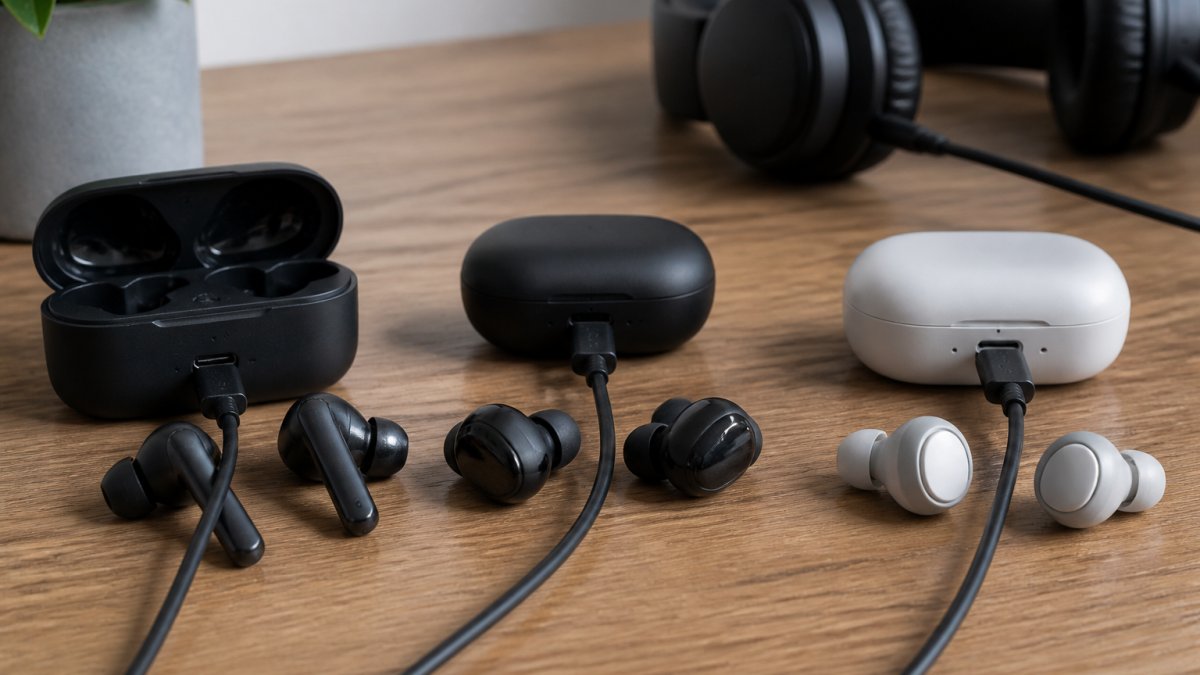
Our Bluetooth 5.3 Headphones Ear Hook Earphones ($11.99) deliver up to 7 hours of active music time per charge, with a 250mAh charging case providing additional playtime.
For budget-conscious gamers, our Wireless Bluetooth Earphones HIFI Bass with HD MIC ($3.99) offer 5 hours of active battery life with a 50mAh capacity per earbud.

The New Original T75 Bone Conduction Wireless Bluetooth 5.3 Headphones ($3.99) provide approximately 5 hours of active usage per charge from the earphones, with a 400mAh charging case extending total playtime.
Understanding how long wireless gaming headset batteries actually last, and how to extend that time, changes how you approach your gaming setup.
Start by choosing a headset with realistic battery expectations for your gaming style. If you play 8-hour sessions, look for headsets rated for 20+ hours.
The Techie Den carries wireless gaming headsets designed for extended play. Our selection prioritizes battery efficiency through modern Bluetooth protocols and power-conscious design.
Frequently Asked Questions
How long do wireless gaming headset batteries last on a single charge?
Most wireless gaming headsets deliver 5 to 24 hours per charge, depending on the model and usage. Budget models typically offer 5-7 hours, while premium headsets can reach 20-24 hours. Real-world runtime often falls 20-30% below advertised claims due to RGB lighting, active noise cancellation, and continuous playback at higher volume levels. The Bluetooth 5.3 Headphones Ear Hook Earphones we carry provide 7 hours of music playback with a 250mAh charging case that extends total runtime to 24 hours.
Do wireless gaming headset batteries degrade over time?
Yes. Lithium-ion batteries in gaming headsets degrade with each charge cycle. After 300-500 full charge cycles, capacity typically drops 20%. Factors accelerating degradation include overcharging, extreme temperatures, and high discharge rates from features like RGB lighting and active noise cancellation. Proper charging habits, avoiding complete drains and using moderate heat conditions, can slow this process. Most gaming headsets remain usable for 2-3 years before noticeable battery loss affects gameplay.
What's the best way to charge a wireless gaming headset for maximum battery longevity?
Charge your headset when battery drops to 20%, not when fully depleted. Avoid leaving them plugged in overnight, stop charging at 80% when possible. Store headsets in cool, dry conditions (50-75°F) to prevent thermal stress on the lithium-ion cells. Use the original USB-C charging cable to ensure proper voltage delivery. Firmware updates occasionally improve power efficiency, so check your headset's app regularly. These habits can extend hardware lifespan by 6-12 months compared to aggressive charging patterns.
Can I replace the battery in my wireless gaming headset?
Battery replacement depends on your headset's design. Some models feature user-replaceable batteries accessible via a panel, while others are sealed units requiring professional service or replacement of the entire device. Check your headset's manual or manufacturer website for battery specifications and replacement procedures. Many gaming headsets cost $30-$150 to professionally replace batteries, whereas purchasing a new budget model like the Wireless Bluetooth Earphones at $3.99 may be more cost-effective. Always verify warranty coverage before attempting DIY replacement, as opening sealed units voids most warranties.


