

Table of Contents
- What Makes a Great Casual Gaming Setup in 2026
- Minimalist Gaming Desk Setup for Small Spaces
- Best Gaming Room Lighting Ideas for Immersion
- Small Space Gaming Setup Tips and Strategies
- Console vs. PC Space Optimization for Casual Players
- Cable Management and Sustainable Gaming Setups
- Casual Gaming Setup Ideas That Actually Work
Last Updated: August 29, 2026
What Makes a Great Casual Gaming Setup in 2026
A casual gaming setup in 2026 doesn't require a five-figure investment or tournament-grade peripherals. What matters is intentional design that matches how you actually play. The difference between a setup that feels right and one that doesn't comes down to three things: ergonomic comfort during long sessions, ambient lighting that reduces eye strain, and peripheral choices that don't force you to compromise between performance and practicality.
The casual gaming setup you build should adapt to your space and lifestyle, not demand renovation. Whether you're gaming on weekends in a bedroom corner or splitting a desk between work and play, the fundamentals stay the same: cable management that doesn't steal real estate, lighting that enhances immersion without blinding you, and furniture that supports your body without requiring a second mortgage.
Minimalist Gaming Desk Setup for Small Spaces
Small spaces demand ruthless prioritization. A minimalist casual gaming setup abandons the "more is better" mentality and instead asks: what's the absolute minimum that delivers the experience I want?
The foundation is a compact L-shaped desk. The Wooden Table with CPU Storage Shelf & Side Bag at $79.99 solves the space problem elegantly. The L-shape distinguishes gaming from work without eating floor space, the CPU shelf keeps your tower off the ground, and the side pocket handles cables and accessories.
Minimalism also means choosing one strong peripheral over three mediocre ones. A high-precision gaming mouse like the Mchose A7 V2 Pro Ultra at $80.99 handles both casual play and productivity without switching. The tri-mode connectivity (2.4GHz wireless, Bluetooth, wired) means you're not locked into one device.
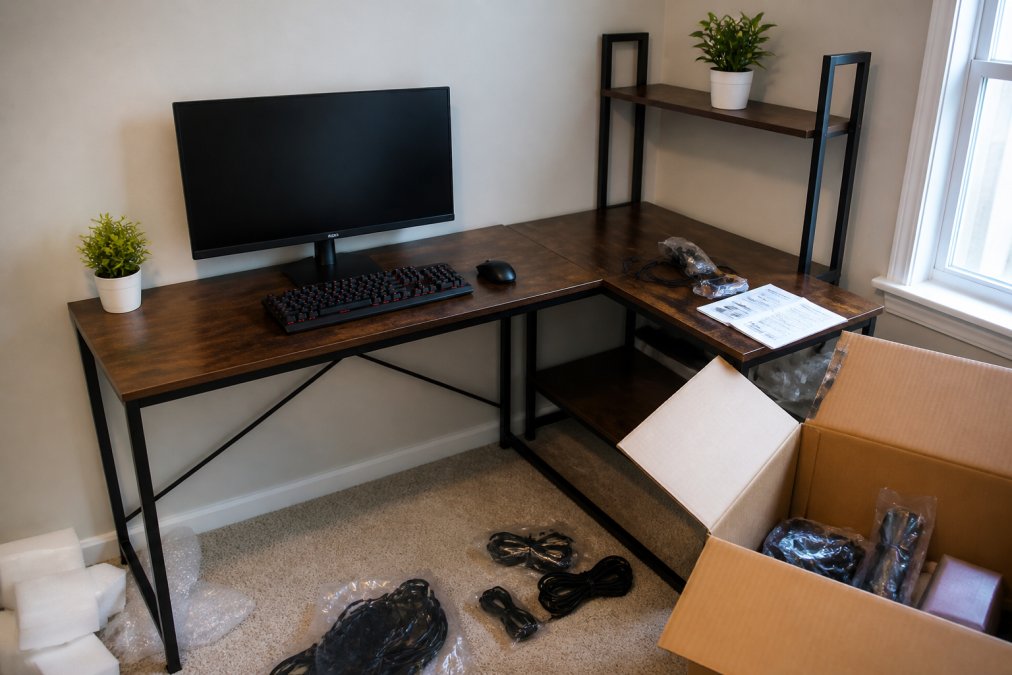
Cable management in a small space is survival. Route everything behind the desk using adhesive clips or cable sleeves. Keep only active cables visible. Use a single power strip with a switch so you can kill everything at once. This reclaims visual space and makes the room feel larger.
Aesthetic restraint matters more in small spaces. Stick to a single color theme: either warm neutrals (wood and black metal) or cool tones (white and RGB). One desk lamp, one monitor, one keyboard. The functional approach doubles as a design statement.
Best Gaming Room Lighting Ideas for Immersion
Lighting separates a casual gaming setup from an immersive one. The right light reduces eye strain, sets your circadian rhythm for extended play, and creates the psychological shift that says "I'm in a different space now."
Start with your primary light source: a dimmable desk lamp positioned to the side of your monitor, not behind it. Position it at 45 degrees to your screen so light bounces off the desk surface instead of creating glare. Adjust the color temperature based on time of day. Warmer light (2700K) in evening hours supports melatonin production; cooler light (4000K) during day maintains alertness.
Ambient backlighting behind your monitor reduces the contrast between your bright screen and dark surroundings, lowering eye strain during extended sessions. LED strips running along the back of a monitor arm, set to a single color at low intensity, work better than full RGB cycling.
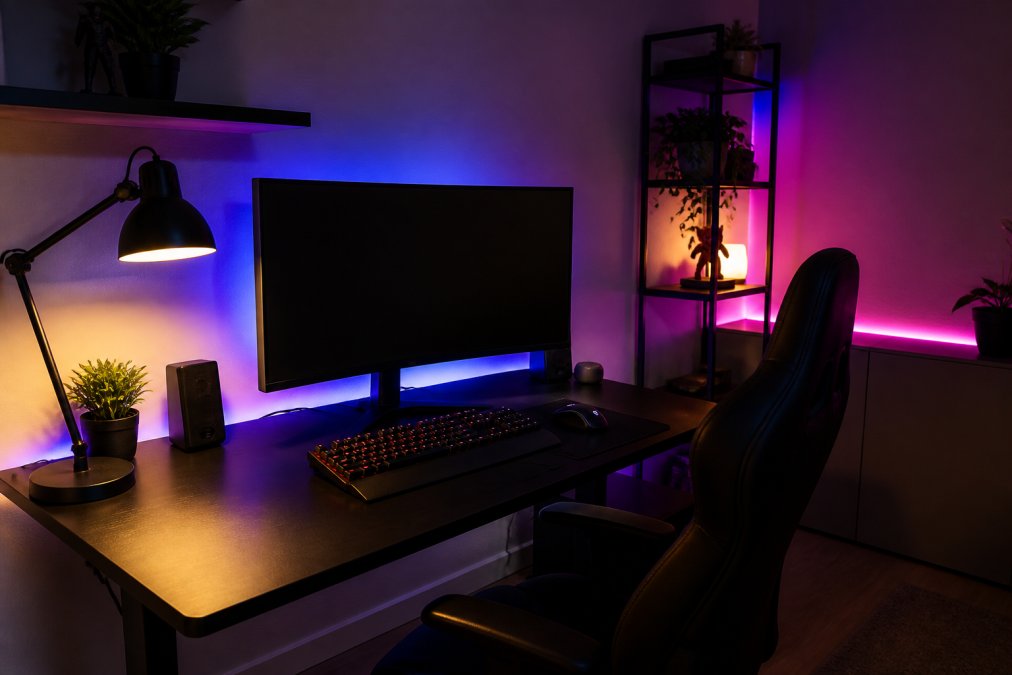
Accent lighting adds personality without compromising function. Wall-mounted strips along shelving create depth. Keep accent lighting separate from task lighting. A 60-30-10 rule works: 60% ambient (overall room brightness), 30% task (desk lamp), 10% accent (mood lighting).
Smart bulbs are worth the investment. The ability to adjust brightness and color temperature from your phone means you're not fumbling with switches mid-game. Set a scene for gaming that dims overhead lights, activates backlighting, and sets your desk lamp to 4000K.
Avoid these common mistakes: never place light directly above your monitor, never use full-brightness RGB cycling during gameplay (it's distracting), and never forget that your eyes adjust. Start conservative with lighting intensity and increase only if you notice eye fatigue.
Small Space Gaming Setup Tips and Strategies
Space constraints force smart decisions. A small-space casual gaming setup succeeds because every element earns its place.
Vertical storage is your best friend. Wall-mounted shelves above your desk hold controllers and headsets without consuming desk real estate. A pegboard behind your desk organizes cables and keeps peripherals accessible.
Monitor placement determines everything. A single 27-inch monitor works better in a small space than dual 24-inch displays. Position it 24-30 inches from your eyes, with the top of the screen at or slightly below eye level.
Console gaming in a small space requires different thinking than PC setups. A compact console like the Mini Plus Portable Retro Handheld Game Console at $76.99 eliminates the need for a dedicated display or tower. The 3.5-inch IPS screen delivers solid visuals for retro gaming, and the portability means you're not locked to one location.

Furniture with built-in storage multiplies functionality. The L-shaped desk with CPU shelf isn't just about layout, it's about hiding the visual clutter that makes small spaces feel smaller.
Cable management in small spaces reclaims usable surface area. Use cable sleeves to bundle wires into single runs. Route everything along the back or underside of your desk. A single power strip with a switch controls everything.
Console vs. PC Space Optimization for Casual Players
The choice between console and PC gaming affects your space strategy fundamentally.
PC setups require more horizontal real estate. You need space for a tower, monitor, keyboard, mouse, and ideally a monitor arm. A minimal PC casual gaming setup occupies roughly 3 feet of desk depth. The advantage: flexibility. The disadvantage: complexity and more cables.
Console gaming trades flexibility for simplicity. A PlayStation or Xbox connects to your existing TV or monitor via HDMI, needs a controller, and that's complete. If your TV is wall-mounted, console gaming consumes almost no desk space.
The hybrid approach works for many casual gamers. Use a compact retro console for relaxed gaming and keep a PC or laptop for titles requiring more horsepower. The Intel N100 Game PC Box at $412.99 runs Windows 11 Pro for productivity and Batocera 40 for 52,000+ retro games.
Space optimization for consoles means thinking vertically. Mount your console on a wall shelf or in a media cabinet. Use adhesive cable clips to route the HDMI and power cables along the wall edge.
PC space optimization demands cable management discipline. A monitor arm frees up desk surface. Use cable sleeves to bundle the monitor cable, keyboard cable, and mouse receiver into a single run.
The modular casual gaming setup adapts to your needs. Start with what you have and add components only when you identify a real constraint.
Cable Management and Sustainable Gaming Setups
Cable management isn't vanity, it's functional. A tangled mess creates safety hazards, makes troubleshooting harder, and makes your space feel chaotic.
Start with the right tools. Adhesive cable clips cost a few dollars and solve 80% of cable problems. Run your cables along the back edge of your desk or along the wall, using clips every 12-18 inches. Use cable sleeves to bundle multiple wires into single runs.
Wireless peripherals reduce desk clutter and eliminate cable management nightmares. The trade-off is battery management, which is worthwhile for most casual gamers.
Use a single power strip with a switch for your entire setup. This lets you kill everything at once, reducing phantom power draw and simplifying shutdown. Label each outlet so you know what's plugged in.
Sustainable gaming setups prioritize longevity over constant replacement. Invest in quality peripherals that last rather than cheap gear that fails within months. One good mouse beats three bad ones.
Choose durable cables. Use braided or reinforced cables for frequently moved connections. Replace frayed cables immediately, they're fire hazards.
The sustainable casual gaming setup means thinking about e-waste. When a peripheral fails, repair it if possible. Keep old cables and adapters in a drawer for future use. Donate working equipment instead of throwing it away.
Casual Gaming Setup Ideas That Actually Work
Real casual gaming setups solve problems, not create them.
The corner desk setup works for most casual gamers. Position your desk in a corner to maximize wall space for cable routing and shelving. Mount your monitor on an arm to free up desk surface. Add a single floating shelf above the desk for headset and controller storage.
The multi-purpose hybrid setup serves gamers who split time between work and play. During work hours, your desk is a productivity station. After hours, you adjust the monitor and switch to a controller. The L-shaped desk works for this because it provides separate zones.
The console-focused setup minimizes desk involvement. Your console sits on a TV shelf or wall mount. Your controller charges in a stand beside your couch. This approach works for casual gamers who prefer relaxed, lean-back gaming.
The retro gaming station setup combines nostalgia with practicality. Use the 12TB Gaming HDD with 86000+ Retro Video Games at $297.99 paired with a modest PC or dedicated console. The 86,000+ pre-installed games eliminate the need to hunt for ROMs.

The portable gaming setup serves players who game in multiple locations. The Mini Plus handheld console at $76.99 fits in a bag and delivers retro gaming anywhere.
The projection-based casual gaming setup transforms small spaces. The Magcubic Home Cinema Outdoor Projector at $56.99 projects 40-200 inches, turning any wall into a display. This eliminates the need for a large monitor and works in small apartments.

The accessibility-focused casual gaming setup prioritizes comfort for players with physical constraints. Use a monitor arm to position your screen at exact eye level. Choose an ergonomic mouse. Add a wrist rest to your keyboard. Position your chair to support your back.
Building a casual gaming setup in 2026 means rejecting the pressure to overspecify. The best setup matches your space, your budget, and your actual play style. Start with the fundamentals: a comfortable chair, a properly positioned monitor, and peripherals that feel right in your hands. Expand from there. Choose what solves your problem, skip what doesn't, and you'll end up with a space you actually enjoy spending time in.
Frequently Asked Questions
What's the most important thing to consider when building a casual gaming setup?
Comfort and functionality matter more than flashy aesthetics. Start with an ergonomic desk, a chair that supports long sessions, and a monitor positioned at eye level. A casual gaming setup should reduce strain on your back, neck, and wrists. Once the basics are solid, add peripherals like a wireless gaming mouse or mechanical keyboard. The Mchose A7 V2 Pro Ultra, for example, offers tri-mode connectivity and ergonomic design at $80.99, making it ideal for casual players who want responsive control without overbuying.
How can I set up a casual gaming setup in a small space?
Use an L-shaped desk to separate gaming and work zones without taking up extra floor space. Vertical storage keeps cables and gear off the floor. Wall-mounted shelves and monitor arms free up desk real estate. The Wooden Table with CPU Storage Shelf ($79.99) is designed for exactly this, it has a built-in storage compartment and side pocket for cables and accessories. Choose a single high-refresh-rate monitor rather than dual screens, and keep only essential peripherals on your desk surface.
What lighting setup works best for casual gaming without being distracting?
Ambient backlighting behind your monitor reduces eye strain and creates immersion without glare. Dimmable LED strips are affordable and let you adjust brightness based on the game or time of day. Avoid harsh overhead lighting that reflects off your screen. RGB lighting adds aesthetic appeal, but functional lighting should enhance your setup, not dominate it. Position lights to frame your gaming area rather than shine directly into your eyes.
Is a casual gaming setup expensive, or can I build one on a budget?
Budget-friendly casual gaming setups are absolutely possible. Start with a solid desk and chair, these are long-term investments. Then add peripherals incrementally. Retro handheld consoles like the Retro Handheld Video Game Console ($59.99) or the Mini Plus Portable Retro Handheld Game Console ($76.99) offer affordable gaming without needing a full PC or console setup. For desktop gaming, adapters like the Gaming Converter for Xbox ($71.99) let you use existing controllers, and the Magcubic Home Cinema Outdoor Projector ($56.99) doubles as both gaming and entertainment. Quality doesn't require spending hundreds upfront.
This article was written using GrandRanker


