

Table of Contents
- What Makes a Game Beginner-Friendly
- Best PC Game Genres for Beginners
- Best Free PC Games for Beginners
- Cozy PC Games for Beginners
- PC Games with Simple Controls
- Hardware Requirements and Performance Expectations
- Controller Support and Keyboard-and-Mouse Basics
- Common Mistakes New PC Gamers Make
- Frequently Asked Questions
Last Updated: October 21, 2026
What Makes a Game Beginner-Friendly
A beginner-friendly game removes barriers to entry without sacrificing fun.
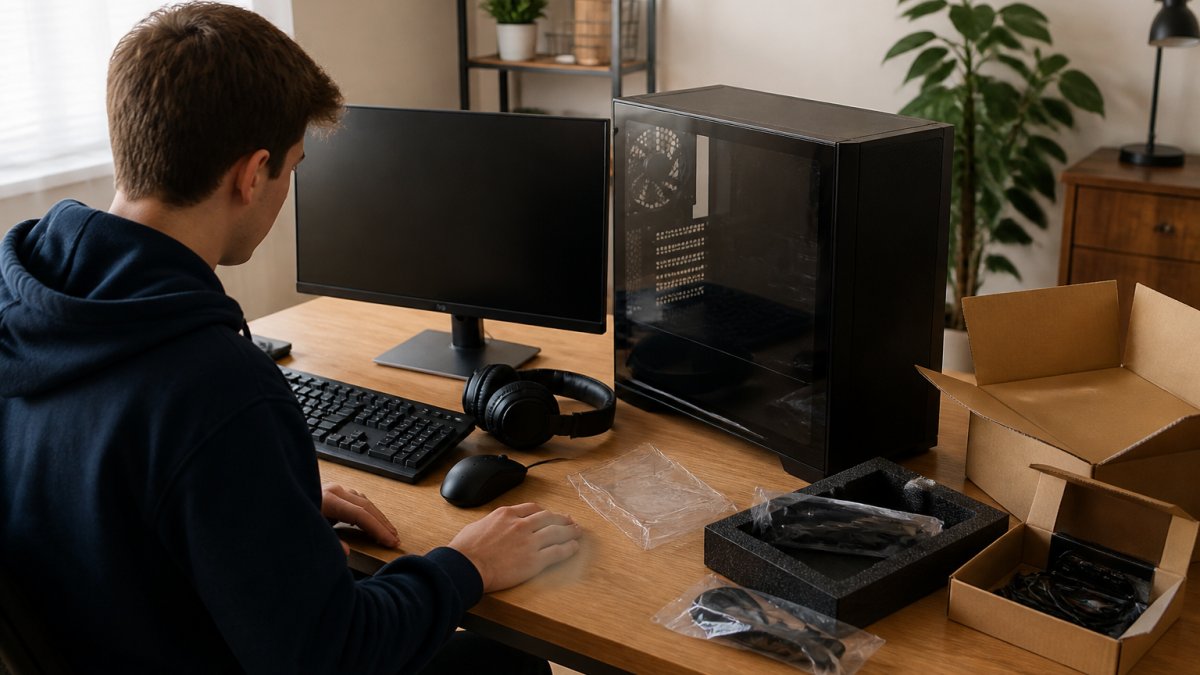
New PC players worry about two things: understanding the controls and feeling lost in the world. Beginner-friendly games address both by introducing one mechanic at a time and letting you learn at your own pace.
Controls matter more than you'd think. Intuitive keyboard-and-mouse or controller support removes a major hurdle, letting you focus on the game instead of the interface.
Best PC Game Genres for Beginners
Different genres suit different players, and the best beginner friendly games for new PC players span several categories. Here's what each offers.
Action and Adventure Games
Action-adventure games blend exploration, puzzle-solving, and combat, teaching fundamentals in a structured way with combat that rewards learning rather than reflexes alone.
They typically feature clear objectives, exploration that rewards curiosity without punishing wrong turns, responsive combat, and frequent checkpoints. Many offer adjustable difficulty, so you can lower combat challenge while keeping exploration and story intact, ideal for players learning PC controls for the first time.
Strategy and Simulation Games
Strategy games teach you to think ahead and manage resources; simulation games let you build and experiment with systems. Both suit players who prefer thinking over reflexes.
Beginner strategy games typically feature turn-based gameplay, clear feedback, thorough tutorials, and difficulty settings that adjust opponent aggression. Simulation games let you learn by doing, build a farm, manage a business, or run a city.
Casual and Party Games
Casual games are designed for accessibility, no hours of practice, complex controls, or prior gaming knowledge required. Party games add simple rules and quick rounds with friends or alone.
These games offer minimal learning curves, fun without commitment, social options, and instant gratification without grinding. Many are free or low-cost, perfect for testing whether PC gaming interests you before investing in demanding titles.
Best Free PC Games for Beginners
Free-to-play games let you test PC gaming without financial risk, teaching you fundamentals while entertaining you.
Free games often include optional cosmetic spending, regular content updates, large communities, and tutorials built into early gameplay. Starting free lets you learn whether you enjoy PC controls, whether gaming fits your schedule, and what genres appeal to you before investing in paid titles.
Many free titles have been refined over years, building tutorials and difficulty options around what new players struggle with.
Cozy PC Games for Beginners
Cozy games prioritize relaxation over challenge, emphasizing exploration, creativity, and gentle progression, perfect if you want gaming without stress.
Cozy games typically feature no time pressure or fail states, calming visuals and soundtracks, and gameplay focused on creativity or collection.
Cozy games prove that "game" doesn't mean "challenge", some of the most popular PC games for new players remove anxiety entirely, letting you experience a world at your own pace.
PC Games with Simple Controls
Many new players abandon gaming not because they dislike games, but because controls feel overwhelming. Simple control schemes remove this barrier entirely.
Games with simple controls typically use point-and-click mechanics, arrow keys for movement, one or two action buttons, and clear controller mapping.
If you're more comfortable with a gamepad, look for native controller support, many modern PC games let you switch between keyboard-and-mouse and controller mid-game.
Hardware Requirements and Performance Expectations
Most beginner-friendly games are built to run on hardware people already own, but "it should run" isn't the same as "it will run well." Here are concrete numbers and a simple way to check before you buy.
What the spec labels actually mean
Every store page lists two sets of specs. Minimum means the game will launch and be playable at low settings, usually 720p or 1080p at around 30 FPS. Recommended means roughly 60 FPS at 1080p with higher settings. If your PC sits between the two, expect to lower a few graphics options; if it only meets minimum, drop to 720p and turn off shadows and anti-aliasing first, those cost the most performance for the least visual gain.
Named examples with real spec floors
These are widely documented minimum requirements for popular beginner-friendly games. Treat them as a floor, not a target:
- Stardew Valley, 2 GB RAM, a 2 GHz dual-core processor, 256 MB video memory, 500 MB storage. Runs on integrated graphics and is one of the safest first purchases for an older laptop.
- Minecraft (Java Edition), 4 GB RAM recommended (2 GB allocated to the game), a recent dual-core CPU, integrated graphics acceptable at low render distance. Lower render distance to 8 chunks if frames drop.
- Portal and Portal 2, 2 GB RAM, a dual-core CPU, DirectX 9-class graphics. Both are over a decade old and run smoothly on modest hardware while teaching first-person mouse look.
If your machine is older or uses integrated graphics, start with the first four, they were built for budget laptops and won't stutter during the moments that matter.
Performance targets that actually feel good
You do not need high frame rates to enjoy most beginner games. Here is a simple rule set:
- 30 FPS is playable for turn-based strategy, simulation, cozy games, and story-driven titles. It feels slightly choppy in fast action but never blocks progress.
- 60 FPS is the comfortable target for action-adventure and anything with real-time combat. Most beginner titles hit this at 1080p on recommended specs.
- 120 FPS and above matters only for competitive shooters and fast reflex games. No beginner-friendly title on this list requires it.
Resolution matters as much as frame rate. Dropping from 1080p to 720p typically buys you a large performance gain on integrated graphics, and on a laptop screen the difference is far less noticeable than the numbers suggest.
How to check before you buy
- Find your CPU and GPU model (Windows: Settings > System > About, then Task Manager > Performance).
- Compare against the game's minimum specs on its store page.
- Search the game name plus your GPU model, community benchmark threads usually confirm real-world performance within minutes.
- Buy on a store with a refund window (many major storefronts offer a short no-questions refund period) so you can test performance yourself.
Controller Support and Keyboard-and-Mouse Basics
This section decides whether a new player sticks with PC gaming. The goal isn't mastering every keybind, it's picking the right input device for each game and knowing which titles ease you into mouse look gradually.
Start with the right device for the genre
A simple rule covers most cases:
- Keyboard and mouse works best for strategy, simulation, point-and-click adventure, and anything with menus, building, or precise cursor targeting. Civilization VI, Stardew Valley, and most management games are designed around it.
- Controller works best for action-adventure, platformers, racing, and third-person combat. Hades, Portal 2 (with a gamepad), and most racing titles feel more natural on a controller.
- Either works for cozy games, puzzle games, and turn-based titles. Pick whichever you already own.
If you own a console controller, you likely already have a PC controller. Windows recognizes Xbox controllers natively over USB or Bluetooth, and PlayStation controllers work in most modern games, though prompts sometimes show Xbox labels.
Keyboard-and-mouse basics that actually matter
You do not need to memorize a keyboard. Five inputs cover the vast majority of beginner games:
- WASD, forward, left, back, right
- Mouse, look around and aim
- Left click, primary action (attack, interact, select)
- Right click, secondary action (aim, block, cancel)
Mouse look is the one skill that takes practice. If it feels disorienting, lower your mouse sensitivity in the game's settings and increase it only when you feel steady. A common beginner mistake is playing on very high sensitivity, which makes aiming feel twitchy and frustrating.
Games that ease you into mouse look
Not every first-person game throws you into fast combat. These titles introduce mouse look at a gentle pace:
- Portal and Portal 2, puzzle-first, no twitch shooting, and the game teaches mouse look through simple aiming tasks.
- Minecraft on Peaceful difficulty, free exploration with no combat pressure, so you can practice looking and moving at your own speed.
- The Stanley Parable, almost no reflex demands; you walk and look, and the game is built around exploration.
- Firewatch, story-driven walking and looking, with minimal combat.
Start with one of these before moving to action games with real-time combat.
Controller support and remapping
Most modern PC games detect a plugged-in controller automatically and switch button prompts without configuration. Two practical points for beginners:
- Remapping matters. Look for games with in-game control remapping rather than relying on external tools. If a default layout feels wrong, remap it, there is no penalty for changing bindings.
- Accessibility settings are a beginner feature. Many modern titles offer adjustable difficulty, aim assist, hold-versus-toggle options, subtitle sizing, and colorblind modes. These are not niche features; they are the fastest way to make a game fit you. Check the settings menu before judging a game's difficulty.
Common Mistakes New PC Gamers Make
Starting with the wrong difficulty. New players often choose "Normal" to feel challenged, then get frustrated when they die repeatedly.
Playing games designed for veterans. Some games market themselves as beginner-friendly but require prior gaming knowledge.
Not taking breaks. Gaming fatigue is real.
Finding the best beginner friendly games for new PC players means matching your interests to games designed with you in mind.
At The Techie Den, we understand that getting started with PC gaming means finding the right setup. Beyond games, you'll want a reliable gaming mouse, responsive keyboard, and comfortable headphones.
Frequently Asked Questions
What are the best beginner-friendly games for new PC players?
Games like Stardew Valley, Portal 2, Minecraft, and Hollow Knight offer low barriers to entry with intuitive controls and forgiving difficulty settings. These titles span multiple genres, from cozy simulation to action-adventure, so new players can explore what resonates with them. Each includes tutorials or gradual learning curves that don't punish mistakes, making them ideal starting points for your PC gaming journey.
Are there beginner-friendly PC games that work well with a controller?
Yes. Many modern beginner games support both keyboard-and-mouse and controller input. Titles like Stardew Valley, Hollow Knight, and Minecraft play smoothly with a controller, which can feel more natural if you're transitioning from console gaming. Check the game's store page to confirm controller support before purchasing, most indie and mainstream beginner titles now include this feature as standard.
Which free PC games are suitable for beginners?
Free-to-play options like Team Fortress 2, Dota 2, and Warframe offer entry points into different genres, though some have steeper learning curves. For truly beginner-friendly free games, look for titles with no competitive pressure, like browser-based puzzle games or free indie releases. Check platforms like Steam and Epic Games Store for frequent free game giveaways that include accessible titles perfect for learning the basics.
What PC game genres are easiest for new players?
Puzzle games, cozy simulation games, and turn-based strategy games typically have the lowest skill floors. These genres reward patience and exploration over reflexes and quick decision-making. Action-adventure games with adjustable difficulty and tutorial modes also work well for beginners. Avoid fast-paced competitive multiplayer games initially, they demand mechanical skill and game knowledge that takes time to build.


