

Table of Contents
- What Is 3D Audio in Gaming?
- How 3D Audio Works: The Science Behind the Sound
- 3D Audio vs. Surround Sound: What's the Difference?
- Gaming Headphones with 3D Audio: What to Look For
- 3D Audio Settings for Gaming: PS5, Xbox, and PC Setup
- Competitive Benefits and Limitations of 3D Audio in Games
- Conclusion: Is 3D Audio Worth It for Your Setup?
- Frequently Asked Questions
Last Updated: October 12, 2026
What Is 3D Audio in Gaming?
The short version: 3D sound is not just louder or wider, it is positional.
The catch most guides skip: 3D audio is only as good as your headphones and your in-game settings. Get either wrong and the effect collapses into ordinary stereo.
How 3D Audio Works: The Science Behind the Sound
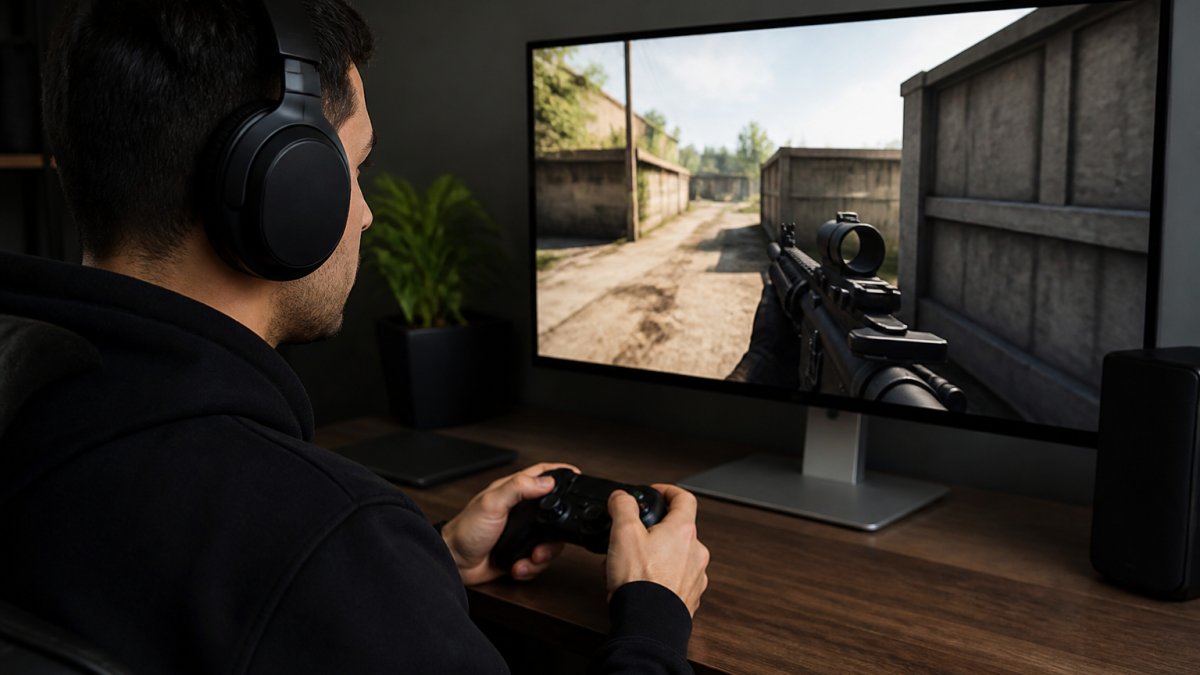
3D audio works by modeling how real sound reaches your two ears, then recreating those spatial cues digitally. A sound engine tracks each source's position, applies directional filtering, and outputs a stereo signal your brain interprets as three-dimensional.
How Two Ears Locate Sound in Three-Dimensional Space
Sound localization relies on tiny differences between your left and right ears, letting you pin down a virtual sound source without looking.
- Interaural time difference (ITD): A sound on your right reaches your right ear microseconds before your left ear.
- Interaural level difference (ILD): Your head blocks part of the sound, so the far ear hears it slightly quieter.
- Head-related transfer function (HRTF): The shape of your pinna, head, and torso filters frequencies differently depending on direction, especially for above and below positioning.
Object-Based Audio and Virtual Sound Sources
Object-based audio treats each sound as an independent object with its own coordinates, rather than locking it to a fixed channel. The renderer places that object in virtual space in real time, so when you turn or move, the sound stays anchored to its location, what separates true spatial audio from a pre-mixed surround track.
3D Audio vs. Surround Sound: What's the Difference?
Surround sound sends audio to fixed speaker channels, while 3D audio places sounds as objects anywhere in a sphere around the listener, including above and below. Surround is channel-based; 3D audio is position-based.
| Feature | Surround Sound | 3D Audio |
|---|---|---|
| Approach | Fixed channels | Object-based positioning |
| Vertical cues | Limited | Full above/below |
| Headphones | Downmix only | Binaural rendering |
| Head tracking | No | Often supported |
| Best for | Speaker setups | Immersive gaming |
In practice, a 5.1 surround mix can tell you something is behind you, but it cannot smoothly track a sound moving overhead as you rotate. Object-based rendering can.
Gaming Headphones with 3D Audio: What to Look For
The most common misconception about gaming headphones with 3D audio is that you need a special "3D" model. You do not. Spatial audio is rendered by the game engine or platform audio processor, then delivered as a two-channel stereo signal any clean stereo headset can reproduce. What separates a headset that makes spatial cues pop from one that smears them is not the marketing label, it is a short list of measurable traits.

The specs that actually matter
- Low latency. Bluetooth typically adds enough delay to desync a footstep from the frame where it happens. For competitive play, look for a wired connection, a dedicated low-latency wireless protocol (often a 2.4 GHz dongle rather than standard Bluetooth), or a low-latency mode. Even small delays undercut directional advantage in fast shooters.
- Clean stereo imaging and channel matching. Spatial rendering depends on tiny interaural time and level differences. If the left and right drivers are mismatched, those cues blur. A well-tuned stereo pair beats a muddy set stamped "7.1."
- Mid and high frequency response. HRTF filtering works mostly through high-frequency shaping, so a headset that rolls off the treble flattens vertical cues. Look for an extended top end rather than a bass-heavy tuning.
Do you need special headphones?
No. The platform or game does the spatial processing; the headset only has to reproduce it faithfully. A wired pair of studio-style stereo headphones often outperforms a gaming headset with a built-in virtualizer, because you avoid stacking two spatial processors. If your headset has its own virtual surround mode, turn it off when the game or console already renders spatial audio.
A quick compatibility checklist
Before you buy or configure anything, confirm these four things:
- Does the game support a spatial or headphones mode? Check the in-game audio menu, not the box art.
- Does your platform offer a spatial format? Consoles and desktop operating systems typically include at least one built-in option, and some support third-party formats.
- Does your headset pass audio through cleanly? Avoid headsets that force their own processing on every input.
- Is your connection low latency? Wired or a dedicated low-latency wireless link beats standard Bluetooth for competitive play.
Accessibility and individual differences
Spatial audio is not one-size-fits-all. HRTF profiles vary with head size, ear shape, and how the headphones sit on your head. Some players find default profiles sound "inside the head" rather than external; others adapt within minutes. If a game or console offers a personalized profile, a scan, a photo, or a short listening test, use it. Players with asymmetric hearing can compensate with balance controls or a mono-downmix for critical dialogue, though that trades away directional cues.
3D Audio Settings for Gaming: PS5, Xbox, and PC Setup
Getting 3D audio settings for gaming right takes five minutes and changes everything. Here is how to configure each platform.
PS5: Go to Settings > Sound > Audio Output. Set Output Device to Headphones, then enable 3D Audio for Headphones.
Xbox: Xbox supports spatial audio through Windows Sonic, Dolby Atmos, and DTS Headphone:X.
Bluetooth 5.3 Headphones Ear Hook Earphones Wireless Earphones HiFi Stereo →
PC: Enable Windows Sonic or a third-party spatial format in Sound settings.
Common Setup Mistakes and Troubleshooting Tips
- Stacking two spatializers: Running Dolby Atmos and a game's own 3D mode at once muddies positioning. Pick one.
- Leaving audio set to "TV" or "Surround": The console then renders for speakers, not your ears. Set it to Headphones.
- Skipping the profile test: Default profiles are generic. A custom one sharpens vertical cues.
Competitive Benefits and Limitations of 3D Audio in Games
3D audio can give competitive players a real edge, but the size of that edge depends on four variables most guides ignore: the game's audio mix, your latency budget, your hardware chain, and your own hearing. Treat spatial audio as a tool that sharpens awareness, not a substitute for game sense.
When directional audio actually helps
The benefit shows up in specific situations:
- Locating a threat you cannot see. A reload behind cover, a flanking player, or a distant vehicle all carry directional cues that stereo flattens.
- Tracking a moving target through a wall or smoke. Object-based rendering keeps a sound anchored as you rotate, so you can predict where a player will emerge.
- Distinguishing elevation. Footsteps on a catwalk versus the floor below are hard to separate in stereo but clearer with vertical cues.
When it does not help, or hurts
- The game ships a stereo-only mix. Many titles label audio as "3D" without a true object-based renderer. Without a dedicated spatial or headphones mode in the audio menu, you are hearing a stereo downmix dressed up as spatial sound.
- Latency eats the advantage. If audio lags your input by even a fraction of a second, the directional cue arrives too late to act on. Wired or low-latency wireless matters more here than in casual play.
- You stacked two spatializers. Running a headset's virtual surround and the game's spatial mode at once muddies positioning. Pick one.
How to test whether it is working for you
A simple listening test beats any spec sheet. In a game with a known sound source, a training range, a practice mode, or a menu with positional audio, close your eyes and point at the sound. Then rotate in place and see whether the source stays anchored. If it drifts, your spatializer is not tracking correctly. If it stays put but feels "inside your head," your HRTF profile is likely a poor match.
The honest bottom line
Spatial audio raises your ceiling; it does not raise your floor. Players who already track sound well notice the improvement most. Players in games with weak mixes, high latency, or mismatched profiles may notice little difference, or find the effect distracting. The practical move: enable one spatial format, calibrate a profile if offered, keep your connection low latency, and judge by results in actual matches rather than the label on the box.
Conclusion: Is 3D Audio Worth It for Your Setup?
For most players, yes, provided you set it up correctly and match it with capable headphones. The technology is only as good as the gear rendering it, and a low-latency, well-tuned pair makes the difference between guessing and knowing where a sound came from.
That is where we come in. The Techie Den carries audio equipment built for immersive gaming, from low-latency ear-hook headphones to bone conduction headsets for active players.

Frequently Asked Questions
Do you need special headphones for 3D audio?
No, any stereo headphones can produce 3D audio gaming effects because the technology relies on software processing rather than multiple drivers. However, headphones with a wide soundstage and accurate imaging, like the Bluetooth 5.3 Headphones Ear Hook Earphones from The Techie Den, can make directional cues clearer. Avoid virtual surround modes that add reverb, as they can muddy the precise localization that 3D audio aims to deliver.
Is 3D audio better than surround sound for gaming?
For most gamers, yes. 3D audio vs. surround sound comes down to height and precision: surround sound places audio in a horizontal plane, while 3D audio adds vertical positioning and object-based rendering. This means you can hear enemies above or below you, not just around you. That said, a well-tuned 5.1 or 7.1 speaker setup can still be immersive, but 3D audio typically wins for competitive footstep detection and headphone use.
Does 3D audio help you hear footsteps in games?
It can, but results vary by game and headphone quality. Games that support object-based audio, like Overwatch or Call of Duty, render footsteps as distinct audio objects, making direction and distance easier to judge. However, if the game's mix is poor or your headphones have boosted bass, those cues can get masked. Pairing 3D audio with a neutral-sounding headphone and enabling the correct in-game settings gives you the best chance of picking up subtle audio positioning.
What settings do you need to use 3D audio in games?
On PS5, go to Settings > Sound > Audio Output and enable 3D Audio for headphones. On Xbox, use the Dolby Access app to turn on Dolby Atmos for Headphones. On PC, enable Windows Sonic or DTS Headphone:X in your sound settings, then select the corresponding audio mode in-game. Always turn off any extra virtual surround processing on your headset, as double-processing can distort spatial cues.
Which is better for gaming, 360 spatial audio or Dolby Atmos?
Both aim to create immersive audio, but they differ in approach. 360 spatial audio (like Sony's Tempest 3D AudioTech) is a proprietary rendering engine optimized for the PS5's hardware, while Dolby Atmos is a broader object-based format supported on Xbox, PC, and some TVs. For PS5 exclusives, 360 spatial audio often feels more tailored; for multiplatform gaming, Dolby Atmos offers wider compatibility. Neither is universally better, so choose based on your platform and the games you play.
Is PS5 3D audio any good?
Yes, PS5's Tempest 3D AudioTech is highly regarded for its accurate directional audio and height cues, especially in first-party titles like Returnal and Demon's Souls. It works with any stereo headphones, though better headphones can improve clarity. Some users find the default profile too bright, but Sony offers five height profiles to adjust for individual ear shape. It's a strong feature that adds real immersion and competitive awareness.
How does 3D audio work in video games?
Games use object-based audio to assign each sound a position in 3D space. The audio engine then processes these objects through algorithms like HRTF (head-related transfer function) to simulate how sound waves interact with your head and ears. This creates interaural time and level differences that your brain interprets as direction. The result is the perception of sound coming from above, below, or behind you, even through standard stereo headphones.
Can you use 3D audio with any game?
No, the game must support 3D audio rendering. Many modern titles like Fortnite, Cyberpunk 2077, and Halo Infinite include native 3D audio support. For older games, you can use virtual surround software like Windows Sonic or Dolby Atmos for Headphones to upmix stereo audio, but the effect is less precise than native object-based mixes. Always check the game's audio settings for a 3D or spatial audio toggle.


