

Table of Contents
- Gaming Keyboard vs Regular Keyboard: The Core Differences
- Mechanical vs Membrane Keyboard for Gaming
- Gaming Keyboard Response Time and Polling Rate
- Rollover, Anti-Ghosting, and Input Accuracy
- Using a Gaming Keyboard for Typing and Office Work
- Finding the Best Keyboard for Gaming and Typing
- Cost, Durability, and What You Actually Pay For
- Frequently Asked Questions
Last Updated: October 18, 2026
Gaming Keyboard vs Regular Keyboard: The Core Differences
A gaming keyboard is a keyboard built for speed, multi-key input, and customization, while a regular keyboard is built for general typing at the lowest possible cost. That single sentence explains most of what separates them. We get asked this question constantly by people who game casually and work at a desk all day, and the honest answer is that the gap matters more in some situations than others. Below, we break down the differences that actually change how a keyboard feels and performs, and the ones that are mostly marketing.
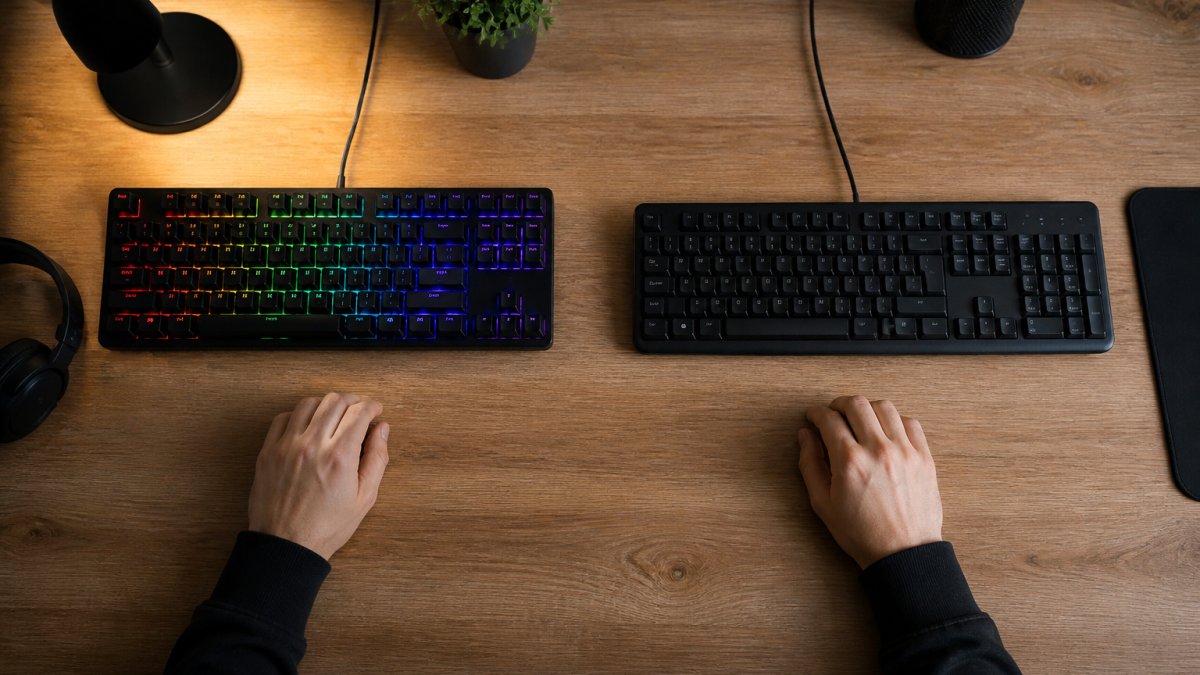
The core differences come down to five things:
- Switches: mechanical switches in most gaming boards, rubber dome membrane switches in most regular keyboards
- Rollover: how many keys register at once when pressed together
- Polling rate: how often the keyboard reports its state to the computer
- Customization: programmable keys, macros, and RGB backlighting
- Build quality: keycaps, chassis material, and how long the board survives daily use
Mechanical vs Membrane Keyboard for Gaming
A mechanical keyboard uses individual spring-loaded switches under each key, so every press registers at a consistent point. A membrane keyboard uses a rubber dome that collapses onto a circuit sheet. That difference drives almost everything else.
Mechanical switches give you tactile feedback, predictable actuation force, and longer key travel you can feel. Membrane boards feel softer and quieter, and they cost less to make. For gaming, the mechanical advantage is consistency: a switch that actuates at the same depth every time is easier to learn than a dome that stiffens as it ages.
The trade-off is noise and price. Mechanical boards are louder, and they cost more. If you share a room or take calls at your desk, a quiet linear or tactile switch solves most of that.
Gaming Keyboard Response Time and Polling Rate
Response time is the delay between your keypress and the computer acting on it. Polling rate is how often the keyboard reports its state to the computer, measured in hertz. A gaming keyboard typically polls at 1,000 Hz, meaning it reports every millisecond. Many regular keyboards poll at 125 Hz, or every eight milliseconds.
That eight-millisecond gap sounds trivial, and for typing it is. But input latency is a chain, not a single number, and the keyboard is only one link. Here is what actually sits between your finger and the screen:
- Switch actuation: how far the key must travel before it registers. Mechanical switches commonly actuate around 2 mm of a 4 mm total travel; membrane domes often need to bottom out fully.
- Debounce: the firmware delay that filters out electrical chatter from a single press. Cheap boards may use longer debounce windows, adding a few milliseconds per press.
- Polling interval: how often the keyboard reports. At 1,000 Hz that is 1 ms; at 125 Hz it is 8 ms.
- Connection: USB is effectively immediate; wireless adds encoding, transmission, and decoding time.
- The rest of the chain: monitor refresh rate, frame rate, and USB hub congestion can each add more delay than the keyboard does.
For competitive gaming, shaving a few milliseconds off the front of that chain is real but small. Most players notice the difference in consistency more than raw speed: a board that reports every millisecond produces steadier input timing than one that batches reports every eight. For everyday typing and office work, the difference is hard to notice.
Wired connections generally beat wireless for latency, though modern 2.4 GHz low-latency wireless has closed most of the gap. Bluetooth is the outlier: it is fine for typing but adds noticeable delay, so treat Bluetooth-only boards as work tools rather than competitive gear. Battery life and wireless latency trade off against each other, which is why many gaming boards ship with a 2.4 GHz dongle and a wired mode.
Rollover, Anti-Ghosting, and Input Accuracy
Key rollover is the number of keys a keyboard can register at the same time. N-key rollover (NKRO) means every key registers, no matter how many you hold. Anti-ghosting prevents the phantom keypresses that cheaper keyboards produce when several keys are pressed together.
This is where gaming keyboards earn their keep. If you hold forward, strafe, crouch, and fire at once, a board without proper rollover will drop or misread inputs. A regular keyboard may handle two or three simultaneous key presses fine and fail at five.
- NKRO: every key registers, ideal for complex inputs
- 6KRO: six keys at once, enough for most games
- Anti-ghosting: blocks false inputs from matrix conflicts
For typing, rollover rarely matters. For competitive gaming, it is one of the few specs worth paying for.
Using a Gaming Keyboard for Typing and Office Work
A gaming keyboard works fine for typing, and many people prefer one. The catch is switch choice. Linear switches feel smooth but offer little feedback, which some typists dislike. Tactile and clicky switches give the bump that helps accuracy, at the cost of noise.
Long-session comfort matters more than most buyers expect. A keyboard with a slight tilt, a wrist rest, and keycaps that match your finger reach reduces strain over an eight-hour day. RGB backlighting helps in dim rooms, and media controls save a few keystrokes an hour.
Finding the Best Keyboard for Gaming and Typing
The best keyboard for gaming and typing is one that matches your switch preference, your desk space, and your connectivity needs, not the one with the longest feature list. Start with switch type, then rollover, then layout.
Here is how we would decide:
| Your priority | What to look for | What to skip |
|---|---|---|
| Competitive gaming | NKRO, 1,000 Hz polling, wired | RGB, media keys |
| Mixed work and play | Hot-swappable switches, tactile feel | Extreme polling claims |
| Shared or quiet space | Linear or silent switches | Clicky switches |
| Small desk | Tenkeyless or 75% layout | Full-size with macro column |
| Wireless setup | Low-latency 2.4 GHz, long battery life | Budget Bluetooth-only boards |
Check compatibility before buying. Some configuration software is Windows-only, and macro keys need software to work. Confirm the layout, keycap standard, and whether replacement parts are available.
Cost, Durability, and What You Actually Pay For
Budget gaming keyboards and premium ones differ mostly in switches, keycaps, and chassis. The useful question is not "how much should I spend" but "which features justify paying more for how I actually use it." Here is how the tiers break down in practice.
Entry tier (roughly $25-$60). These boards usually pair a plastic chassis with soldered membrane or budget mechanical switches and ABS keycaps. ABS plastic is soft and shines with use, so legends wear and the surface gets glossy within a year of heavy typing. Expect limited or no per-key customization, basic anti-ghosting rather than true NKRO, and firmware you cannot update. They are fine for casual gaming and general desk work, and they are the right choice if you are unsure whether you will stick with a mechanical feel.
Midrange (roughly $60-$130). This is where most of the value sits. You start seeing doubleshot PBT keycaps, which resist shine and keep legends legible for years, plus a metal top plate that stiffens the board and reduces flex. Hot-swappable sockets appear here, letting you change switch feel without buying a new keyboard. Polling rates reach 1,000 Hz, and configuration software becomes usable rather than an afterthought. For someone who splits time between gaming and work, this tier usually delivers the best cost per year of use.
Premium (roughly $130 and up). The extra spend buys consistency and longevity rather than new capabilities: tighter tolerances, gasket mounting for a softer typing feel, better stabilizers that reduce rattle on long keys, and higher-end switch lines with tighter actuation tolerances. Some boards add aluminum cases, detachable cables, and onboard memory for profiles. Diminishing returns set in quickly here, and the gains are mostly feel and durability, not competitive advantage.
What you are actually paying for is longevity and consistency, not magic. A well-built board with quality switches can outlast several cheap ones, which changes the math on total cost. A $40 board replaced every 18 months costs more over five years than a $100 board that lasts the whole span, and it produces more e-waste along the way.
Wireless adds battery life and connectivity as cost factors. A board that needs charging weekly is a chore; one that runs for months on a charge is not. Check whether the battery is replaceable, because a sealed cell turns a good board into a disposable one when it degrades.
We stock gaming peripherals alongside the cables, adapters, and charging gear that keep a setup running, so you can match a keyboard to the rest of your desk rather than buying pieces that fight each other.
Frequently Asked Questions
Can I use a gaming keyboard as a regular keyboard?
Yes. A gaming keyboard connects over the same USB or wireless connection as any standard keyboard and types normally in browsers, spreadsheets, and email. The extras, like RGB backlighting and macro keys, can be turned off or ignored. The one adjustment is feel: mechanical switches have longer key travel and louder clicks than the flat membrane keys on most office keyboards, so give yourself a few days to adapt before judging it.
Are gaming keyboards good for typing?
Many are, especially models with tactile or linear switches and a wrist rest. A gaming keyboard for typing gives you crisper feedback and better key rollover than a cheap bundled keyboard, which reduces missed letters during fast typing. The trade-offs are noise and height. If you share a room or take calls all day, look for quiet switches, and check that the board sits at a comfortable angle for long sessions.
Do gaming keyboards have faster response times?
They can, but the gap is smaller than marketing suggests. Gaming keyboards often poll at 1,000 Hz versus 125 Hz on a standard keyboard, and mechanical switches actuate partway through the key press rather than at the bottom. That shaves milliseconds off each input. For competitive gaming, a gaming keyboard response time advantage is real but modest; switch feel and rollover matter more in practice than the polling spec alone.
Are gaming keyboards worth it if I mostly work and play casually?
It depends on how much you type and play. A mechanical gaming keyboard lasts years, handles simultaneous key presses without dropping inputs, and feels better for long sessions, which is why many office workers buy one. If you only type occasionally and play light games, a standard keyboard covers you fine. The best keyboard for gaming and typing sits in the mid range: solid switches, no RGB premium, and a layout you can live with daily.
Choosing between a gaming keyboard and a regular keyboard comes down to how you use your desk, not how serious you are about games. If you want speed, multi-key accuracy, and customization, a gaming board is worth it. The Techie Den carries high-performance gaming peripherals, tri-mode wireless options, and the adapters and charging solutions that tie a setup together. Browse our collection and add to cart to upgrade the keyboard you actually use every day.


