


Mini Plus Portable Retro Handheld Game Console
- Regular price
-
$76.99 - Regular price
-
$0.00 - Sale price
-
$76.99
Couldn't load pickup availability
Shipping information
Use collapsible tabs for more detailed information that will help customers make a purchasing decision.
Ex: Shipping and return policies, size guides, and other common questions.
Returns information
Use collapsible tabs for more detailed information that will help customers make a purchasing decision.
Ex: Shipping and return policies, size guides, and other common questions.


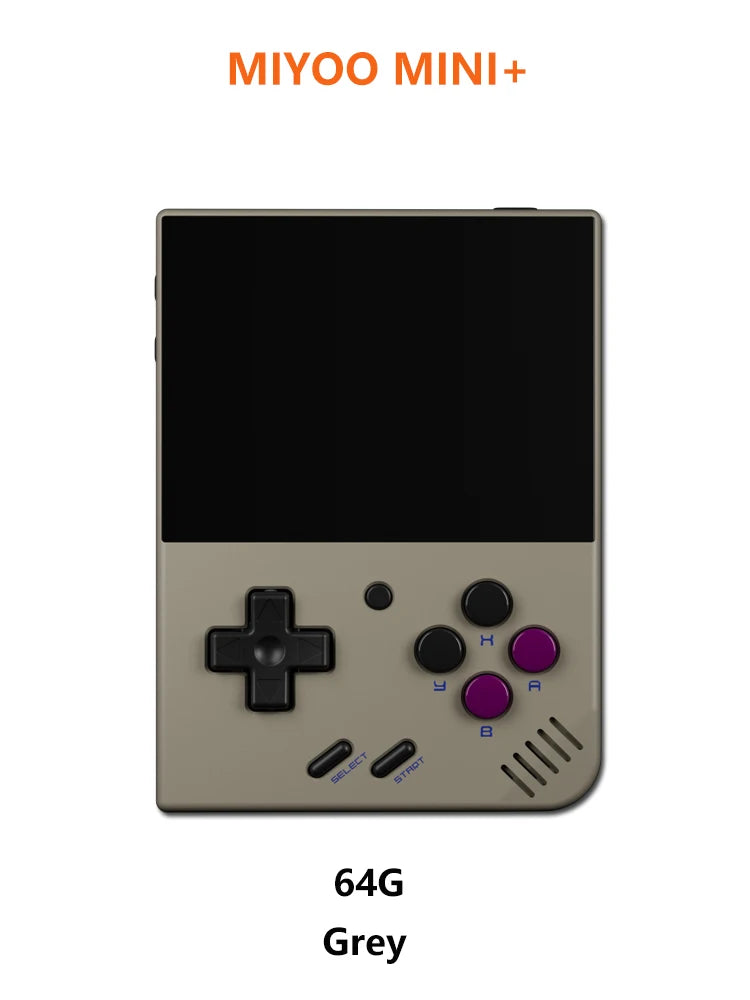
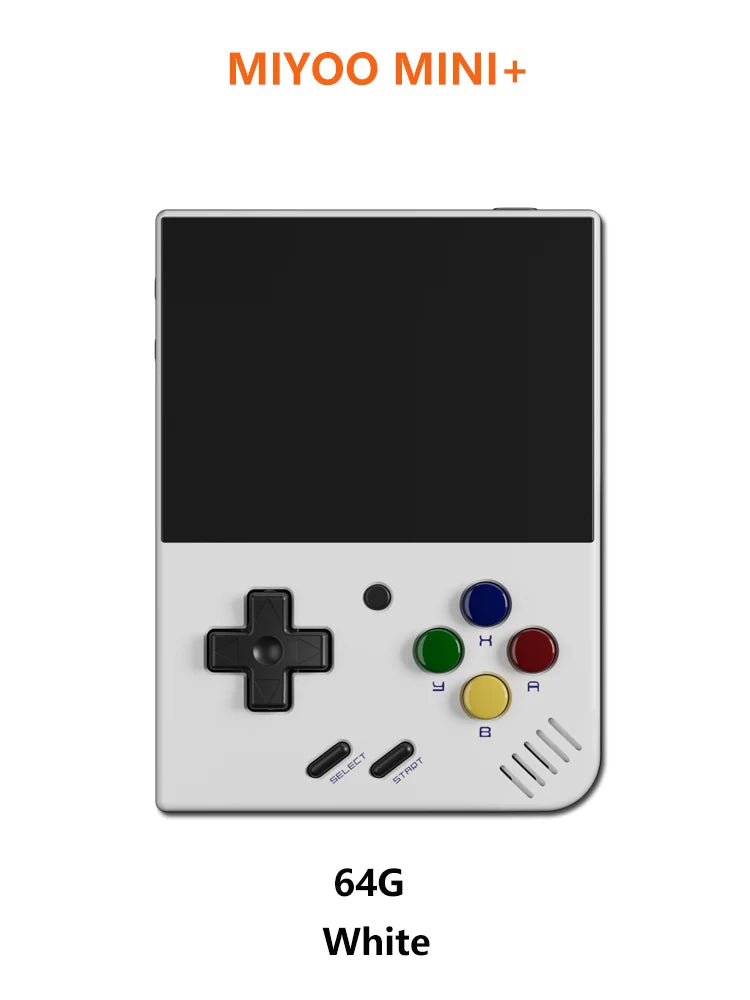

Product Details
SPECIFICATIONS
MIYOO Model: mini
Supporting Language: English
Supporting Language: Simplified Chinese
Supporting Language: Traditional Chinese Style
Category: Handheld Game Players
Games included: 0
Hign-concerned Chemical: None
Screen Resolution: 640x480
Display Size: 3.5"
Games Type: retro
Battery Capacity[mAh]: 3000
Package: Yes
Bluetooth-compatible: no
Screen Type: IPS
Certification: CE
Wi-fi: YES
Charging Interface Type: TYPE-C
CPU: ARM Cortex-A7 dual-core 1.2G
Memory: 128MB
Storage expansion: 32GB MicroSD (TF) Card Supports a maximum expansion of 128GB
Operating system: Linux
Sensor: Vibration motor
Power: 3.7V 3000mAh / 5V Charging interface supports 1A
Gift accessories: 64GB TF Card X1,screen protection X1 USB type-C data cable X1,Card reader X1,Manual x1.
Specifications: 108mmX78.5mmX22.3mm
Weight: 162g
|
Model: |
MIYOO Mini+ |
Screen size: |
3.5-inch IPS screen |
|
Memory: |
128MB |
Operating system: |
Linux |
|
Sensor: |
Vibration motor |
Color: |
Grey , white,Black,purple |
|
Specifications: |
108mmX78.5mmX22.3mm |
Weight: |
162g |
|
CPU: |
ARM Cortex-A7 dual-core 1.2G |
||
|
Storage expansion: |
32GB MicroSD (TF) Card Supports a maximum expansion of 128GB |
||
|
Power: |
3.7V 3000mAh / 5V Charging interface supports 1.5A |
||
|
Gift accessories: |
64GB TF Card x1, USB type-C data cable x1, Card reader x1, Manual x1.Screen protector x1 |
||
Question answering :
Start using
1. Insert the TF card that has been installed with the game into the TF card slot;
2. Charge the equipment to ensure normal startup;
3. Start Up: press the power key for 1 seconds.
How to install games?
1. Take the TF card out of the machine,insert the card reader to connect to
the computer,
and copy the "Game ROM" to the folder of the corresponding game type in the TF card;
2. Insert the TF card into the TF card slot,Press [MENU] to open the MENU, and select "Refresh ROM".
On-off
Boot: long press the power supply for 1 seconds
Shutdown: press the power supply for 3 seconds to open the shutdown menu, and press [A] to shut down.
Idle mode, sleep mode,and wake up
60 seconds no operation enters the idle mode, and the screen becomes dark;
In idle mode, press any button to wake up;
No operation for 5 minutes or short press the power key to enter the sleep mode, close the screen and sound,
and automatically shut down after 10 minutes without operation after entering the sleep mode,
You can set the sleep time or disable sleep in the settings options;
In sleep mode, press the power key to wake up.
Firmware Upgrade
1. Shutdown status.
2. Place the Mirror file in the root directory of the TF card,
Insert the TF card slot and connect the charging line to enter the charging mode, and the nautomatically
start up and upgrade.
Do not power off during the upgrade.
Start using
In the game catalog, select a game and press[A]Start the game.
Exit the game
In the game, Press [MENU] to open the MENU, select the "Exit" option, and press [A] to Exit the game.
Save or read game progress
In the game, Press [MENU] to open the MENU, select the "Save" or "Load" option,
press the direction key [LEFT, RIGHT] to select the recording position, press [A] to
save or read the current progress. A game can save up to 10 records.
Set
Press the arrow key [UP,DOWN] to select the setting items: screen brightness,
volume, sleep time, which can be modified by the direction key [LEFT, RIGHT];
Select setting items: Language, key mapping,
System Restore, etc., and press [A] to enter the corresponding setting page.
Pay attention to the following security precautions when using it
Do not spray any liquid on the machine body to avoid damage caused by liquid entering the machine;
Do not modify, repair or disassemble the product;
Do not use any diluent or volatile liquid to clean this product;
Avoid exposure to high temperature or direct contact with flame.
1. Collapsible tab
Share information about your brand with your customers. Describe a product, make announcements, or welcome customers to your store.
2. Collapsible tab
Share information about your brand with your customers. Describe a product, make announcements, or welcome customers to your store.
3. Collapsible tab
Share information about your brand with your customers. Describe a product, make announcements, or welcome customers to your store.
Tab collage
1. Image heading
2. Image heading
3. Image heading
4. Image heading
Pair text with an image to focus on your chosen product, collection, or blog post. Add details on availability, style, or even provide a review.
Pair text with an image to focus on your chosen product, collection, or blog post. Add details on availability, style, or even provide a review.
Pair text with an image to focus on your chosen product, collection, or blog post. Add details on availability, style, or even provide a review.
Pair text with an image to focus on your chosen product, collection, or blog post. Add details on availability, style, or even provide a review.
Testimonials
Author's nameAdd customer reviews and testimonials to showcase your store’s happy customers.
Author's nameAdd customer reviews and testimonials to showcase your store’s happy customers.
Author's nameAdd customer reviews and testimonials to showcase your store’s happy customers.
Author's nameAdd customer reviews and testimonials to showcase your store’s happy customers.
Author's nameAdd customer reviews and testimonials to showcase your store’s happy customers.